---
url: /docs/integrations/ai-sdk.md
description: Seamlessly use AI SDK inside your oRPC projects without any extra overhead.
---
# AI SDK Integration
[AI SDK](https://ai-sdk.dev/) is a free open-source library for building AI-powered products. You can seamlessly integrate it with oRPC without any extra overhead.
::: warning
This documentation requires AI SDK v5.0.0 or later. For a refresher, review the [AI SDK documentation](https://ai-sdk.dev/docs).
:::
## Server
Use `streamToEventIterator` to convert AI SDK streams to [oRPC Event Iterators](/docs/event-iterator).
```ts twoslash
import { os, streamToEventIterator, type } from '@orpc/server'
import { convertToModelMessages, streamText, UIMessage } from 'ai'
import { google } from '@ai-sdk/google'
export const chat = os
.input(type<{ chatId: string, messages: UIMessage[] }>())
.handler(({ input }) => {
const result = streamText({
model: google('gemini-1.5-flash'),
system: 'You are a helpful assistant.',
messages: convertToModelMessages(input.messages),
})
return streamToEventIterator(result.toUIMessageStream())
})
```
## Client
On the client side, convert the event iterator back to a stream using `eventIteratorToStream` or `eventIteratorToUnproxiedDataStream`.
```tsx twoslash
import React, { useState } from 'react'
import { os, streamToEventIterator, type } from '@orpc/server'
import { convertToModelMessages, streamText, UIMessage } from 'ai'
import { google } from '@ai-sdk/google'
export const chat = os
.input(type<{ chatId: string, messages: UIMessage[] }>())
.handler(({ input }) => {
const result = streamText({
model: google('gemini-1.5-flash'),
system: 'You are a helpful assistant.',
messages: convertToModelMessages(input.messages),
})
return streamToEventIterator(result.toUIMessageStream())
})
.callable()
const client = { chat }
// ---cut---
import { useChat } from '@ai-sdk/react'
import { eventIteratorToUnproxiedDataStream } from '@orpc/client'
export function Example() {
const { messages, sendMessage, status } = useChat({
transport: {
async sendMessages(options) {
return eventIteratorToUnproxiedDataStream(await client.chat({
chatId: options.chatId,
messages: options.messages,
}, { signal: options.abortSignal }))
},
reconnectToStream(options) {
throw new Error('Unsupported')
},
},
})
const [input, setInput] = useState('')
return (
<>
{messages.map(message => (
))}
)
}
```
::: info
The `reconnectToStream` function is not supported by default, which is fine for most use cases. If you need reconnection support, implement it similar to `sendMessages` with custom reconnection logic. See this [reconnect example](https://github.com/vercel/ai-chatbot/blob/main/app/\(chat\)/api/chat/%5Bid%5D/stream/route.ts).
:::
::: info
Prefer `eventIteratorToUnproxiedDataStream` over `eventIteratorToStream`.
AI SDK internally uses `structuredClone`, which doesn't support proxied data.
oRPC may proxy events for [metadata](/docs/event-iterator#last-event-id-event-metadata), so unproxy before passing to AI SDK.
:::
## `implementTool` helper
Implements [procedure contract](/docs/contract-first/define-contract) as an [AI SDK tools](https://ai-sdk.dev/docs/foundations/tools) by leveraging existing contract definitions.
```ts twoslash
import { oc } from '@orpc/contract'
import {
AI_SDK_TOOL_META_SYMBOL,
AiSdkToolMeta,
implementTool
} from '@orpc/ai-sdk'
import { z } from 'zod'
interface ORPCMeta extends AiSdkToolMeta {} // optional extend meta
const base = oc.$meta({})
const getWeatherContract = base
.meta({
[AI_SDK_TOOL_META_SYMBOL]: {
name: 'custom-tool-name', // AI SDK tool name
},
})
.route({
summary: 'Get the weather in a location', // AI SDK tool description
})
.input(z.object({
location: z.string().describe('The location to get the weather for'),
}))
.output(z.object({
location: z.string().describe('The location the weather is for'),
temperature: z.number().describe('The temperature in Celsius'),
}))
const getWeatherTool = implementTool(getWeatherContract, {
execute: async ({ location }) => ({
location,
temperature: 72 + Math.floor(Math.random() * 21) - 10,
}),
// ...add any additional configuration or overrides here
})
```
::: warning
The `implementTool` helper requires a contract with an `input` schema defined
:::
::: info
Standard [procedures](/docs/procedure) are also compatible with [procedure contracts](/docs/contract-first/define-contract).
:::
## `createTool` helper
Converts a [procedure](/docs/procedure) into an [AI SDK Tool](https://ai-sdk.dev/docs/foundations/tools) by leveraging existing procedure definitions.
```ts twoslash
import { os } from '@orpc/server'
import {
AI_SDK_TOOL_META_SYMBOL,
AiSdkToolMeta,
createTool
} from '@orpc/ai-sdk'
import { z } from 'zod'
interface ORPCMeta extends AiSdkToolMeta {} // optional extend meta
const base = os.$meta({})
const getWeatherProcedure = base
.meta({
[AI_SDK_TOOL_META_SYMBOL]: {
name: 'custom-tool-name', // AI SDK tool name
},
})
.route({
summary: 'Get the weather in a location',
})
.input(z.object({
location: z.string().describe('The location to get the weather for'),
}))
.output(z.object({
location: z.string().describe('The location the weather is for'),
temperature: z.number().describe('The temperature in Celsius'),
}))
.handler(async ({ input }) => ({
location: input.location,
temperature: 72 + Math.floor(Math.random() * 21) - 10,
}))
const getWeatherTool = createTool(getWeatherProcedure, {
context: {}, // provide initial context if needed
// ...add any additional configuration or overrides here
})
```
::: warning
The `createTool` helper requires a procedure with an `input` schema defined
:::
---
---
url: /docs/adapters/astro.md
description: Use oRPC inside an Astro project
---
# Astro Adapter
[Astro](https://astro.build/) is a JavaScript web framework optimized for building fast, content-driven websites. For additional context, refer to the [HTTP Adapter](/docs/adapters/http) guide.
## Basic
::: code-group
```ts [pages/rpc/[...rest].ts]
import { RPCHandler } from '@orpc/server/fetch'
import { onError } from '@orpc/server'
const handler = new RPCHandler(router, {
interceptors: [
onError((error) => {
console.error(error)
}),
],
})
export const prerender = false
export const ALL: APIRoute = async ({ request }) => {
const { response } = await handler.handle(request, {
prefix: '/rpc',
context: {},
})
return response ?? new Response('Not found', { status: 404 })
}
```
:::
::: info
The `handler` can be any supported oRPC handler, such as [RPCHandler](/docs/rpc-handler), [OpenAPIHandler](/docs/openapi/openapi-handler), or another custom handler.
:::
---
---
url: /docs/helpers/base64url.md
description: >-
Functions to encode and decode base64url strings, a URL-safe variant of base64
encoding.
---
# Base64Url Helpers
Base64Url helpers provide functions to encode and decode base64url strings, a URL-safe variant of base64 encoding used in web tokens, data serialization, and APIs.
```ts twoslash
import { decodeBase64url, encodeBase64url } from '@orpc/server/helpers'
const originalText = 'Hello World'
const textBytes = new TextEncoder().encode(originalText)
const encodedData = encodeBase64url(textBytes)
const decodedBytes = decodeBase64url(encodedData)
const decodedText = new TextDecoder().decode(decodedBytes) // 'Hello World'
```
::: info
The `decodeBase64url` accepts `undefined` or `null` as encoded value and returns `undefined` for invalid inputs, enabling seamless handling of optional data.
:::
---
---
url: /docs/plugins/batch-requests.md
description: A plugin for oRPC to batch requests and responses.
---
# Batch Requests Plugin
The **Batch Requests Plugin** allows you to combine multiple requests and responses into a single batch, reducing the overhead of sending each one separately.
::: info
HTTP/2, HTTP/3, and later versions already support multiplexing, allowing multiple requests and responses over a single connection. Since these protocols are now widely adopted, the batch plugin may be less beneficial in most scenarios.
:::
## Setup
This plugin requires configuration on both the server and client sides.
### Server
```ts twoslash
import { RPCHandler } from '@orpc/server/fetch'
import { router } from './shared/planet'
// ---cut---
import { BatchHandlerPlugin } from '@orpc/server/plugins'
const handler = new RPCHandler(router, {
plugins: [new BatchHandlerPlugin()],
})
```
::: info
The `handler` can be any supported oRPC handler, such as [RPCHandler](/docs/rpc-handler), [OpenAPIHandler](/docs/openapi/openapi-handler) or custom implementations. Note that this plugin uses its own protocol for batching requests and responses, which is different from the handler's native protocol.
:::
### Client
To use the `BatchLinkPlugin`, define at least one group. Requests within the same group will be considered for batching together, and each group requires a `context` as described in [client context](/docs/client/rpc-link#using-client-context).
```ts twoslash
import { RPCLink } from '@orpc/client/fetch'
// ---cut---
import { BatchLinkPlugin } from '@orpc/client/plugins'
const link = new RPCLink({
url: 'https://api.example.com/rpc',
plugins: [
new BatchLinkPlugin({
groups: [
{
condition: options => true,
context: {} // Context used for the rest of the request lifecycle
}
]
}),
],
})
```
::: info
The `link` can be any supported oRPC link, such as [RPCLink](/docs/client/rpc-link), [OpenAPILink](/docs/openapi/client/openapi-link), or custom implementations.
:::
## Batch Mode
By default, the plugin uses `streaming` mode, which sends responses asynchronously as they arrive. This ensures that no single request blocks others, allowing for faster and more efficient batching.
If your environment does not support streaming responses, such as some serverless platforms or older browsers you can switch to `buffered` mode. In this mode, all responses are collected before being sent together.
```ts
const link = new RPCLink({
url: 'https://api.example.com/rpc',
plugins: [
new BatchLinkPlugin({
mode: typeof window === 'undefined' ? 'buffered' : 'streaming', // [!code highlight]
groups: [
{
condition: options => true,
context: {}
}
]
}),
],
})
```
## Limitations
The plugin does not support [AsyncIteratorObject](/docs/rpc-handler#supported-data-types) or [File/Blob](/docs/rpc-handler#supported-data-types) in responses (requests will auto fall back to the default behavior). To exclude unsupported procedures, use the `exclude` option:
```ts twoslash
import { RPCLink } from '@orpc/client/fetch'
import { BatchLinkPlugin } from '@orpc/client/plugins'
// ---cut---
const link = new RPCLink({
url: 'https://api.example.com/rpc',
plugins: [
new BatchLinkPlugin({
groups: [
{
condition: options => true,
context: {}
}
],
exclude: ({ path }) => {
return ['planets/getImage', 'planets/subscribe'].includes(path.join('/'))
}
}),
],
})
```
## Request Headers
By default, oRPC uses the headers appear in all requests in the batch. To customize headers, use the `headers` option:
```ts twoslash
import { RPCLink } from '@orpc/client/fetch'
import { BatchLinkPlugin } from '@orpc/client/plugins'
// ---cut---
const link = new RPCLink({
url: 'https://api.example.com/rpc',
plugins: [
new BatchLinkPlugin({
groups: [
{
condition: options => true,
context: {}
}
],
headers: () => ({
authorization: 'Bearer 1234567890',
})
}),
],
})
```
## Response Headers
By default, the response headers are empty. To customize headers, use the `headers` option:
```ts twoslash
import { RPCHandler } from '@orpc/server/fetch'
import { router } from './shared/planet'
// ---cut---
import { BatchHandlerPlugin } from '@orpc/server/plugins'
const handler = new RPCHandler(router, {
plugins: [new BatchHandlerPlugin({
headers: responses => ({
'some-header': 'some-value',
})
})],
})
```
## Groups
Requests within the same group will be considered for batching together, and each group requires a `context` as described in [client context](/docs/client/rpc-link#using-client-context).
In the example below, I used a group and `context` to batch requests based on the `cache` control:
```ts twoslash
import { RPCLink } from '@orpc/client/fetch'
import { BatchLinkPlugin } from '@orpc/client/plugins'
interface ClientContext {
cache?: RequestCache
}
const link = new RPCLink({
url: 'http://localhost:3000/rpc',
method: ({ context }) => {
if (context?.cache) {
return 'GET'
}
return 'POST'
},
plugins: [
new BatchLinkPlugin({
groups: [
{
condition: ({ context }) => context?.cache === 'force-cache',
context: { // This context will be passed to the fetch method
cache: 'force-cache',
},
},
{ // Fallback for all other requests - need put it at the end of list
condition: () => true,
context: {},
},
],
}),
],
fetch: (request, init, { context }) => globalThis.fetch(request, {
...init,
cache: context?.cache,
}),
})
```
Now, calls with `cache=force-cache` will be sent with `cache=force-cache`, whether they're batched or executed individually.
---
---
url: /docs/integrations/better-auth.md
description: >-
Seamlessly use Better Auth inside your oRPC projects without any extra
overhead.
---
# Better Auth Integration
[Better Auth](https://better-auth.com/) is a framework-agnostic, universal authentication and authorization framework for TypeScript.
::: warning
This documentation assumes you are already familiar with [Better Auth](https://better-auth.com/). If you need a refresher, please review the official Better Auth documentation before proceeding.
:::
## Step 1: Define Context Headers
First, you need to access request headers in your context. You can do this either manually or by using the [Request Headers Plugin](/docs/plugins/request-headers).
### Option A: Manual Context Definition
```typescript
import { os } from '@orpc/server'
export const base = os.$context<{ headers: Headers }>()
```
::: tip
Don't forget to provide the `headers` when creating the context. This is typically done in your server adapter.
:::
### Option B: Using Request Headers Plugin
Follow the setup instructions on the [Request Headers Plugin](/docs/plugins/request-headers) page.
## Step 2: Create Auth Middleware
Create a middleware that fetches the session and user from Better Auth, validates authentication, and adds them to the context.
```typescript
import { auth } from './auth' // Your Better Auth instance
import { base } from './context'
import { ORPCError } from '@orpc/server'
export const authMiddleware = base.middleware(async ({ context, next }) => {
const sessionData = await auth.api.getSession({
headers: context.headers, // or reqHeaders if you're using the plugin
})
if (!sessionData?.session || !sessionData?.user) {
throw new ORPCError('UNAUTHORIZED')
}
// Adds session and user to the context
return next({
context: {
session: sessionData.session,
user: sessionData.user
},
})
})
```
## Usage
Instead of using `.use(authMiddleware)` every time you create a protected procedure, you can create an `authorized` base that already includes the auth middleware:
```typescript
import { base } from './context'
import { authMiddleware } from './middlewares/auth'
export const authorized = base.use(authMiddleware)
```
Now you can use `authorized` to create procedures that require authentication:
```typescript
import { authorized } from './authorized'
export const getMessages = authorized.handler(({ context }) => {
// context.session and context.user are guaranteed to be defined
})
```
---
---
url: /learn-and-contribute/mini-orpc/beyond-the-basics.md
description: Explore advanced features you can implement in Mini oRPC.
---
# Beyond the Basics of Mini oRPC
This section explores advanced features and techniques you can implement to enhance Mini oRPC's capabilities.
## Getting Started
The complete Mini oRPC implementation is available in the [Mini oRPC Repository](https://github.com/unnoq/mini-orpc), with a [playground](https://github.com/unnoq/mini-orpc/tree/main/playground) for testing. Once you implement a new feature, submit a pull request to the repository for review.
## Feature Suggestions
Below are recommended features you can implement in Mini oRPC:
::: info
You can implement these features in any order. Pick the ones you find interesting. You can import code from existing oRPC packages to make development easier.
:::
* \[ ] [Middleware Typed Input](https://orpc.unnoq.com/docs/middleware#middleware-input) Support ([reference](https://github.com/unnoq/orpc/blob/main/packages/server/src/middleware.ts))
* \[ ] Builder Variants ([reference](https://github.com/unnoq/orpc/blob/main/packages/server/src/builder-variants.ts))
* \[ ] Prevent redefinition of `.input` and `.output` methods
* \[ ] [Type-Safe Error](https://orpc.unnoq.com/docs/error-handling#type%E2%80%90safe-error-handling) Support ([reference](https://github.com/unnoq/orpc/blob/main/packages/server/src/procedure-client.ts#L113-L120))
* \[ ] [RPC Protocol](/docs/advanced/rpc-protocol) Implementation ([reference](https://github.com/unnoq/orpc/blob/main/packages/client/src/adapters/standard/rpc-serializer.ts))
* \[ ] Support native types like `Date`, `Map`, `Set`, etc.
* \[ ] Support `File`/`Blob` types
* \[ ] Support [Event Iterator](https://orpc.unnoq.com/docs/event-iterator) types
* \[ ] Multi-runtime support
* \[ ] Standard Server Concept ([reference](https://github.com/unnoq/orpc/tree/main/packages/standard-server))
* \[ ] Fetch Adapter ([reference](https://github.com/unnoq/orpc/tree/main/packages/standard-server-fetch))
* \[ ] Node HTTP Adapter ([reference](https://github.com/unnoq/orpc/tree/main/packages/standard-server-node))
* \[ ] Peer Adapter (WebSocket, MessagePort, etc.) ([reference](https://github.com/unnoq/orpc/tree/main/packages/standard-server-peer))
* \[ ] [Contract First](/docs/contract-first/define-contract) Support
* \[ ] Contract Builder ([reference](https://github.com/unnoq/orpc/blob/main/packages/contract/src/builder.ts))
* \[ ] Contract Implementer ([reference](https://github.com/unnoq/orpc/blob/main/packages/server/src/implementer.ts))
* \[ ] [OpenAPI](https://orpc.unnoq.com/docs/openapi/getting-started) Support
* \[ ] OpenAPI Handler ([reference](https://github.com/unnoq/orpc/blob/main/packages/openapi/src/adapters/standard/openapi-handler.ts))
* \[ ] OpenAPI Generator ([reference](https://github.com/unnoq/orpc/blob/main/packages/openapi/src/openapi-generator.ts))
* \[ ] OpenAPI Link ([reference](https://github.com/unnoq/orpc/blob/main/packages/openapi-client/src/adapters/fetch/openapi-link.ts))
* \[ ] [Tanstack Query](https://orpc.unnoq.com/docs/integrations/tanstack-query) Integration ([reference](https://github.com/unnoq/orpc/tree/main/packages/tanstack-query))
---
---
url: /docs/plugins/body-limit.md
description: A plugin for oRPC to limit the request body size.
---
# Body Limit Plugin
The **Body Limit Plugin** restricts the size of the request body.
## Import
Depending on your adapter, import the corresponding plugin:
```ts
import { BodyLimitPlugin } from '@orpc/server/fetch'
import { BodyLimitPlugin } from '@orpc/server/node'
```
## Setup
Configure the plugin with your desired maximum body size:
```ts
const handler = new RPCHandler(router, {
plugins: [
new BodyLimitPlugin({
maxBodySize: 1024 * 1024, // 1MB
}),
],
})
```
::: info
The `handler` can be any supported oRPC handler, such as [RPCHandler](/docs/rpc-handler), [OpenAPIHandler](/docs/openapi/openapi-handler), or another custom handler.
:::
---
---
url: /docs/openapi/bracket-notation.md
description: >-
Represent structured data in limited formats such as URL queries and form
data.
---
# Bracket Notation
Bracket Notation encodes structured data in formats with limited syntax, like URL queries and form data. It is used by [OpenAPIHandler](/docs/openapi/openapi-handler) and [OpenAPILink](/docs/openapi/client/openapi-link).
## Usage
1. **Same name (>=2 elements) are represented as an array.**
```
color=red&color=blue → { color: ["red", "blue"] }
```
2. **Append `[]` at the end to denote an array.**
```
color[]=red&color[]=blue → { color: ["red", "blue"] }
```
3. **Append `[number]` to specify an array index (missing indexes create sparse arrays).**
```
color[0]=red&color[2]=blue → { color: ["red", , "blue"] }
```
::: info
Array indexes must be less than 10,000 by default to prevent memory exhaustion attacks from large indices. Configure with `maxBracketNotationArrayIndex` in `OpenAPIHandler`.
:::
4. **Append `[key]` to denote an object property.**
```
color[red]=true&color[blue]=false → { color: { red: true, blue: false } }
```
## Limitations
* **Empty Arrays:** Cannot be represented; arrays must have at least one element.
* **Empty Objects:** Cannot be represented. Objects with empty or numeric keys may be interpreted as arrays, so ensure objects include at least one non-empty, non-numeric key.
## Examples
### URL Query
```bash
curl http://example.com/api/example?name[first]=John&name[last]=Doe
```
This query is parsed as:
```json
{
"name": {
"first": "John",
"last": "Doe"
}
}
```
### Form Data
```bash
curl -X POST http://example.com/api/example \
-F 'name[first]=John' \
-F 'name[last]=Doe'
```
This form data is parsed as:
```json
{
"name": {
"first": "John",
"last": "Doe"
}
}
```
### Complex Example
```bash
curl -X POST http://example.com/api/example \
-F 'data[names][0][first]=John1' \
-F 'data[names][0][last]=Doe1' \
-F 'data[names][1][first]=John2' \
-F 'data[names][1][last]=Doe2' \
-F 'data[ages][0]=18' \
-F 'data[ages][2]=25' \
-F 'data[files][]=@/path/to/file1' \
-F 'data[files][]=@/path/to/file2'
```
This form data is parsed as:
```json
{
"data": {
"names": [
{ "first": "John1", "last": "Doe1" },
{ "first": "John2", "last": "Doe2" }
],
"ages": ["18", "", "25"],
"files": ["", ""]
}
}
```
---
---
url: /docs/adapters/browser.md
description: Type-safe communication between browser scripts using Message Port Adapter
---
# Browser Adapter
Enable type-safe communication between browser scripts using the [Message Port Adapter](/docs/adapters/message-port).
## Between Extension Scripts
To set up communication between scripts in a browser extension (e.g. background, content, popup), configure one script to listen for connections and upgrade them, and another to initiate the connection.
::: warning
The browser extension [Message Passing API](https://developer.chrome.com/docs/extensions/develop/concepts/messaging) does not support transferring binary data, which means oRPC features like `File` and `Blob` cannot be used natively. However, you can temporarily work around this limitation by extending the [RPC JSON Serializer](/docs/advanced/rpc-json-serializer#extending-native-data-types) to encode binary data as Base64.
:::
::: code-group
```ts [server]
import { RPCHandler } from '@orpc/server/message-port'
import { onError } from '@orpc/server'
const handler = new RPCHandler(router, {
interceptors: [
onError((error) => {
console.error(error)
}),
],
})
browser.runtime.onConnect.addListener((port) => {
handler.upgrade(port, {
context: {}, // provide initial context if needed
})
})
```
```ts [client]
import { RPCLink } from '@orpc/client/message-port'
const port = browser.runtime.connect()
const link = new RPCLink({
port,
})
```
:::
:::info
This only shows how to configure the link. For full client examples, see [Client-Side Clients](/docs/client/client-side).
:::
## Window to Window
To enable communication between two window contexts (e.g. parent and popup), one must listen and upgrade the port, and the other must initiate the connection.
::: code-group
```ts [opener]
import { RPCHandler } from '@orpc/server/message-port'
import { onError } from '@orpc/server'
const handler = new RPCHandler(router, {
interceptors: [
onError((error) => {
console.error(error)
}),
],
})
window.addEventListener('message', (event) => {
if (event.data instanceof MessagePort) {
handler.upgrade(event.data, {
context: {}, // Optional context
})
event.data.start()
}
})
window.open('/example/popup', 'popup', 'width=680,height=520')
```
```ts [popup]
import { RPCLink } from '@orpc/client/message-port'
const { port1: serverPort, port2: clientPort } = new MessageChannel()
window.opener.postMessage(serverPort, '*', [serverPort])
const link = new RPCLink({
port: clientPort,
})
clientPort.start()
```
:::
## Advanced Relay Pattern
In some advanced cases, direct communication between scripts isn't possible. For example, a content script running in the ["MAIN" world](https://developer.chrome.com/docs/extensions/reference/manifest/content-scripts#world-timings) cannot directly communicate with the background script using `browser.runtime` or `chrome.runtime` APIs.
To work around this, you can use a **relay pattern** typically an additional content script running in the default **"ISOLATED" (default) world** to relay messages between the two contexts. This **relay pattern** acts as an intermediary, enabling communication where direct access is restricted.
::: code-group
```ts [relay]
window.addEventListener('message', (event) => {
if (event.data instanceof MessagePort) {
const port = browser.runtime.connect()
// Relay `message` and `close/disconnect` events between the MessagePort and runtime.Port
event.data.addEventListener('message', (event) => {
port.postMessage(event.data)
})
event.data.addEventListener('close', () => {
port.disconnect()
})
port.onMessage.addListener((message) => {
event.data.postMessage(message)
})
port.onDisconnect.addListener(() => {
event.data.close()
})
event.data.start()
}
})
```
```ts [server]
import { RPCHandler } from '@orpc/server/message-port'
import { onError } from '@orpc/server'
const handler = new RPCHandler(router, {
interceptors: [
onError((error) => {
console.error(error)
}),
],
})
browser.runtime.onConnect.addListener((port) => {
handler.upgrade(port, {
context: {}, // provide initial context if needed
})
})
```
```ts [client]
import { RPCLink } from '@orpc/client/message-port'
const { port1: serverPort, port2: clientPort } = new MessageChannel()
window.postMessage(serverPort, '*', [serverPort])
const link = new RPCLink({
port: clientPort,
})
clientPort.start()
```
:::
---
---
url: /docs/advanced/building-custom-plugins.md
description: >-
Create powerful custom plugins to extend oRPC handlers and links with
interceptors.
---
# Building Custom Plugins
This guide explains how to create custom oRPC plugins for handlers and links.
## What is a Plugin?
In oRPC, a plugin is a collection of `interceptors` that can work together or independently.
```ts
export class ResponseHeadersPlugin implements StandardHandlerPlugin {
init(options: StandardHandlerOptions): void {
options.rootInterceptors ??= []
options.rootInterceptors.push(async (interceptorOptions) => {
const resHeaders = interceptorOptions.context.resHeaders ?? new Headers()
const result = await interceptorOptions.next({
...interceptorOptions,
context: {
...interceptorOptions.context,
resHeaders,
},
})
if (!result.matched) {
return result
}
const responseHeaders = clone(result.response.headers)
for (const [key, value] of resHeaders) {
if (Array.isArray(responseHeaders[key])) {
responseHeaders[key].push(value)
}
else if (responseHeaders[key] !== undefined) {
responseHeaders[key] = [responseHeaders[key], value]
}
else {
responseHeaders[key] = value
}
}
return {
...result,
response: {
...result.response,
headers: responseHeaders,
},
}
})
}
}
```
Above is a snippet from the [Response Headers Plugin](/docs/plugins/response-headers). It contains a single interceptor that injects `resHeaders` into the context and merges them with the response headers after the handler executes.
### Handler Plugins
Handler plugins extend the functionality of your server-side handlers. You can create plugins for [RPCHandler](/docs/rpc-handler), [OpenAPIHandler](/docs/openapi/openapi-handler), or any custom handlers you've built.
When building a handler plugin, you'll work with interceptors from the [Handler Lifecycle](/docs/rpc-handler#lifecycle). These interceptors let you hook into different stages of request processing - from initial request parsing to final response formatting.
Check out the [built-in handler plugins](https://github.com/unnoq/orpc/tree/main/packages/server/src/plugins) to see real-world examples of how different plugins solve common server-side challenges.
### Link Plugins
Link plugins enhance your client-side communication. They work with [RPCLink](/docs/client/rpc-link), [OpenAPILink](/docs/openapi/client/openapi-link), or custom links you've implemented.
Link plugins use interceptors from the [Link Lifecycle](/docs/client/rpc-link#lifecycle) to modify requests before they're sent or responses after they're received. This is perfect for adding authentication, logging, retry logic, or request/response transformations.
Browse the [built-in link plugins](https://github.com/unnoq/orpc/tree/main/packages/client/src/plugins) for inspiration on handling common client-side scenarios.
## Communication Between Interceptors
Sometimes you need interceptors to share data. For example, one interceptor might collect information that another interceptor uses later. You can achieve this by injecting context using a unique symbol.
The [Strict Get Method Plugin](/docs/plugins/strict-get-method) ([Source Code](https://github.com/unnoq/orpc/blob/main/packages/server/src/plugins/strict-get-method.ts)) demonstrates this pattern. It uses `rootInterceptors` to collect HTTP methods and combines this data with procedure information in `clientInterceptors` to determine whether the method is allowed.
## Plugin Order
```ts
export class ExamplePlugin implements StandardHandlerPlugin {
order = 10 // [!code highlight]
init(options: StandardHandlerOptions): void {
options.rootInterceptors ??= []
options.clientInterceptors ??= []
options.rootInterceptors.push(async ({ next }) => {
return await next()
})
options.clientInterceptors.push(async ({ next }) => {
return await next()
})
}
}
```
The `order` property controls plugin loading order, not interceptor execution order. To ensure your interceptor runs earlier, set a higher order value and use `.unshift` to add your interceptor, or use `.push` if you want your interceptor to run later.
::: warning
In most cases, you **should not** define the `order` property unless you need your interceptors to always run before or after other interceptors. The `order` value should be less than `1_000_000` to avoid conflicts with built-in plugins.
:::
---
---
url: /docs/plugins/client-retry.md
description: A plugin for oRPC that enables retrying client calls when errors occur.
---
# Client Retry Plugin
The `Client Retry Plugin` enables retrying client calls when errors occur.
## Setup
Before you begin, please review the [Client Context](/docs/client/rpc-link#using-client-context) documentation.
```ts twoslash
import { router } from './shared/planet'
import { RouterClient } from '@orpc/server'
import { createORPCClient } from '@orpc/client'
// ---cut---
import { RPCLink } from '@orpc/client/fetch'
import { ClientRetryPlugin, ClientRetryPluginContext } from '@orpc/client/plugins'
interface ORPCClientContext extends ClientRetryPluginContext {}
const link = new RPCLink({
url: 'http://localhost:3000/rpc',
plugins: [
new ClientRetryPlugin({
default: { // Optional override for default options
retry: ({ path }) => {
if (path.join('.') === 'planet.list') {
return 2
}
return 0
}
},
}),
],
})
const client: RouterClient = createORPCClient(link)
```
::: info
The `link` can be any supported oRPC link, such as [RPCLink](/docs/client/rpc-link), [OpenAPILink](/docs/openapi/client/openapi-link), or custom implementations.
:::
## Usage
```ts twoslash
import { router } from './shared/planet'
import { ClientRetryPluginContext } from '@orpc/client/plugins'
import { RouterClient } from '@orpc/server'
declare const client: RouterClient
// ---cut---
const planets = await client.planet.list({ limit: 10 }, {
context: {
retry: 3, // Maximum retry attempts
retryDelay: 2000, // Delay between retries in ms
shouldRetry: options => true, // Determines whether to retry based on the error
onRetry: (options) => {
// Hook executed on each retry
return (isSuccess) => {
// Execute after the retry is complete
}
},
}
})
```
::: info
By default, retries are disabled unless a `retry` count is explicitly set.
* **retry:** Maximum retry attempts before throwing an error (default: `0`).
* **retryDelay:** Delay between retries (default: `(o) => o.lastEventRetry ?? 2000`).
* **shouldRetry:** Function that determines whether to retry (default: `true`).
:::
## Event Iterator (SSE)
To replicate the behavior of [EventSource](https://developer.mozilla.org/en-US/docs/Web/API/EventSource) for [Event Iterator](/docs/event-iterator), use the following configuration:
```ts
const streaming = await client.streaming('the input', {
context: {
retry: Number.POSITIVE_INFINITY,
}
})
for await (const message of streaming) {
console.log(message)
}
```
---
---
url: /learn-and-contribute/mini-orpc/client-side-client.md
description: >-
Learn how to implement remote procedure calls (RPC) on the client side in Mini
oRPC.
---
# Client-side Client in Mini oRPC
In Mini oRPC, the client-side client initiates remote procedure calls to the server. Both client and server must follow shared conventions to communicate effectively. While we could use the [RPC Protocol](/docs/advanced/rpc-protocol), we'll implement simpler conventions for clarity.
::: info
The complete Mini oRPC implementation is available in our GitHub repository: [Mini oRPC Repository](https://github.com/unnoq/mini-orpc)
:::
## Implementation
Here's the complete implementation of the [client-side client](/docs/client/client-side) functionality in Mini oRPC:
::: code-group
```ts [server/src/fetch/handler.ts]
import { ORPCError } from '@mini-orpc/client'
import { get, parseEmptyableJSON } from '@orpc/shared'
import { isProcedure } from '../procedure'
import { createProcedureClient } from '../procedure-client'
import type { Router } from '../router'
import type { Context } from '../types'
export interface JSONHandlerHandleOptions {
prefix?: `/${string}`
context: T
}
export type JSONHandlerHandleResult
= | { matched: true, response: Response }
| { matched: false, response?: undefined }
export class RPCHandler {
private readonly router: Router
constructor(router: Router) {
this.router = router
}
async handle(
request: Request,
options: JSONHandlerHandleOptions
): Promise {
const prefix = options.prefix
const url = new URL(request.url)
if (
prefix
&& !url.pathname.startsWith(`${prefix}/`)
&& url.pathname !== prefix
) {
return { matched: false, response: undefined }
}
const pathname = prefix ? url.pathname.replace(prefix, '') : url.pathname
const path = pathname
.replace(/^\/|\/$/g, '')
.split('/')
.map(decodeURIComponent)
const procedure = get(this.router, path)
if (!isProcedure(procedure)) {
return { matched: false, response: undefined }
}
const client = createProcedureClient(procedure, {
context: options.context,
path,
})
try {
/**
* The request body may be empty, which is interpreted as `undefined` input.
* Only JSON data is supported for input transfer.
* For more complex data types, consider using a library like [SuperJSON](https://github.com/flightcontrolhq/superjson).
* Note: oRPC uses its own optimized serialization for internal transfers.
*/
const input = parseEmptyableJSON(await request.text())
const output = await client(input, {
signal: request.signal,
})
const response = Response.json(output)
return {
matched: true,
response,
}
}
catch (e) {
const error
= e instanceof ORPCError
? e
: new ORPCError('INTERNAL_ERROR', {
message: 'An error occurred while processing the request.',
cause: e,
})
const response = new Response(JSON.stringify(error.toJSON()), {
status: error.status,
headers: {
'Content-Type': 'application/json',
},
})
return {
matched: true,
response,
}
}
}
}
```
```ts [client/src/fetch/link.ts]
import { parseEmptyableJSON } from '@orpc/shared'
import { isORPCErrorJson, isORPCErrorStatus, ORPCError } from '../error'
import type { ClientOptions } from '../types'
export interface JSONLinkOptions {
url: string | URL
}
export class RPCLink {
private readonly url: string | URL
constructor(options: JSONLinkOptions) {
this.url = options.url
}
async call(
path: readonly string[],
input: any,
options: ClientOptions
): Promise {
const url = new URL(this.url)
url.pathname = `${url.pathname.replace(/\/$/, '')}/${path.join('/')}`
const response = await fetch(url, {
method: 'POST',
headers: {
'Content-Type': 'application/json',
},
body: JSON.stringify(input),
signal: options.signal,
})
/**
* The request body may be empty, which is interpreted as `undefined` output/error.
* Only JSON data is supported for output/error transfer.
* For more complex data types, consider using a library like [SuperJSON](https://github.com/flightcontrolhq/superjson).
* Note: oRPC uses its own optimized serialization for internal transfers.
*/
const body = await parseEmptyableJSON(await response.text())
if (isORPCErrorStatus(response.status) && isORPCErrorJson(body)) {
throw new ORPCError(body.code, body)
}
if (!response.ok) {
throw new Error(
`[ORPC] Request failed with status ${response.status}: ${response.statusText}`,
{ cause: response }
)
}
return body
}
}
```
:::
## Type-Safe Wrapper
We can create a type-safe wrapper for easier client-side usage:
::: code-group
```ts [client/src/client.ts]
import type { RPCLink } from './fetch'
import type { Client, ClientOptions, NestedClient } from './types'
export interface createORPCClientOptions {
/**
* Base path for all procedures. Useful when calling only a subset of procedures.
*/
path?: readonly string[]
}
/**
* Create an oRPC client from a link.
*/
export function createORPCClient(
link: RPCLink,
options: createORPCClientOptions = {}
): T {
const path = options.path ?? []
const procedureClient: Client = async (
...[input, clientOptions = {} as ClientOptions]
) => {
return await link.call(path, input, clientOptions)
}
const recursive = new Proxy(procedureClient, {
get(target, key) {
if (typeof key !== 'string') {
return Reflect.get(target, key)
}
return createORPCClient(link, {
...options,
path: [...path, key],
})
},
})
return recursive as any
}
```
:::
## Usage
Simply set up a client and enjoy a server-side-like experience:
```ts
const link = new RPCLink({
url: `${window.location.origin}/rpc`,
})
export const orpc: RouterClient = createORPCClient(link)
const result = await orpc.someProcedure({ input: 'example' })
```
---
---
url: /docs/client/client-side.md
description: Call your oRPC procedures remotely as if they were local functions.
---
# Client-Side Clients
Call your [procedures](/docs/procedure) remotely as if they were local functions.
## Installation
::: code-group
```sh [npm]
npm install @orpc/client@latest
```
```sh [yarn]
yarn add @orpc/client@latest
```
```sh [pnpm]
pnpm add @orpc/client@latest
```
```sh [bun]
bun add @orpc/client@latest
```
```sh [deno]
deno add npm:@orpc/client@latest
```
:::
## Creating a Client
This guide uses [RPCLink](/docs/client/rpc-link), so make sure your server is set up with [RPCHandler](/docs/rpc-handler) or any API that follows the [RPC Protocol](/docs/advanced/rpc-protocol).
```ts
import { createORPCClient, onError } from '@orpc/client'
import { RPCLink } from '@orpc/client/fetch'
import { RouterClient } from '@orpc/server'
import { ContractRouterClient } from '@orpc/contract'
const link = new RPCLink({
url: 'http://localhost:3000/rpc',
headers: () => ({
authorization: 'Bearer token',
}),
// fetch: <-- provide fetch polyfill fetch if needed
interceptors: [
onError((error) => {
console.error(error)
})
],
})
// Create a client for your router
const client: RouterClient = createORPCClient(link)
// Or, create a client using a contract
const client: ContractRouterClient = createORPCClient(link)
```
:::tip
You can export `RouterClient` and `ContractRouterClient` from server instead.
:::
## Calling Procedures
Once your client is set up, you can call your [procedures](/docs/procedure) as if they were local functions.
```ts twoslash
import { router } from './shared/planet'
import { RouterClient } from '@orpc/server'
const client = {} as RouterClient
// ---cut---
const planet = await client.planet.find({ id: 1 })
client.planet.create
// ^|
```
## Merge Clients
In oRPC, a client is a simple object-like structure. To merge multiple clients, you simply assign each client to a property in a new object:
```ts
const clientA: RouterClient = createORPCClient(linkA)
const clientB: RouterClient = createORPCClient(linkB)
const clientC: RouterClient = createORPCClient(linkC)
export const orpc = {
a: clientA,
b: clientB,
c: clientC,
}
```
## Utilities
::: info
These utilities can be used for any kind of oRPC client.
:::
### Infer Client Inputs
```ts twoslash
import type { orpc as client } from './shared/planet'
// ---cut---
import type { InferClientInputs } from '@orpc/client'
type Inputs = InferClientInputs
type FindPlanetInput = Inputs['planet']['find']
```
Recursively infers the **input types** from a client. Produces a nested map where each endpoint's input type is preserved.
### Infer Client Body Inputs
```ts twoslash
import type { orpc as client } from './shared/planet'
// ---cut---
import type { InferClientBodyInputs } from '@orpc/client'
type BodyInputs = InferClientBodyInputs
type FindPlanetBodyInput = BodyInputs['planet']['find']
```
Recursively infers the **body input types** from a client. If an endpoint's input includes `{ body: ... }`, only the `body` portion is extracted. Produces a nested map of body input types.
### Infer Client Outputs
```ts twoslash
import type { orpc as client } from './shared/planet'
// ---cut---
import type { InferClientOutputs } from '@orpc/client'
type Outputs = InferClientOutputs
type FindPlanetOutput = Outputs['planet']['find']
```
Recursively infers the **output types** from a client. Produces a nested map where each endpoint's output type is preserved.
### Infer Client Body Outputs
```ts twoslash
import type { orpc as client } from './shared/planet'
// ---cut---
import type { InferClientBodyOutputs } from '@orpc/client'
type BodyOutputs = InferClientBodyOutputs
type FindPlanetBodyOutput = BodyOutputs['planet']['find']
```
Recursively infers the **body output types** from a client. If an endpoint's output includes `{ body: ... }`, only the `body` portion is extracted. Produces a nested map of body output types.
### Infer Client Errors
```ts twoslash
import type { orpc as client } from './shared/planet'
// ---cut---
import type { InferClientErrors } from '@orpc/client'
type Errors = InferClientErrors
type FindPlanetError = Errors['planet']['find']
```
Recursively infers the **error types** from a client when using [type-safe error handling](/docs/error-handling#type‐safe-error-handling). Produces a nested map where each endpoint's error type is preserved.
### Infer Client Error Union
```ts twoslash
import type { orpc as client } from './shared/planet'
// ---cut---
import type { InferClientErrorUnion } from '@orpc/client'
type AllErrors = InferClientErrorUnion
```
Recursively infers a **union of all error types** from a client when using [type-safe error handling](/docs/error-handling#type‐safe-error-handling). Useful when you want to handle all possible errors from any endpoint at once.
### Infer Client Context
```ts twoslash
import type { orpc as client } from './shared/planet'
// ---cut---
import type { InferClientContext } from '@orpc/client'
type Context = InferClientContext
```
Infers the client context type from a client.
---
---
url: /docs/comparison.md
description: How is oRPC different from other RPC or REST solutions?
---
# Comparison
This comparison table helps you understand how oRPC differs from other popular TypeScript RPC and REST solutions.
* ✅ First-class, built-in support
* 🟡 Lacks features, or requires third-party integrations
* 🛑 Not supported or not documented
| Feature | oRPC docs | oRPC | tRPC | ts-rest | Hono |
| ---------------------------------------------------------------------------------------------------------------------------- | -------------------------------------------------------------------------------------------- | ---- | ---- | ------- | ---- |
| End-to-end Typesafe Input/Output | | ✅ | ✅ | ✅ | ✅ |
| End-to-end Typesafe Errors | [1](/docs/client/error-handling), [2](/docs/error-handling#type%E2%80%90safe-error-handling) | ✅ | 🟡 | ✅ | ✅ |
| End-to-end Typesafe File/Blob | [1](/docs/file-upload-download) | ✅ | 🟡 | 🛑 | 🛑 |
| End-to-end Typesafe Streaming | [1](/docs/event-iterator) | ✅ | ✅ | 🛑 | 🛑 |
| Tanstack Query Integration (React) | [1](/docs/integrations/tanstack-query) | ✅ | ✅ | 🟡 | 🛑 |
| Tanstack Query Integration (Vue) | [1](/docs/integrations/tanstack-query) | ✅ | 🛑 | 🟡 | 🛑 |
| Tanstack Query Integration (Solid) | [1](/docs/integrations/tanstack-query) | ✅ | 🛑 | 🟡 | 🛑 |
| Tanstack Query Integration (Svelte) | [1](/docs/integrations/tanstack-query) | ✅ | 🛑 | 🛑 | 🛑 |
| Tanstack Query Integration (Angular) | [1](/docs/integrations/tanstack-query) | ✅ | 🛑 | 🛑 | 🛑 |
| Vue Pinia Colada Integration | [1](/docs/integrations/pinia-colada) | ✅ | 🛑 | 🛑 | 🛑 |
| With Contract-First Approach | [1](/docs/contract-first/define-contract) | ✅ | 🛑 | ✅ | ✅ |
| Without Contract-First Approach | | ✅ | ✅ | 🛑 | ✅ |
| OpenAPI Support | [1](/docs/openapi/openapi-handler) | ✅ | 🟡 | 🟡 | ✅ |
| OpenAPI Support for multiple schema | [1](/docs/openapi/openapi-handler) | ✅ | 🛑 | 🛑 | ✅ |
| OpenAPI Bracket Notation Support | [1](/docs/openapi/bracket-notation) | ✅ | 🛑 | 🛑 | 🛑 |
| Server Actions Support | [1](/docs/server-action) | ✅ | ✅ | 🛑 | 🛑 |
| Lazy Router | [1](/docs/router#lazy-router) | ✅ | ✅ | 🛑 | 🛑 |
| Native Types (Date, URL, Set, Maps, ...) | [1](/docs/rpc-handler#supported-data-types) | ✅ | 🟡 | 🛑 | 🛑 |
| Streaming response (SSE) | [1](/docs/event-iterator) | ✅ | ✅ | 🛑 | ✅ |
| Standard Schema (Zod, Valibot, ArkType, ...) | | ✅ | ✅ | 🛑 | 🟡 |
| Built-in Plugins (CORS, CSRF, Retry, ...) | | ✅ | 🛑 | 🛑 | ✅ |
| Batch Requests | [1](/docs/plugins/batch-requests) | ✅ | ✅ | 🛑 | 🛑 |
| WebSockets | [1](/docs/adapters/websocket) | ✅ | ✅ | 🛑 | 🛑 |
| [Cloudflare Websocket Hibernation](https://developers.cloudflare.com/durable-objects/examples/websocket-hibernation-server/) | [1](/docs/plugins/hibernation) | ✅ | 🛑 | 🛑 | 🛑 |
| Nest.js integration | [1](/docs/openapi/integrations/implement-contract-in-nest) | ✅ | 🟡 | ✅ | 🛑 |
| Message Port (Electron, Browser, Workers, ...) | [1](/docs/adapters/message-port) | ✅ | 🟡 | 🛑 | 🛑 |
---
---
url: /docs/plugins/compression.md
description: A plugin for oRPC that compresses response bodies.
---
# Compression Plugin
The **Compression Plugin** compresses response bodies to reduce bandwidth usage and improve performance.
## Import
Depending on your adapter, import the corresponding plugin:
```ts
import { CompressionPlugin } from '@orpc/server/node'
import { CompressionPlugin } from '@orpc/server/fetch'
```
## Setup
Add the plugin to your handler configuration:
```ts
const handler = new RPCHandler(router, {
plugins: [
new CompressionPlugin(),
],
})
```
::: info
The `handler` can be any supported oRPC handler, such as [RPCHandler](/docs/rpc-handler), [OpenAPIHandler](/docs/openapi/openapi-handler), or another custom handler.
:::
---
---
url: /docs/context.md
description: Understanding context in oRPC
---
# Context in oRPC
oRPC's context mechanism provides a type-safe dependency injection pattern. It lets you supply required dependencies either explicitly or dynamically through middleware. There are two types:
* **Initial Context:** Provided explicitly when invoking a procedure.
* **Execution Context:** Generated during procedure execution, typically by middleware.
## Initial Context
Initial context is used to define required dependencies (usually environment-specific) that must be passed when calling a procedure.
```ts twoslash
import { os } from '@orpc/server'
// ---cut---
const base = os.$context<{ headers: Headers, env: { DB_URL: string } }>()
const getting = base
.handler(async ({ context }) => {
console.log(context.env)
})
export const router = { getting }
```
When calling that requires initial context, pass it explicitly:
```ts twoslash
import { os } from '@orpc/server'
const base = os.$context<{ headers: Headers, env: { DB_URL: string } }>()
const getting = base
.handler(async ({ context }) => {
})
export const router = { getting }
// ---cut---
import { RPCHandler } from '@orpc/server/fetch'
const handler = new RPCHandler(router)
export default function fetch(request: Request) {
handler.handle(request, {
context: { // <-- you must pass initial context here
headers: request.headers,
env: {
DB_URL: '***'
}
}
})
}
```
## Execution context
Execution context is computed during the process lifecycle, usually via [middleware](/docs/middleware). It can be used independently or combined with initial context.
```ts twoslash
import { os } from '@orpc/server'
// ---cut---
import { cookies, headers } from 'next/headers'
const base = os.use(async ({ next }) => next({
context: {
headers: await headers(),
cookies: await cookies(),
},
}))
const getting = base.handler(async ({ context }) => {
context.cookies.set('key', 'value')
})
export const router = { getting }
```
When using execution context, you don't need to pass any context manually:
```ts twoslash
import { os } from '@orpc/server'
import { cookies, headers } from 'next/headers'
const base = os.use(async ({ next }) => next({
context: {
headers: await headers(),
cookies: await cookies(),
},
}))
const getting = base.handler(async ({ context }) => {
context.cookies.set('key', 'value')
})
export const router = { getting }
// ---cut---
import { RPCHandler } from '@orpc/server/fetch'
const handler = new RPCHandler(router)
export default function fetch(request: Request) {
handler.handle(request) // <-- no need to pass anything more
}
```
## Combining Initial and Execution Context
Often you need both static and dynamic dependencies. Use initial context for environment-specific values (e.g., database URLs) and middleware (execution context) for runtime data (e.g., user authentication).
```ts twoslash
import { ORPCError, os } from '@orpc/server'
// ---cut---
const base = os.$context<{ headers: Headers, env: { DB_URL: string } }>()
const requireAuth = base.middleware(async ({ context, next }) => {
const user = parseJWT(context.headers.get('authorization')?.split(' ')[1])
if (user) {
return next({ context: { user } })
}
throw new ORPCError('UNAUTHORIZED')
})
const dbProvider = base.middleware(async ({ context, next }) => {
const client = new Client(context.env.DB_URL)
try {
await client.connect()
return next({ context: { db: client } })
}
finally {
await client.disconnect()
}
})
const getting = base
.use(dbProvider)
.use(requireAuth)
.handler(async ({ context }) => {
console.log(context.db)
console.log(context.user)
})
// ---cut-after---
declare function parseJWT(token: string | undefined): { userId: number } | null
declare class Client {
constructor(url: string)
connect(): Promise
disconnect(): Promise
}
```
---
---
url: /docs/helpers/cookie.md
description: Functions for managing HTTP cookies in web applications.
---
# Cookie Helpers
The Cookie helpers provide functions to set and get HTTP cookies.
```ts twoslash
import { deleteCookie, getCookie, setCookie } from '@orpc/server/helpers'
const reqHeaders = new Headers()
const resHeaders = new Headers()
setCookie(resHeaders, 'sessionId', 'abc123', {
secure: true,
maxAge: 3600
})
deleteCookie(resHeaders, 'sessionId')
const sessionId = getCookie(reqHeaders, 'sessionId')
```
::: info
Both helpers accept `undefined` as headers for seamless integration with plugins like [Request Headers](/docs/plugins/request-headers) or [Response Headers](/docs/plugins/response-headers).
:::
## Security with Signing and Encryption
Combine cookies with [signing](/docs/helpers/signing) or [encryption](/docs/helpers/encryption) for enhanced security:
```ts twoslash
import { getCookie, setCookie, sign, unsign } from '@orpc/server/helpers'
const secret = 'your-secret-key'
const reqHeaders = new Headers()
const resHeaders = new Headers()
setCookie(resHeaders, 'sessionId', await sign('abc123', secret), {
httpOnly: true,
secure: true,
maxAge: 3600
})
const signedSessionId = await unsign(getCookie(reqHeaders, 'sessionId'), secret)
```
---
---
url: /docs/plugins/cors.md
description: CORS Plugin for oRPC
---
# CORS Plugin
`CORSPlugin` is a plugin for oRPC that allows you to configure CORS for your API.
## Basic
```ts
import { CORSPlugin } from '@orpc/server/plugins'
const handler = new RPCHandler(router, {
plugins: [
new CORSPlugin({
origin: (origin, options) => origin,
allowMethods: ['GET', 'HEAD', 'PUT', 'POST', 'DELETE', 'PATCH'],
// ...
}),
],
})
```
::: info
The `handler` can be any supported oRPC handler, such as [RPCHandler](/docs/rpc-handler), [OpenAPIHandler](/docs/openapi/openapi-handler), or another custom handler.
:::
---
---
url: /docs/openapi/advanced/customizing-error-response.md
description: >-
Learn how to customize the error response format in oRPC OpenAPI to match your
application's requirements and improve client compatibility.
---
# Customizing Error Response Format
By default, [OpenAPIHandler](/docs/openapi/openapi-handler), [OpenAPIGenerator](/docs/openapi/openapi-specification), and [OpenAPILink](/docs/openapi/client/openapi-link) share the same error response format. You can customize one, some, or all of them based on your requirements.
::: info
The examples below use options very close to the default behavior.
:::
## `OpenAPIHandler`
Use `customErrorResponseBodyEncoder` in [OpenAPIHandler](/docs/openapi/openapi-handler) to customize how an `ORPCError` is formatted in the response.
```ts
const handler = new OpenAPIHandler(router, {
customErrorResponseBodyEncoder(error) {
return error.toJSON()
},
})
```
::: info
Return `null` or `undefined` from `customErrorResponseBodyEncoder` to fallback to the default behavior.
:::
## `OpenAPIGenerator`
When using [type-safe errors](/docs/error-handling#type‐safe-error-handling), customize the error response format in [OpenAPIGenerator](/docs/openapi/openapi-specification) with `customErrorResponseBodySchema` to match your application's actual error responses.
```ts
const generator = new OpenAPIGenerator()
const spec = await generator.generate(router, {
customErrorResponseBodySchema: (definedErrorDefinitions, status) => {
const result: Record = {
oneOf: [
{
type: 'object',
properties: {
defined: { const: false }, // for normal errors
code: { type: 'string' },
status: { type: 'number' },
message: { type: 'string' },
data: {},
},
required: ['defined', 'code', 'status', 'message'],
},
],
}
for (const [code, defaultMessage, dataRequired, dataSchema] of definedErrorDefinitions) {
result.oneOf.push({
type: 'object',
properties: {
defined: { const: true }, // for typesafe errors
code: { const: code },
status: { const: status },
message: { type: 'string', default: defaultMessage },
data: dataSchema,
},
required: dataRequired ? ['defined', 'code', 'status', 'message', 'data'] : ['defined', 'code', 'status', 'message'],
})
}
return result
}
})
```
::: info
Return `null` or `undefined` from `customErrorResponseBodySchema` to fallback to the default behavior.
:::
## `OpenAPILink`
When your backend isn't oRPC or uses a custom error format, you can instruct [OpenAPILink](/docs/openapi/client/openapi-link) how to parse it to an `ORPCError` using the `customErrorResponseBodyDecoder` option.
```ts
const link = OpenAPILink(contract, {
customErrorResponseBodyDecoder: (body, response) => {
if (isORPCErrorJson(body)) {
return createORPCErrorFromJson(body)
}
return null // default behavior supports any error format
}
})
```
::: info
Return `null` or `undefined` from `customErrorResponseBodyDecoder` to fallback to the default behavior.
:::
---
---
url: /docs/best-practices/dedupe-middleware.md
description: Enhance oRPC middleware performance by avoiding redundant executions.
---
# Dedupe Middleware
This guide explains how to optimize your [middleware](/docs/middleware) for fast and efficient repeated execution.
## Problem
When a procedure [calls](/docs/client/server-side#using-the-call-utility) another procedure, overlapping middleware might be applied in both.
Similarly, when using `.use(auth).router(router)`, some procedures inside `router` might already include the `auth` middleware.
:::warning
Redundant middleware execution can hurt performance, especially if the middleware is resource-intensive.
:::
## Solution
Use the `context` to track middleware execution and prevent duplication. For example:
```ts twoslash
import { os } from '@orpc/server'
declare function connectDb(): Promise<'a_fake_db'>
// ---cut---
const dbProvider = os
.$context<{ db?: Awaited> }>()
.middleware(async ({ context, next }) => {
/**
* If db already exists, skip the connection.
*/
const db = context.db ?? await connectDb() // [!code highlight]
return next({ context: { db } })
})
```
Now `dbProvider` middleware can be safely applied multiple times without duplicating the database connection:
```ts twoslash
import { call, os } from '@orpc/server'
declare function connectDb(): Promise<'a_fake_db'>
const dbProvider = os
.$context<{ db?: Awaited> }>()
.middleware(async ({ context, next }) => {
const db = context.db ?? await connectDb()
return next({ context: { db } })
})
// ---cut---
const foo = os.use(dbProvider).handler(({ context }) => 'Hello World')
const bar = os.use(dbProvider).handler(({ context }) => {
/**
* Now when you call foo, the dbProvider middleware no need to connect to the database again.
*/
const result = call(foo, 'input', { context }) // [!code highlight]
return 'Hello World'
})
/**
* Now even when `dbProvider` is applied multiple times, it still only connects to the database once.
*/
const router = os
.use(dbProvider) // [!code highlight]
.use(({ next }) => {
// Additional middleware logic
return next()
})
.router({
foo,
bar,
})
```
## Built-in Dedupe Middleware
oRPC can automatically dedupe some middleware under specific conditions.
::: info
Deduplication occurs only if the router middlewares is a **subset** of the **leading** procedure middlewares and appears in the **same order**.
:::
```ts
const router = os.use(logging).use(dbProvider).router({
// ✅ Deduplication occurs:
ping: os.use(logging).use(dbProvider).use(auth).handler(({ context }) => 'ping'),
pong: os.use(logging).use(dbProvider).handler(({ context }) => 'pong'),
// ⛔ Deduplication does not occur:
diff_subset: os.use(logging).handler(({ context }) => 'ping'),
diff_order: os.use(dbProvider).use(logging).handler(({ context }) => 'pong'),
diff_leading: os.use(monitor).use(logging).use(dbProvider).handler(({ context }) => 'bar'),
})
// --- equivalent to ---
const router = {
// ✅ Deduplication occurs:
ping: os.use(logging).use(dbProvider).use(auth).handler(({ context }) => 'ping'),
pong: os.use(logging).use(dbProvider).handler(({ context }) => 'pong'),
// ⛔ Deduplication does not occur:
diff_subset: os.use(logging).use(dbProvider).use(logging).handler(({ context }) => 'ping'),
diff_order: os.use(logging).use(dbProvider).use(dbProvider).use(logging).handler(({ context }) => 'pong'),
diff_leading: os.use(logging).use(dbProvider).use(monitor).use(logging).use(dbProvider).handler(({ context }) => 'bar'),
}
```
### Configuration
Disable middleware deduplication by setting `dedupeLeadingMiddlewares` to `false` in `.$config`:
```ts
const base = os.$config({ dedupeLeadingMiddlewares: false })
```
:::warning
The deduplication behavior is safe unless you want to apply middleware multiple times.
:::
---
---
url: /docs/plugins/dedupe-requests.md
description: >-
Prevents duplicate requests by deduplicating similar ones to reduce server
load.
---
# Dedupe Requests Plugin
The **Dedupe Requests Plugin** prevents redundant requests by deduplicating similar ones, helping to reduce the number of requests sent to the server.
## Usage
```ts
import { DedupeRequestsPlugin } from '@orpc/client/plugins'
const link = new RPCLink({
plugins: [
new DedupeRequestsPlugin({
filter: ({ request }) => request.method === 'GET', // Filters requests to dedupe
groups: [
{
condition: () => true,
context: {}, // Context used for the rest of the request lifecycle
},
],
}),
],
})
```
::: info
The `link` can be any supported oRPC link, such as [RPCLink](/docs/client/rpc-link), [OpenAPILink](/docs/openapi/client/openapi-link), or custom implementations.
:::
::: tip
By default, only `GET` requests are deduplicated.
If your application does not rely on running multiple mutation requests in parallel (in the same [call stack](https://developer.mozilla.org/en-US/docs/Glossary/Call_stack)), you can expand the filter to deduplicate **all** request types.
This also helps prevent issues caused by users clicking actions too quickly and unintentionally sending duplicate mutation requests.
:::
## Groups
To enable deduplication, a request must match at least one defined group. Requests that fall into the same group are considered for deduplication together. Each group also requires a `context`, which will be used during the remainder of the request lifecycle. Learn more about [client context](/docs/client/rpc-link#using-client-context).
Here's an example that deduplicates requests based on the `cache` control:
```ts
interface ClientContext {
cache?: RequestCache
}
const link = new RPCLink({
url: 'http://localhost:3000/rpc',
method: ({ context }) => {
if (context?.cache) {
return 'GET'
}
return 'POST'
},
plugins: [
new DedupeRequestsPlugin({
filter: ({ request }) => request.method === 'GET', // Filters requests to dedupe
groups: [
{
condition: ({ context }) => context?.cache === 'force-cache',
context: {
cache: 'force-cache',
},
},
{
// Fallback group – placed last to catch remaining requests
condition: () => true,
context: {},
},
],
}),
],
fetch: (request, init, { context }) => globalThis.fetch(request, {
...init,
cache: context?.cache,
}),
})
```
Now, calls with `cache=force-cache` will be sent with `cache=force-cache`, whether they're deduplicated or executed individually.
---
---
url: /docs/contract-first/define-contract.md
description: Learn how to define a contract for contract-first development in oRPC
---
# Define Contract
**Contract-first development** is a design pattern where you define the API contract before writing any implementation code. This methodology promotes a well-structured codebase that adheres to best practices and facilitates easier maintenance and evolution over time.
In oRPC, a **contract** specifies the rules and expectations for a procedure. It details the input, output, errors,... types and can include constraints or validations to ensure that both client and server share a clear, consistent interface.
## Installation
::: code-group
```sh [npm]
npm install @orpc/contract@latest
```
```sh [yarn]
yarn add @orpc/contract@latest
```
```sh [pnpm]
pnpm add @orpc/contract@latest
```
```sh [bun]
bun add @orpc/contract@latest
```
```sh [deno]
deno add npm:@orpc/contract@latest
```
:::
## Procedure Contract
A procedure contract in oRPC is similar to a standard [procedure](/docs/procedure) definition, but with extraneous APIs removed to better support contract-first development.
```ts twoslash
import * as z from 'zod'
// ---cut---
import { oc } from '@orpc/contract'
export const exampleContract = oc
.input(
z.object({
name: z.string(),
age: z.number().int().min(0),
}),
)
.output(
z.object({
id: z.number().int().min(0),
name: z.string(),
age: z.number().int().min(0),
}),
)
```
## Contract Router
Similar to the standard [router](/docs/router) in oRPC, the contract router organizes your defined contracts into a structured hierarchy. The contract router is streamlined by removing APIs that are not essential for contract-first development.
```ts
export const routerContract = {
example: exampleContract,
nested: {
example: exampleContract,
},
}
```
## Full Example
Below is a complete example demonstrating how to define a contract for a simple "Planet" service. This example extracted from our [Getting Started](/docs/getting-started) guide.
```ts twoslash
import * as z from 'zod'
import { oc } from '@orpc/contract'
// ---cut---
export const PlanetSchema = z.object({
id: z.number().int().min(1),
name: z.string(),
description: z.string().optional(),
})
export const listPlanetContract = oc
.input(
z.object({
limit: z.number().int().min(1).max(100).optional(),
cursor: z.number().int().min(0).default(0),
}),
)
.output(z.array(PlanetSchema))
export const findPlanetContract = oc
.input(PlanetSchema.pick({ id: true }))
.output(PlanetSchema)
export const createPlanetContract = oc
.input(PlanetSchema.omit({ id: true }))
.output(PlanetSchema)
export const contract = {
planet: {
list: listPlanetContract,
find: findPlanetContract,
create: createPlanetContract,
},
}
```
## Utilities
### Infer Contract Router Input
```ts twoslash
import type { contract } from './shared/planet'
// ---cut---
import type { InferContractRouterInputs } from '@orpc/contract'
export type Inputs = InferContractRouterInputs
type FindPlanetInput = Inputs['planet']['find']
```
This snippet automatically extracts the expected input types for each procedure in the router.
### Infer Contract Router Output
```ts twoslash
import type { contract } from './shared/planet'
// ---cut---
import type { InferContractRouterOutputs } from '@orpc/contract'
export type Outputs = InferContractRouterOutputs
type FindPlanetOutput = Outputs['planet']['find']
```
Similarly, this utility infers the output types, ensuring that your application correctly handles the results from each procedure.
---
---
url: /docs/openapi/advanced/disabling-output-validation.md
description: >-
Learn how to disable output validation in oRPC procedures for improved
performance while maintaining OpenAPI specification generation.
---
# Disabling Output Validation
By default, oRPC validates procedure outputs against their [defined schemas](/docs/procedure#input-output-validation) to ensure data consistency and type safety. If you only define output schemas for [OpenAPI specification generation](/docs/openapi/openapi-specification), you can disable output validation to improve performance.
## Configuration
Set `initialOutputValidationIndex` to `NaN` in the [`$config`](/docs/procedure#initial-configuration) method:
```ts
import { os } from '@orpc/server'
const base = os
.$config({
initialOutputValidationIndex: Number.NaN, // [!code highlight]
})
```
All procedures built from `base` will now have output validation disabled.
## Limitation
This approach will not work correctly if your schema transforms the data into a different type during validation.
```ts twoslash
import { os } from '@orpc/server'
import { z } from 'zod'
const base = os
.$config({
initialOutputValidationIndex: Number.NaN,
})
// ---cut---
const procedure = base
.output(z.object({ value: z.number().transform(val => String(val)) }))
.handler(() => {
return { value: 123 }
})
.callable()
const { value } = await procedure()
```
In this example, the client expects `value` to be a `string`, but because output validation is disabled, the transform logic is skipped. The client will receive a `number` instead, causing type mismatches.
---
---
url: /docs/integrations/durable-iterator.md
description: >-
Extends Event Iterator with durable event streams, automatic reconnections,
and event recovery through a separate streaming service.
---
# Durable Iterator Integration
Durable Iterator extends [Event Iterator](/docs/event-iterator) by offloading streaming to a separate service that provides durable event streams, automatic reconnections, and event recovery.
::: info
See the complete example in our [Cloudflare Worker Playground](/docs/playgrounds).
:::
::: info
While not limited to [Cloudflare Durable Objects](https://developers.cloudflare.com/durable-objects/), it's currently the only supported implementation.
:::
## Installation
::: code-group
```sh [npm]
npm install @orpc/experimental-durable-iterator@latest
```
```sh [yarn]
yarn add @orpc/experimental-durable-iterator@latest
```
```sh [pnpm]
pnpm add @orpc/experimental-durable-iterator@latest
```
```sh [bun]
bun add @orpc/experimental-durable-iterator@latest
```
```sh [deno]
deno add npm:@orpc/experimental-durable-iterator@latest
```
:::
::: warning
The `experimental-` prefix indicates that this feature is still in development and may change in the future.
:::
## Durable Object
::: warning
This section requires you to be familiar with [Cloudflare Durable Objects](https://developers.cloudflare.com/durable-objects/). Please learn it first before continuing.
:::
### Define your Durable Object
Simply extend the `DurableIteratorObject` class:
```ts
import { DurableIteratorObject } from '@orpc/experimental-durable-iterator/durable-object'
export class ChatRoom extends DurableIteratorObject<{ message: string }> {
constructor(ctx: DurableObjectState, env: Env) {
super(ctx, env, {
signingKey: 'secret-key', // Replace with your actual signing key
interceptors: [
onError(e => console.error(e)), // log error thrown from rpc calls
],
onSubscribed: (websocket, lastEventId) => {
console.log(`WebSocket Ready id=${websocket['~orpc'].deserializeId()}`)
}
})
}
someMethod() {
// publishEvent method inherited from DurableIteratorObject
this.publishEvent({ message: 'Hello, world!' })
}
}
```
::: info
How to use `DurableIteratorObject` without extending it: [see here](https://github.com/unnoq/orpc/tree/main/packages/durable-iterator/src/durable-object/object.ts)
:::
### Upgrade Durable Iterator Request
Upgrade and validate WebSocket requests to your Durable Object by providing a signing key and the corresponding namespace:
```ts
import { upgradeDurableIteratorRequest } from '@orpc/experimental-durable-iterator/durable-object'
export default {
async fetch(request, env) {
const url = new URL(request.url)
if (url.pathname === '/chat-room') {
return upgradeDurableIteratorRequest(request, {
signingKey: 'secret-key', // Replace with your actual signing key
namespace: env.CHAT_ROOM,
})
}
return new Response('Not Found', { status: 404 })
},
} satisfies ExportedHandler
export { ChatRoom }
```
### Publish Events
Use `publishEvent` to send events to connected clients. Three filtering options are available:
* **`tags`**: Send events only to clients with matching tags
* **`targets`**: Send events to specific clients (accepts array or filter callback)
* **`exclude`**: Exclude specific clients from receiving events (accepts array or filter callback)
```ts
this.publishEvent({ message: 'Hello, world!' }, {
tags: ['tag1', 'tag2'],
targets: ws => ws['~orpc'].deserializeTokenPayload().att.role === 'admin',
exclude: [senderWs],
})
```
::: info
When using [Resume Events After Connection Loss](#resume-events-after-connection-loss) feature, prefer `tags` or `targets` filtering over `exclude` for security. Since clients control their own identity, `exclude` should only be used for UI convenience, not security enforcement.
:::
### Resume Events After Connection Loss
Event resumption is disabled by default. Enable it by configuring `resumeRetentionSeconds` to specify how long events are persisted for recovery:
```ts
export class YourDurableObject extends DurableIteratorObject<{ message: string }> {
constructor(
ctx: DurableObjectState,
env: Env,
) {
super(ctx, env, {
signingKey: 'secret-key',
resumeRetentionSeconds: 60 * 2, // 2 minutes [!code highlight]
})
}
}
```
::: warning
This feature controls event IDs automatically, so custom event IDs will be ignored:
```ts
import { withEventMeta } from '@orpc/experimental-durable-iterator'
this.publishEvent(withEventMeta({ message: 'Hello, world!' }, { id: 'this-will-not-take-effect' }))
```
:::
## Server Side
Define two procedures: one for listening to chat room messages, and another for sending messages to all connected clients:
::: info
This example assumes your server and Durable Object run in the same environment. For different environments, send a fetch request to your Durable Object instead of invoking methods directly.
:::
```ts
import { DurableIterator } from '@orpc/experimental-durable-iterator'
export const router = {
onMessage: base.handler(({ context }) => {
return new DurableIterator('some-room', {
tags: ['tag1', 'tag2'],
signingKey: 'secret-key', // Replace with your actual signing key
})
}),
sendMessage: base
.input(z.object({ message: z.string() }))
.handler(async ({ context, input }) => {
const id = context.env.CHAT_ROOM.idFromName('some-room')
const stub = context.env.CHAT_ROOM.get(id)
await stub.publishEvent(input)
}),
}
```
Enable Durable Iterator support by adding `DurableIteratorHandlerPlugin` to your handler:
```ts
import { DurableIteratorHandlerPlugin } from '@orpc/experimental-durable-iterator'
const handler = new RPCHandler(router, {
plugins: [
new DurableIteratorHandlerPlugin(),
],
})
```
::: warning CORS Policy
The `DurableIteratorHandlerPlugin` adds an `x-orpc-durable-iterator` header to responses, indicating that the response contains a durable iterator. For cross-origin requests, you must configure CORS to expose this header to clients.
```ts
const handler = new RPCHandler(router, {
plugins: [
new CORSPlugin({
exposeHeaders: ['x-orpc-durable-iterator'], // [!code highlight]
}),
new DurableIteratorHandlerPlugin(),
],
})
```
:::
## Client Side
On the client side, simply configure the plugin. Usage is identical to [Event Iterator](/docs/client/event-iterator). The `url` in `DurableIteratorLinkPlugin` points to your Durable Object upgrade endpoint:
```ts
import { DurableIteratorLinkPlugin } from '@orpc/experimental-durable-iterator/client'
const link = new RPCLink({
url: 'http://localhost:3000/rpc',
plugins: [
new DurableIteratorLinkPlugin({
url: 'ws://localhost:3000/chat-room',
interceptors: [
onError(e => console.error(e)), // log error thrown from rpc calls
],
}),
],
})
```
::: info
`DurableIteratorLinkPlugin` establishes a WebSocket connection to the Durable Object for each durable iterator and automatically reconnects if the connection is lost.
:::
### Example
```ts
const iterator = await client.onMessage()
for await (const { message } of iterator) {
console.log('Received message:', message)
}
await client.sendMessage({ message: 'Hello, world!' })
```
### Auto Refresh Token Before Expiration
Token auto-refresh is disabled by default. Enable it by configuring `refreshTokenBeforeExpireInSeconds`:
```ts
const link = new RPCLink({
url: 'http://localhost:3000/rpc',
plugins: [
new DurableIteratorLinkPlugin({
url: 'ws://localhost:3000/chat-room',
refreshTokenBeforeExpireInSeconds: 10 * 60, // 10 minutes [!code highlight]
}),
],
})
```
::: warning
Token refresh reuses the existing WebSocket connection if the refreshed token has identical `chn` (channel) and `tags`. Otherwise, the connection closes and a new one is established.
:::
### Stopping the Durable Iterator
Like [Event Iterator](/docs/client/event-iterator), you can rely on `signal` or `.return` to stop the iterator.
```ts
const controller = new AbortController()
const iterator = await client.onMessage(undefined, { signal: controller.signal })
// Stop the iterator after 1 second
setTimeout(() => {
controller.abort()
// or
iterator.return()
}, 1000)
for await (const { message } of iterator) {
console.log('Received message:', message)
}
```
## Method RPC
Unlike [Cloudflare Durable Objects RPC](https://developers.cloudflare.com/durable-objects/best-practices/create-durable-object-stubs-and-send-requests/) (server-side only), this RPC uses oRPC's built-in system over the same WebSocket connection for fast client-to-Durable Object communication. Define methods that accept a `DurableIteratorWebsocket` instance as the first argument and return an [oRPC Client](/docs/client/server-side):
```ts
import { DurableIteratorWebsocket } from '@orpc/experimental-durable-iterator/durable-object'
export class ChatRoom extends DurableIteratorObject<{ message: string }> {
singleClient(ws: DurableIteratorWebsocket) {
return base
.input(z.object({ message: z.string() }))
.handler(({ input, context }) => {
const tokenPayload = ws['~orpc'].deserializeTokenPayload()
this.publishEvent(input, {
exclude: [ws], // exclude the sender
})
})
.callable()
}
routerClient(ws: DurableIteratorWebsocket) {
return {
ping: base.handler(() => 'pong').callable(),
echo: base
.input(z.object({ text: z.string() }))
.handler(({ input }) => `Echo: ${input.text}`)
.callable(),
}
}
}
```
### Server Side Usage
```ts
import { DurableIterator } from '@orpc/experimental-durable-iterator'
export const onMessage = base.handler(({ context }) => {
return new DurableIterator('some-room', {
signingKey: 'secret-key', // Replace with your actual signing key
att: { // Attach additional data to token
userId: 'user-123',
},
}).rpc('singleClient', 'routerClient') // Allowed methods
})
```
::: info
Clients can only call methods defined in the `rpc` method, providing fine-grained access control.
:::
::: warning
The `att` (attachment) data is visible to clients. Only include non-sensitive metadata like user IDs or preferences.
:::
### Client Side Usage
Invoke methods defined in `rpc` directly from the client iterator:
```ts
const iterator = await client.onMessage()
// Listen for events
for await (const { message } of iterator) {
console.log('Received message:', message)
}
// Call RPC methods
await iterator.singleClient({ message: 'Hello, world!' })
// Call nested router methods
const response = await iterator.routerClient.ping()
console.log(response) // "pong"
const echoResponse = await iterator.routerClient.echo({ text: 'Hello' })
console.log(echoResponse) // "Echo: Hello"
```
::: info
[Retry Plugin](/docs/plugins/client-retry) is enabled for all RPC methods. Configure retry attempts using the context:
```ts
await iterator.singleClient({ message: 'Hello, world!' }, { context: { retry: 3 } })
```
:::
## Contract First
This integration supports [Contract First](/docs/contract-first/define-contract). Define an interface that extends `DurableIteratorObject`:
```ts
import type { ContractRouterClient } from '@orpc/contract'
import { oc, type } from '@orpc/contract'
import type { ClientDurableIterator } from '@orpc/experimental-durable-iterator/client'
import type { DurableIteratorObject } from '@orpc/experimental-durable-iterator'
export const publishMessageContract = oc.input(z.object({ message: z.string() }))
export interface ChatRoom extends DurableIteratorObject<{ message: string }> {
publishMessage(...args: any[]): ContractRouterClient
}
export const contract = {
onMessage: oc.output(type>()),
}
```
## Advanced
Durable Iterator is built on top of the [Hibernation Plugin](/docs/plugins/hibernation), essentially providing an oRPC instance within another oRPC. This architecture gives you access to the full oRPC ecosystem, including interceptors and plugins for both server and client sides.
### Server-Side Customization
```ts
export class YourDurableObject extends DurableIteratorObject<{ message: string }> {
constructor(
ctx: DurableObjectState,
env: Env,
) {
super(ctx, env, {
signingKey: 'secret-key',
customJsonSerializers: [], // Custom JSON serializers
interceptors: [], // Handler interceptors
plugins: [], // Handler plugins
})
}
}
```
### Client-Side Customization
```ts
declare module '@orpc/experimental-durable-iterator/client' {
interface ClientDurableIteratorRpcContext {
// Custom client context
}
}
const link = new RPCLink({
url: 'http://localhost:3000/rpc',
plugins: [
new DurableIteratorLinkPlugin({
url: 'ws://localhost:3000/chat-room',
customJsonSerializers: [], // Custom JSON serializers
interceptors: [], // Link interceptors
plugins: [], // Link plugins
}),
],
})
```
---
---
url: /docs/client/dynamic-link.md
description: Dynamically switch between multiple oRPC's links.
---
# DynamicLink
`DynamicLink` lets you dynamically choose between different oRPC's links based on your client context. This capability enables flexible routing of RPC requests.
## Example
This example shows how the client dynamically selects between two [RPCLink](/docs/client/rpc-link) instances based on the client context: one dedicated to cached requests and another for non-cached requests.
```ts twoslash
import { router } from './shared/planet'
import { RouterClient } from '@orpc/server'
import { RPCLink } from '@orpc/client/fetch'
// ---cut---
import { createORPCClient, DynamicLink } from '@orpc/client'
interface ClientContext {
cache?: boolean
}
const cacheLink = new RPCLink({
url: 'https://cache.example.com/rpc',
})
const noCacheLink = new RPCLink({
url: 'https://example.com/rpc',
})
const link = new DynamicLink((options, path, input) => {
if (options.context?.cache) {
return cacheLink
}
return noCacheLink
})
const client: RouterClient = createORPCClient(link)
```
:::info
Any oRPC's link is supported, not strictly limited to `RPCLink`.
:::
---
---
url: /docs/ecosystem.md
description: oRPC ecosystem & community resources
---
# Ecosystem
:::info
If your project is missing here, please [open a PR](https://github.com/unnoq/orpc/edit/main/apps/content/docs/ecosystem.md) to add it.
:::
## Starter Kits
| Name | Stars | Description |
| --------------------------------------------------------------------------- | -------------------------------------------------------------------------------------------------------------------------------------------------------- | -------------------------------------------------------------------------------------------------------------------------------------------------------------------------------------------------------------------------------------------------------------------- |
| [Zap.ts](https://github.com/zap-studio/monorepo) | [](https://github.com/zap-studio/monorepo) | Next.js boilerplate designed to help you build applications faster using a modern set of tools. |
| [Better-T-Stack](https://github.com/AmanVarshney01/create-better-t-stack) | [](https://github.com/AmanVarshney01/create-better-t-stack) | A modern CLI tool for scaffolding end-to-end type-safe TypeScript projects with best practices and customizable configurations |
| [create-start-app](https://github.com/AmanVarshney01/create-better-t-stack) | [](https://github.com/TanStack/create-tsrouter-app) | Quickly scaffold a new React project with TanStack Router and oRPC |
| [create-o3-app](https://github.com/Tony-ArtZ/create-o3-app) | [](https://github.com/Tony-ArtZ/create-o3-app) | The O3 Stack is a "bleeding-edge" full-stack TypeScript framework that uses experimental technologies like oRPC, Drizzle ORM, and ArkType, positioning itself as T3 Stack's more adventurous sibling that prioritizes newest tools over stability. |
| [RT Stack](https://github.com/nktnet1/rt-stack) | [](https://github.com/nktnet1/rt-stack) | Lightweight fullstack turborepo with modular components, shared configs, containerized deployments and 100% type-safety. Features React + Vite, TanStack Router, oRPC + Valibot, Better Auth, and Drizzle ORM. |
| [Start UI](https://github.com/BearStudio/start-ui-web) | [](https://github.com/BearStudio/start-ui-web) | 🚀 Start UI \[web] is an opinionated UI starter from the 🐻 Beastudio Team with ⚙️ Node.js, 🟦 TypeScript, ⚛️ React, 📦 TanStack Start, 💨 Tailwind CSS, 🧩 shadcn/ui, 📋 React Hook Form, 🔌 oRPC, 🛠 Prisma, 🔐 Better Auth, 📚 Storybook, 🧪 Vitest, 🎭 Playwright |
| [ShipFullStack](https://github.com/sunshineLixun/ShipFullStack) | [](https://github.com/sunshineLixun/ShipFullStack) | A modern TypeScript stack that combines React, TanStack Start, Hono, ORPC, Expo, and more. |
| [WXT Starter](https://github.com/mefengl/wxt-starter) | [](https://github.com/mefengl/wxt-starter) | Maybe the best template based on wxt. |
## Tools
| Name | Stars | Description |
| ------------------------------------------------------------------------------ | ---------------------------------------------------------------------------------------------------------------------------------------------------- | ------------------------------------------------------------------------------------------------------------------------------------------- |
| [orpc-file-based-router](https://github.com/zeeeeby/orpc-file-based-router) | [](https://github.com/zeeeeby/orpc-file-based-router) | Automatically creates an oRPC router configuration based on your file structure, similar to Next.js, express-file-routing |
| [Vertrag](https://github.com/Quatton/vertrag) | [](https://github.com/Quatton/vertrag) | A spec-first API development tool (oRPC contract + any backend language) |
| [Prisma oRPC Generator](https://github.com/omar-dulaimi/prisma-orpc-generator) | [](https://github.com/omar-dulaimi/prisma-orpc-generator) | Prisma generator that creates fully-featured ORPC routers |
| [DRZL](https://github.com/use-drzl/drzl) | [](https://github.com/use-drzl/drzl) | Zero‑friction codegen for Drizzle ORM. Analyze your schema. Generate validation, services, and routers — fast. |
| [orpc-msw](https://github.com/DanSnow/orpc-msw) | [](https://github.com/DanSnow/orpc-msw) | A utility library for type-safe mocking of OpenAPI-based oRPC contracts using Mock Service Worker (MSW) for robust testing and development. |
## Libraries
| Name | Stars | Description |
| --------------------------------------------------------------------- | ---------------------------------------------------------------------------------------------------------------------------------------- | --------------------------------------------------------------------------------------------------------------------------------------------------------------------------------------------------------------------------------------------- |
| [Permix](https://permix.letstri.dev/) | [](https://github.com/letstri/permix) | lightweight, framework-agnostic, type-safe permissions management library |
| [trpc-cli](https://github.com/mmkal/trpc-cli?tab=readme-ov-file#orpc) | [](https://github.com/mmkal/trpc-cli) | Turn a oRPC router into a type-safe, fully-functional, documented CLI |
| [@reliverse/rempts](https://github.com/reliverse/rempts) | [](https://github.com/reliverse/rempts) | 🐦🔥 a modern, type-safe toolkit for building delightful cli experiences. it's fast, flexible, and made for developer happiness. file-based commands keep things simple—no clutter, just clean and easy workflows. this is how cli should feel. |
| [oRPC Shield](https://github.com/omar-dulaimi/orpc-shield) | [](https://github.com/omar-dulaimi/orpc-shield) | Type-safe authorization for modern oRPC apps — lightweight, composable, fast. |
| [Every Plugin](https://github.com/near-everything/every-plugin) | [](https://github.com/near-everything/every-plugin) | A composable plugin runtime for loading, initializing, and executing remote plugins |
---
---
url: /docs/adapters/electron.md
description: Use oRPC inside an Electron project
---
# Electron Adapter
Establish type-safe communication between processes in [Electron](https://www.electronjs.org/) using the [Message Port Adapter](/docs/adapters/message-port). Before you start, we recommend reading the [MessagePorts in Electron](https://www.electronjs.org/docs/latest/tutorial/message-ports) guide.
## Main Process
Listen for a port sent from the renderer, then upgrade it:
```ts
import { RPCHandler } from '@orpc/server/message-port'
import { onError } from '@orpc/server'
const handler = new RPCHandler(router, {
interceptors: [
onError((error) => {
console.error(error)
}),
],
})
app.whenReady().then(() => {
ipcMain.on('start-orpc-server', async (event) => {
const [serverPort] = event.ports
handler.upgrade(serverPort)
serverPort.start()
})
})
```
:::info
Channel `start-orpc-server` is arbitrary. you can use any name that fits your needs.
:::
## Preload Process
Receive the port from the renderer and forward it to the main process:
```ts
window.addEventListener('message', (event) => {
if (event.data === 'start-orpc-client') {
const [serverPort] = event.ports
ipcRenderer.postMessage('start-orpc-server', null, [serverPort])
}
})
```
## Renderer Process
Create a `MessageChannel`, send one port to the preload script, and use the other to initialize the client link:
```ts
const { port1: clientPort, port2: serverPort } = new MessageChannel()
window.postMessage('start-orpc-client', '*', [serverPort])
const link = new RPCLink({
port: clientPort,
})
clientPort.start()
```
:::info
This only shows how to configure the link. For full client examples, see [Client-Side Clients](/docs/client/client-side).
:::
---
---
url: /docs/adapters/elysia.md
description: Use oRPC inside an Elysia project
---
# Elysia Adapter
[Elysia](https://elysiajs.com/) is a high-performance web framework for [Bun](https://bun.sh/) that adheres to the [Fetch API](https://developer.mozilla.org/en-US/docs/Web/API/Fetch_API). For additional context, refer to the [HTTP Adapter](/docs/adapters/http) guide.
## Basic
```ts
import { Elysia } from 'elysia'
import { RPCHandler } from '@orpc/server/fetch'
import { onError } from '@orpc/server'
const handler = new RPCHandler(router, {
interceptors: [
onError((error) => {
console.error(error)
}),
],
})
const app = new Elysia()
.all('/rpc*', async ({ request }: { request: Request }) => {
const { response } = await handler.handle(request, {
prefix: '/rpc',
})
return response ?? new Response('Not Found', { status: 404 })
}, {
parse: 'none' // Disable Elysia body parser to prevent "body already used" error
})
.listen(3000)
console.log(
`🦊 Elysia is running at http://localhost:3000`
)
```
::: info
The `handler` can be any supported oRPC handler, such as [RPCHandler](/docs/rpc-handler), [OpenAPIHandler](/docs/openapi/openapi-handler), or another custom handler.
:::
---
---
url: /docs/helpers/encryption.md
description: Functions to encrypt and decrypt sensitive data using AES-GCM.
---
# Encryption Helpers
Encryption helpers provide functions to encrypt and decrypt sensitive data using AES-GCM with PBKDF2 key derivation.
::: warning
Encryption secures data content but has performance trade-offs compared to [signing](/docs/helpers/signing). It requires more CPU resources and processing time. For edge runtimes like [Cloudflare Workers](https://developers.cloudflare.com/workers/), ensure you have sufficient CPU time budget (recommend >200ms per request) for encryption operations.
:::
```ts twoslash
import { decrypt, encrypt } from '@orpc/server/helpers'
const secret = 'your-encryption-key'
const sensitiveData = 'user-email@example.com'
const encryptedData = await encrypt(sensitiveData, secret)
// 'Rq7wF8...' (base64url encoded, unreadable)
const decryptedData = await decrypt(encryptedData, secret)
// 'user-email@example.com'
```
::: info
The `decrypt` helper accepts `undefined` or `null` as encrypted value and returns `undefined` for invalid inputs, enabling seamless handling of optional data.
:::
---
---
url: /docs/error-handling.md
description: Manage errors in oRPC using both traditional and type‑safe strategies.
---
# Error Handling in oRPC
oRPC offers a robust error handling system. You can either throw standard JavaScript errors or, preferably, use the specialized `ORPCError` class to utilize oRPC features.
There are two primary approaches:
* **Normal Approach:** Throw errors directly (using `ORPCError` is recommended for clarity).
* **Type‑Safe Approach:** Predefine error types so that clients can infer and handle errors in a type‑safe manner.
:::warning
The `ORPCError.data` property is sent to the client. Avoid including sensitive information.
:::
## Normal Approach
In the traditional approach you may throw any JavaScript error. However, using the `ORPCError` class improves consistency and ensures that error codes and optional data are handled appropriately.
**Key Points:**
* The first argument is the error code.
* You may optionally include a message, additional error data, or any standard error options.
```ts
const rateLimit = os.middleware(async ({ next }) => {
throw new ORPCError('RATE_LIMITED', {
message: 'You are being rate limited',
data: { retryAfter: 60 }
})
return next()
})
const example = os
.use(rateLimit)
.handler(async ({ input }) => {
throw new ORPCError('NOT_FOUND')
throw new Error('Something went wrong') // <-- will be converted to INTERNAL_SERVER_ERROR
})
```
::: danger
Do not pass sensitive data in the `ORPCError.data` field.
:::
## Type‑Safe Error Handling
For a fully type‑safe error management experience, define your error types using the `.errors` method. This lets the client infer the error's structure and handle it accordingly. You can use any [Standard Schema](https://github.com/standard-schema/standard-schema?tab=readme-ov-file#what-schema-libraries-implement-the-spec) library to validate error data.
```ts twoslash
import { os } from '@orpc/server'
import * as z from 'zod'
// ---cut---
const base = os.errors({ // <-- common errors
RATE_LIMITED: {
data: z.object({
retryAfter: z.number(),
}),
},
UNAUTHORIZED: {},
})
const rateLimit = base.middleware(async ({ next, errors }) => {
throw errors.RATE_LIMITED({
message: 'You are being rate limited',
data: { retryAfter: 60 }
})
return next()
})
const example = base
.use(rateLimit)
.errors({
NOT_FOUND: {
message: 'The resource was not found', // <-- default message
},
})
.handler(async ({ input, errors }) => {
throw errors.NOT_FOUND()
})
```
:::danger
Again, avoid including any sensitive data in the error data since it will be exposed to the client.
:::
Learn more about [Client Error Handling](/docs/client/error-handling).
## Combining Both Approaches
You can combine both strategies seamlessly. When you throw an `ORPCError` instance, if the `code`, `status` and `data` match with the errors defined in the `.errors` method, oRPC will treat it exactly as if you had thrown `errors.[code]` using the type‑safe approach.
```ts
const base = os.errors({ // <-- common errors
RATE_LIMITED: {
data: z.object({
retryAfter: z.number().int().min(1).default(1),
}),
},
UNAUTHORIZED: {},
})
const rateLimit = base.middleware(async ({ next, errors }) => {
throw errors.RATE_LIMITED({
message: 'You are being rate limited',
data: { retryAfter: 60 }
})
// OR --- both are equivalent
throw new ORPCError('RATE_LIMITED', {
message: 'You are being rate limited',
data: { retryAfter: 60 }
})
return next()
})
const example = base
.use(rateLimit)
.handler(async ({ input }) => {
throw new ORPCError('BAD_REQUEST') // <-- unknown error
})
```
:::danger
Remember: Since `ORPCError.data` is transmitted to the client, do not include any sensitive information.
:::
---
---
url: /docs/client/error-handling.md
description: Learn how to handle errors in a type-safe way in oRPC clients.
---
# Error Handling in oRPC Clients
This guide explains how to handle type-safe errors in oRPC clients using [type-safe error handling](/docs/error-handling#type‐safe-error-handling). Both [server-side](/docs/client/server-side) and [client-side](/docs/client/client-side) clients are supported.
## Using `safe` and `isDefinedError`
```ts twoslash
import { os } from '@orpc/server'
import * as z from 'zod'
// ---cut---
import { isDefinedError, safe } from '@orpc/client'
const doSomething = os
.input(z.object({ id: z.string() }))
.errors({
RATE_LIMIT_EXCEEDED: {
data: z.object({ retryAfter: z.number() })
}
})
.handler(async ({ input, errors }) => {
throw errors.RATE_LIMIT_EXCEEDED({ data: { retryAfter: 1000 } })
return { id: input.id }
})
.callable()
const [error, data, isDefined] = await safe(doSomething({ id: '123' }))
// or const { error, data, isDefined } = await safe(doSomething({ id: '123' }))
if (isDefinedError(error)) { // or isDefined
// handle known error
console.log(error.data.retryAfter)
}
else if (error) {
// handle unknown error
}
else {
// handle success
console.log(data)
}
```
:::info
* `safe` works like `try/catch`, but can infer error types.
* `safe` supports both tuple `[error, data, isDefined]` and object `{ error, data, isDefined }` styles.
* `isDefinedError` checks if an error originates from `.errors`.
* `isDefined` can replace `isDefinedError`
:::
## Safe Client
If you often use `safe` for error handling, `createSafeClient` can simplify your code by automatically wrapping all procedure calls with `safe`. It works with both [server-side](/docs/client/server-side) and [client-side](/docs/client/client-side) clients.
```ts
import { createSafeClient } from '@orpc/client'
const safeClient = createSafeClient(client)
const [error, data] = await safeClient.doSomething({ id: '123' })
```
---
---
url: /docs/event-iterator.md
description: >-
Learn how to streaming responses, real-time updates, and server-sent events
using oRPC.
---
# Event Iterator (SSE)
oRPC provides built‑in support for streaming responses, real‑time updates, and server-sent events (SSE) without any extra configuration. This functionality is ideal for applications that require live updates, such as AI chat responses, live sports scores, or stock market data.
## Overview
The event iterator is defined by an asynchronous generator function. In the example below, the handler continuously yields a new event every second:
```ts
const example = os
.handler(async function* ({ input, lastEventId }) {
while (true) {
yield { message: 'Hello, world!' }
await new Promise(resolve => setTimeout(resolve, 1000))
}
})
```
Learn how to consume the event iterator on the client [here](/docs/client/event-iterator)
## Validate Event Iterator
oRPC includes a built‑in `eventIterator` helper that works with any [Standard Schema](https://github.com/standard-schema/standard-schema?tab=readme-ov-file#what-schema-libraries-implement-the-spec) library to validate events.
```ts
import { eventIterator } from '@orpc/server'
const example = os
.output(eventIterator(z.object({ message: z.string() })))
.handler(async function* ({ input, lastEventId }) {
while (true) {
yield { message: 'Hello, world!' }
await new Promise(resolve => setTimeout(resolve, 1000))
}
})
```
## Last Event ID & Event Metadata
Using the `withEventMeta` helper, you can attach [additional event meta](https://developer.mozilla.org/en-US/docs/Web/API/Server-sent_events/Using_server-sent_events#event_stream_format) (such as an event ID or a retry interval) to each event.
::: info
When used with [Client Retry Plugin](/docs/plugins/client-retry) or [EventSource](https://developer.mozilla.org/en-US/docs/Web/API/EventSource), the client will reconnect with the last event ID. This value is made available to your handler as `lastEventId`, allowing you to resume the stream seamlessly.
:::
```ts
import { withEventMeta } from '@orpc/server'
const example = os
.handler(async function* ({ input, lastEventId }) {
if (lastEventId) {
// Resume streaming from lastEventId
}
else {
while (true) {
yield withEventMeta({ message: 'Hello, world!' }, { id: 'some-id', retry: 10_000 })
await new Promise(resolve => setTimeout(resolve, 1000))
}
}
})
```
## Stop Event Iterator
To signal the end of the stream, simply use a `return` statement. When the handler returns, oRPC marks the stream as successfully completed.
:::warning
This behavior is exclusive to oRPC. Standard [SSE](https://developer.mozilla.org/en-US/docs/Web/API/Server-sent_events/Using_server-sent_events) clients, such as those using [EventSource](https://developer.mozilla.org/en-US/docs/Web/API/EventSource) will automatically reconnect when the connection closes.
:::
```ts
const example = os
.handler(async function* ({ input, lastEventId }) {
while (true) {
if (done) {
return
}
yield { message: 'Hello, world!' }
await new Promise(resolve => setTimeout(resolve, 1000))
}
})
```
## Cleanup Side-Effects
If the client closes the connection or an unexpected error occurs, you can use a `finally` block to clean up any side effects (for example, closing database connections or stopping background tasks):
```ts
const example = os
.handler(async function* ({ input, lastEventId }) {
try {
while (true) {
yield { message: 'Hello, world!' }
await new Promise(resolve => setTimeout(resolve, 1000))
}
}
finally {
console.log('Cleanup logic here')
}
})
```
## Publisher Helper
You can combine the event iterator with the [Publisher Helper](/docs/helpers/publisher) to build real-time features like chat, notifications, or live updates with resume support.
```ts
const publisher = new MemoryPublisher<{
'something-updated': {
id: string
}
}>()
const live = os
.handler(async function* ({ input, signal }) {
const iterator = publisher.subscribe('something-updated', { signal })
for await (const payload of iterator) {
// Handle payload here or yield directly to client
yield payload
}
})
const publish = os
.input(z.object({ id: z.string() }))
.handler(async ({ input }) => {
await publisher.publish('something-updated', { id: input.id })
})
```
## Event Publisher
Unlike the [Publisher Helper](/docs/helpers/publisher), the `EventPublisher` is more lightweight with synchronous publishing and no resume support.
::: code-group
```ts [Static Events]
import { EventPublisher } from '@orpc/server'
const publisher = new EventPublisher<{
'something-updated': {
id: string
}
}>()
const livePlanet = os
.handler(async function* ({ input, signal }) {
for await (const payload of publisher.subscribe('something-updated', { signal })) { // [!code highlight]
// handle payload here and yield something to client
}
})
const update = os
.input(z.object({ id: z.string() }))
.handler(({ input }) => {
publisher.publish('something-updated', { id: input.id }) // [!code highlight]
})
```
```ts [Dynamic Events]
import { EventPublisher } from '@orpc/server'
const publisher = new EventPublisher>()
const onMessage = os
.input(z.object({ channel: z.string() }))
.handler(async function* ({ input, signal }) {
for await (const payload of publisher.subscribe(input.channel, { signal })) { // [!code highlight]
yield payload.message
}
})
const sendMessage = os
.input(z.object({ channel: z.string(), message: z.string() }))
.handler(({ input }) => {
publisher.publish(input.channel, { message: input.message }) // [!code highlight]
})
```
:::
---
---
url: /docs/client/event-iterator.md
description: Learn how to use event iterators in oRPC clients.
---
# Event Iterator in oRPC Clients
An [Event Iterator](/docs/event-iterator) in oRPC behaves like an [AsyncGenerator](https://developer.mozilla.org/en-US/docs/Web/JavaScript/Reference/Global_Objects/AsyncGenerator).
Simply iterate over it and await each event.
## Basic Usage
```ts twoslash
import { ContractRouterClient, eventIterator, oc } from '@orpc/contract'
import * as z from 'zod'
const contract = {
streaming: oc.output(eventIterator(z.object({ message: z.string() })))
}
declare const client: ContractRouterClient
// ---cut---
const iterator = await client.streaming()
for await (const event of iterator) {
console.log(event.message)
}
```
## Stopping the Stream Manually
You can rely on `signal` or `.return` to stop the iterator.
```ts
const controller = new AbortController()
const iterator = await client.streaming(undefined, { signal: controller.signal })
// Stop the stream after 1 second
setTimeout(async () => {
controller.abort()
// or
await iterator.return()
}, 1000)
for await (const event of iterator) {
console.log(event.message)
}
```
## Error Handling
::: info
Unlike traditional SSE, the Event Iterator does not automatically retry on error. To enable automatic retries, refer to the [Client Retry Plugin](/docs/plugins/client-retry).
:::
```ts
const iterator = await client.streaming()
try {
for await (const event of iterator) {
console.log(event.message)
}
}
catch (error) {
if (error instanceof ORPCError) {
// Handle the error here
}
}
```
::: info
Errors thrown by the server can be instances of `ORPCError`.
:::
## Using `consumeEventIterator`
oRPC provides a utility function `consumeEventIterator` to consume an event iterator with lifecycle callbacks.
```ts
import { consumeEventIterator } from '@orpc/client'
const cancel = consumeEventIterator(client.streaming(), {
onEvent: (event) => {
console.log(event.message)
},
onError: (error) => {
console.error(error)
},
onSuccess: (value) => {
console.log(value)
},
onFinish: (state) => {
console.log(state)
},
})
setTimeout(async () => {
// Stop the stream after 1 second
await cancel()
}, 1000)
```
:::info
This utility accepts both promises and event iterators. Passing a promise directly lets it infer correct error type.
:::
---
---
url: /docs/advanced/exceeds-the-maximum-length-problem.md
description: How to address the Exceeds the Maximum Length Problem in oRPC.
---
# Exceeds the Maximum Length Problem
```ts twoslash
// @error: The inferred type of this node exceeds the maximum length the compiler will serialize. An explicit type annotation is needed.
export const router = {
// many procedures here
}
```
Are you seeing this error? If so, congratulations! your project is now complex enough to encounter it!
## Why It Happens
This error is expected, not a bug. Typescript enforces this to keep your IDE suggestions fast. It appears when all three of these conditions are met:
1. Your project uses `"declaration": true` in `tsconfig.json`.
2. Your project is large or your types are very complex.
3. You export your router as a single, large object.
## How to Fix It
### 1. Disable `"declaration": true` in `tsconfig.json`
This is the simplest option, though it may not be ideal for your project.
### 2. Define the `.output` Type for Your Procedures
By explicitly specifying the `.output` or your `handler's return type`, you enable TypeScript to infer the output without parsing the handler's code. This approach can dramatically enhance both type-checking and IDE-suggestion speed.
:::tip
Use the [type](/docs/procedure#type-utility) utility if you just want to specify the output type without validating the output.
:::
### 3. Export the Router in Parts
Instead of exporting one large object on the server (with `"declaration": true`), export each router segment individually and merge them on the client (where `"declaration": false`):
```ts
export const userRouter = { /** ... */ }
export const planetRouter = { /** ... */ }
export const publicRouter = { /** ... */ }
```
Then, on the client side:
```ts
interface Router {
user: typeof userRouter
planet: typeof planetRouter
public: typeof publicRouter
}
export const client: RouterClient = createORPCClient(link)
```
---
---
url: /docs/openapi/advanced/expanding-type-support-for-openapi-link.md
description: >-
Learn how to extend OpenAPILink to support additional data types beyond JSON's
native capabilities using the Response Validation Plugin and schema coercion.
---
# Expanding Type Support for OpenAPI Link
This guide will show you how to extend [OpenAPILink](/docs/openapi/client/openapi-link) to support additional data types beyond JSON's native capabilities using the [Response Validation Plugin](/docs/plugins/response-validation).
## How It Works
To enable this functionality, you need to extend your [output](/docs/procedure#input-output-validation) and [error](/docs/error-handling#type%E2%80%90safe-error-handling) schemas with proper coercion logic.
**Why?** OpenAPI response data only represents JSON's native capabilities. We use schema coercion logic in contract's schemas to convert the data to the desired type.
::: warning
Beyond JSON limitations, outputs containing `Blob` or `File` types (outside the root level) also face [Bracket Notation](/docs/openapi/bracket-notation#limitations) limitations.
:::
```ts
const contract = oc.output(z.object({
date: z.coerce.date(), // [!code highlight]
bigint: z.coerce.bigint(), // [!code highlight]
}))
const procedure = implement(contract).handler(() => ({
date: new Date(),
bigint: 123n,
}))
```
On the client side, you'll receive the output like this:
```ts
const beforeValidation = {
date: '2025-09-01T07:24:39.000Z',
bigint: '123'
}
```
Since your output schema contains coercion logic, the Response Validation Plugin will convert the data to the desired type after validation.
```ts
const afterValidation = {
date: new Date('2025-09-01T07:24:39.000Z'),
bigint: 123n
}
```
::: warning
To support more types than those in [OpenAPI Handler](/docs/openapi/openapi-handler#supported-data-types), you must first extend the [OpenAPI JSON Serializer](/docs/openapi/advanced/openapi-json-serializer) first.
:::
## Setup
After understanding how it works and expanding schemas with coercion logic, you only need to set up the [Response Validation Plugin](/docs/plugins/response-validation) and remove the `JsonifiedClient` wrapper.
```diff
import type { ContractRouterClient } from '@orpc/contract'
import { createORPCClient } from '@orpc/client'
import { OpenAPILink } from '@orpc/openapi-client/fetch'
import { ResponseValidationPlugin } from '@orpc/contract/plugins'
const link = new OpenAPILink(contract, {
url: 'http://localhost:3000/api',
plugins: [
+ new ResponseValidationPlugin(contract),
]
})
-const client: JsonifiedClient> = createORPCClient(link)
+const client: ContractRouterClient = createORPCClient(link)
```
---
---
url: /docs/adapters/express.md
description: Use oRPC inside an Express.js project
---
# Express.js Adapter
[Express.js](https://expressjs.com/) is a popular Node.js framework for building web applications. For additional context, refer to the [HTTP Adapter](/docs/adapters/http) guide.
::: warning
Express's [body-parser](https://expressjs.com/en/resources/middleware/body-parser.html) handles common request body types, and oRPC will use the parsed body if available. However, it doesn't support features like [Bracket Notation](/docs/openapi/bracket-notation), and in case you upload a file with `application/json`, it may be parsed as plain JSON instead of a `File`. To avoid these issues, register any body-parsing middleware **after** your oRPC middleware or only on routes that don't use oRPC.
:::
## Basic
```ts
import express from 'express'
import cors from 'cors'
import { RPCHandler } from '@orpc/server/node'
import { onError } from '@orpc/server'
const app = express()
app.use(cors())
const handler = new RPCHandler(router, {
interceptors: [
onError((error) => {
console.error(error)
}),
],
})
app.use('/rpc{/*path}', async (req, res, next) => {
const { matched } = await handler.handle(req, res, {
prefix: '/rpc',
context: {},
})
if (matched) {
return
}
next()
})
app.listen(3000, () => console.log('Server listening on port 3000'))
```
::: info
The `handler` can be any supported oRPC handler, such as [RPCHandler](/docs/rpc-handler), [OpenAPIHandler](/docs/openapi/openapi-handler), or another custom handler.
:::
---
---
url: /docs/advanced/extend-body-parser.md
description: >-
Extend the body parser for more efficient handling of large payloads, extend
the data types.
---
# Extend Body Parser
In some cases, you may need to extend the body parser to handle larger payloads or additional data types. This can be done by creating a custom body parser that extends the default functionality.
```ts
import { RPCHandler } from '@orpc/server/fetch'
import { getFilenameFromContentDisposition } from '@orpc/standard-server'
const OVERRIDE_BODY_CONTEXT = Symbol('OVERRIDE_BODY_CONTEXT')
interface OverrideBodyContext {
fetchRequest: Request
}
const handler = new RPCHandler(router, {
adapterInterceptors: [
(options) => {
return options.next({
...options,
context: {
...options.context,
[OVERRIDE_BODY_CONTEXT as any]: {
fetchRequest: options.request,
},
},
})
},
],
rootInterceptors: [
(options) => {
const { fetchRequest } = (options.context as any)[OVERRIDE_BODY_CONTEXT] as OverrideBodyContext
return options.next({
...options,
request: {
...options.request,
async body() {
const contentDisposition = fetchRequest.headers.get('content-disposition')
const contentType = fetchRequest.headers.get('content-type')
if (contentDisposition === null && contentType?.startsWith('multipart/form-data')) {
// Custom handling for multipart/form-data
// Example: use @mjackson/form-data-parser for streaming parsing
return fetchRequest.formData()
}
// if has content-disposition always treat as file upload
if (
contentDisposition !== null || (
!contentType?.startsWith('application/json')
&& !contentType?.startsWith('application/x-www-form-urlencoded')
)
) {
// Custom handling for file uploads
// Example: streaming file into disk to reduce memory usage
const fileName = getFilenameFromContentDisposition(contentDisposition ?? '') ?? 'blob'
const blob = await fetchRequest.blob()
return new File([blob], fileName, {
type: blob.type,
})
}
// fallback to default body parser
return options.request.body()
},
},
})
},
],
})
```
::: warning
The `adapterInterceptors` can be different based on the adapter you are using. The example above is for the Fetch adapter.
:::
---
---
url: /docs/adapters/fastify.md
description: Use oRPC inside an Fastify project
---
# Fastify Adapter
[Fastify](https://fastify.dev/) is a web framework highly focused on providing the best developer experience with the least overhead and a powerful plugin architecture. For additional context, refer to the [HTTP Adapter](/docs/adapters/http) guide.
::: warning
Fastify parses common request content types by default. oRPC will use the parsed body when available.
:::
## Basic
```ts
import Fastify from 'fastify'
import { RPCHandler } from '@orpc/server/fastify'
import { onError } from '@orpc/server'
const handler = new RPCHandler(router, {
interceptors: [
onError((error) => {
console.error(error)
})
]
})
const fastify = Fastify()
fastify.addContentTypeParser('*', (request, payload, done) => {
// Fully utilize oRPC feature by allowing any content type
// And let oRPC parse the body manually by passing `undefined`
done(null, undefined)
})
fastify.all('/rpc/*', async (req, reply) => {
const { matched } = await handler.handle(req, reply, {
prefix: '/rpc',
context: {} // Provide initial context if needed
})
if (!matched) {
reply.status(404).send('Not found')
}
})
fastify.listen({ port: 3000 }).then(() => console.log('Server running on http://localhost:3000'))
```
::: info
The `handler` can be any supported oRPC handler, such as [RPCHandler](/docs/rpc-handler), [OpenAPIHandler](/docs/openapi/openapi-handler), or another custom handler.
:::
---
---
url: /docs/file-upload-download.md
description: Learn how to upload and download files using oRPC.
---
# File Operations in oRPC
oRPC natively supports standard [File](https://developer.mozilla.org/en-US/docs/Web/API/File) and [Blob](https://developer.mozilla.org/en-US/docs/Web/API/Blob) objects. You can even combine files with complex data structures like arrays and objects for upload and download operations.
:::tip File Uploads
For uploading files larger than 100 MB, we recommend using a dedicated upload solution or [extending the body parser](/docs/advanced/extend-body-parser) for better performance and reliability, as oRPC does not support chunked or resumable uploads.
:::
:::tip File Downloads
For downloading files, we recommend using **lazy file** libraries like [@mjackson/lazy-file](https://www.npmjs.com/package/@mjackson/lazy-file) or [Bun.file](https://bun.com/docs/api/file-io#reading-files-bun-file) to reduce memory usage.
:::
## Example
```ts twoslash
import { os } from '@orpc/server'
import * as z from 'zod'
// ---cut---
const example = os
.input(z.file())
.output(z.object({ anyFieldName: z.instanceof(File) }))
.handler(async ({ input }) => {
const file = input
console.log(file.name)
return {
anyFieldName: new File(['Hello World'], 'hello.txt', { type: 'text/plain' }),
}
})
```
---
---
url: /docs/helpers/form-data.md
description: >-
Utilities for parsing form data and handling validation errors with bracket
notation support.
---
# Form Data Helpers
Form data helpers provide utilities for parsing HTML form data and extracting validation error messages, with full support for [bracket notation](/docs/openapi/bracket-notation) to handle complex nested structures.
## `parseFormData`
Parses HTML form data using [bracket notation](/docs/openapi/bracket-notation) to deserialize complex nested objects and arrays.
```ts twoslash
import { parseFormData } from '@orpc/openapi-client/helpers'
const form = new FormData()
form.append('name', 'John')
form.append('user[email]', 'john@example.com')
form.append('user[hobbies][]', 'reading')
form.append('user[hobbies][]', 'gaming')
const parsed = parseFormData(form)
// Result:
// {
// name: 'John',
// user: {
// email: 'john@example.com',
// hobbies: ['reading', 'gaming']
// }
// }
```
## `getIssueMessage`
Extracts validation error messages from [standard schema](https://github.com/standard-schema/standard-schema) issues using [bracket notation](/docs/openapi/bracket-notation) paths.
```ts twoslash
import { getIssueMessage } from '@orpc/openapi-client/helpers'
const error = {
data: {
issues: [
{
path: ['user', 'email'],
message: 'Invalid email format'
}
]
}
}
const emailError = getIssueMessage(error, 'user[email]')
// Returns: 'Invalid email format'
const tagError = getIssueMessage(error, 'user[tags][]')
// Returns error message for any array item
const anyError = getIssueMessage('anything', 'path')
// Returns undefined if cannot find issue
```
::: warning
The `getIssueMessage` utility works with any data type but requires validation errors to follow the [standard schema issue format](https://github.com/standard-schema/standard-schema?tab=readme-ov-file#the-interface). It looks for issues in the `data.issues` property. If you use custom [validation errors](/docs/advanced/validation-errors), store them elsewhere, or modify the issue format, `getIssueMessage` may not work as expected.
:::
## Usage Example
```tsx
import { getIssueMessage, parseFormData } from '@orpc/openapi-client/helpers'
export function ContactForm() {
const [error, setError] = useState()
const handleSubmit = (form: FormData) => {
try {
const data = parseFormData(form)
// Process structured data
}
catch (error) {
setError(error)
}
}
return (
)
}
```
---
---
url: /docs/getting-started.md
description: Quick guide to oRPC
---
# Getting Started
oRPC (OpenAPI Remote Procedure Call) combines RPC (Remote Procedure Call) with OpenAPI, allowing you to define and call remote (or local) procedures through a type-safe API while adhering to the OpenAPI specification.
oRPC simplifies RPC service definition, making it easy to build scalable applications, from simple scripts to complex microservices.
This guide covers the basics: defining procedures, handling errors, and integrating with popular frameworks.
## Prerequisites
* Node.js 18+ (20+ recommended) | Bun | Deno | Cloudflare Workers
* A package manager: npm | pnpm | yarn | bun | deno
* A TypeScript project (strict mode recommended)
## Installation
::: code-group
```sh [npm]
npm install @orpc/server@latest @orpc/client@latest
```
```sh [yarn]
yarn add @orpc/server@latest @orpc/client@latest
```
```sh [pnpm]
pnpm add @orpc/server@latest @orpc/client@latest
```
```sh [bun]
bun add @orpc/server@latest @orpc/client@latest
```
```sh [deno]
deno add npm:@orpc/server@latest npm:@orpc/client@latest
```
:::
## Define App Router
We'll use [Zod](https://github.com/colinhacks/zod) for schema validation (optional, any [standard schema](https://github.com/standard-schema/standard-schema) is supported).
```ts twoslash
import type { IncomingHttpHeaders } from 'node:http'
import { ORPCError, os } from '@orpc/server'
import * as z from 'zod'
const PlanetSchema = z.object({
id: z.number().int().min(1),
name: z.string(),
description: z.string().optional(),
})
export const listPlanet = os
.input(
z.object({
limit: z.number().int().min(1).max(100).optional(),
cursor: z.number().int().min(0).default(0),
}),
)
.handler(async ({ input }) => {
// your list code here
return [{ id: 1, name: 'name' }]
})
export const findPlanet = os
.input(PlanetSchema.pick({ id: true }))
.handler(async ({ input }) => {
// your find code here
return { id: 1, name: 'name' }
})
export const createPlanet = os
.$context<{ headers: IncomingHttpHeaders }>()
.use(({ context, next }) => {
const user = parseJWT(context.headers.authorization?.split(' ')[1])
if (user) {
return next({ context: { user } })
}
throw new ORPCError('UNAUTHORIZED')
})
.input(PlanetSchema.omit({ id: true }))
.handler(async ({ input, context }) => {
// your create code here
return { id: 1, name: 'name' }
})
export const router = {
planet: {
list: listPlanet,
find: findPlanet,
create: createPlanet
}
}
// ---cut-after---
declare function parseJWT(token: string | undefined): { userId: number } | null
```
## Create Server
Using [Node.js](/docs/adapters/http) as the server runtime, but oRPC also supports other runtimes like Bun, Deno, Cloudflare Workers, etc.
```ts twoslash
import { router } from './shared/planet'
// ---cut---
import { createServer } from 'node:http'
import { RPCHandler } from '@orpc/server/node'
import { CORSPlugin } from '@orpc/server/plugins'
import { onError } from '@orpc/server'
const handler = new RPCHandler(router, {
plugins: [new CORSPlugin()],
interceptors: [
onError((error) => {
console.error(error)
}),
],
})
const server = createServer(async (req, res) => {
const result = await handler.handle(req, res, {
context: { headers: req.headers }
})
if (!result.matched) {
res.statusCode = 404
res.end('No procedure matched')
}
})
server.listen(
3000,
'127.0.0.1',
() => console.log('Listening on 127.0.0.1:3000')
)
```
Learn more about [RPCHandler](/docs/rpc-handler).
## Create Client
```ts twoslash
import { router } from './shared/planet'
// ---cut---
import type { RouterClient } from '@orpc/server'
import { createORPCClient } from '@orpc/client'
import { RPCLink } from '@orpc/client/fetch'
const link = new RPCLink({
url: 'http://127.0.0.1:3000',
headers: { Authorization: 'Bearer token' },
})
export const orpc: RouterClient = createORPCClient(link)
```
Supports both [client-side clients](/docs/client/client-side) and [server-side clients](/docs/client/server-side).
## Call Procedure
End-to-end type-safety and auto-completion out of the box.
```ts twoslash
import { orpc } from './shared/planet'
// ---cut---
const planet = await orpc.planet.find({ id: 1 })
orpc.planet.create
// ^|
```
## Next Steps
This guide introduced the RPC aspects of oRPC. To explore OpenAPI integration, visit the [OpenAPI Guide](/docs/openapi/getting-started).
---
---
url: /docs/openapi/getting-started.md
description: Quick guide to OpenAPI in oRPC
---
# Getting Started
OpenAPI is a widely adopted standard for describing RESTful APIs. With oRPC, you can easily publish OpenAPI-compliant APIs with minimal effort.
oRPC is inherently compatible with OpenAPI, but you may need additional configurations such as path prefixes, custom routing, or including headers, parameters, and queries in inputs and outputs. This guide explains how to make your oRPC setup fully OpenAPI-compatible. It assumes basic knowledge of oRPC or familiarity with the [Getting Started](/docs/getting-started) guide.
## Prerequisites
* Node.js 18+ (20+ recommended) | Bun | Deno | Cloudflare Workers
* A package manager: npm | pnpm | yarn | bun | deno
* A TypeScript project (strict mode recommended)
## Installation
::: code-group
```sh [npm]
npm install @orpc/server@latest @orpc/client@latest @orpc/openapi@latest
```
```sh [yarn]
yarn add @orpc/server@latest @orpc/client@latest @orpc/openapi@latest
```
```sh [pnpm]
pnpm add @orpc/server@latest @orpc/client@latest @orpc/openapi@latest
```
```sh [bun]
bun add @orpc/server@latest @orpc/client@latest @orpc/openapi@latest
```
```sh [deno]
deno add npm:@orpc/server@latest npm:@orpc/client@latest npm:@orpc/openapi@latest
```
:::
## Defining Routes
This snippet is based on the [Getting Started](/docs/getting-started) guide. Please read it first.
```ts twoslash
import type { IncomingHttpHeaders } from 'node:http'
import { ORPCError, os } from '@orpc/server'
import * as z from 'zod'
const PlanetSchema = z.object({
id: z.number().int().min(1),
name: z.string(),
description: z.string().optional(),
})
export const listPlanet = os
.route({ method: 'GET', path: '/planets' })
.input(z.object({
limit: z.number().int().min(1).max(100).optional(),
cursor: z.number().int().min(0).default(0),
}))
.output(z.array(PlanetSchema))
.handler(async ({ input }) => {
// your list code here
return [{ id: 1, name: 'name' }]
})
export const findPlanet = os
.route({ method: 'GET', path: '/planets/{id}' })
.input(z.object({ id: z.coerce.number().int().min(1) }))
.output(PlanetSchema)
.handler(async ({ input }) => {
// your find code here
return { id: 1, name: 'name' }
})
export const createPlanet = os
.$context<{ headers: IncomingHttpHeaders }>()
.use(({ context, next }) => {
const user = parseJWT(context.headers.authorization?.split(' ')[1])
if (user) {
return next({ context: { user } })
}
throw new ORPCError('UNAUTHORIZED')
})
.route({ method: 'POST', path: '/planets' })
.input(PlanetSchema.omit({ id: true }))
.output(PlanetSchema)
.handler(async ({ input, context }) => {
// your create code here
return { id: 1, name: 'name' }
})
export const router = {
planet: {
list: listPlanet,
find: findPlanet,
create: createPlanet
}
}
// ---cut-after---
declare function parseJWT(token: string | undefined): { userId: number } | null
```
### Key Enhancements:
* `.route` defines HTTP methods and paths.
* `.output` enables automatic OpenAPI spec generation.
* `z.coerce` ensures correct parameter parsing.
For handling headers, queries, etc., see [Input/Output Structure](/docs/openapi/input-output-structure).
For auto-coercion, see [Zod Smart Coercion Plugin](/docs/openapi/plugins/zod-smart-coercion).
For more `.route` options, see [Routing](/docs/openapi/routing).
## Creating a Server
```ts twoslash
import { router } from './shared/planet'
// ---cut---
import { createServer } from 'node:http'
import { OpenAPIHandler } from '@orpc/openapi/node'
import { CORSPlugin } from '@orpc/server/plugins'
import { onError } from '@orpc/server'
const handler = new OpenAPIHandler(router, {
plugins: [new CORSPlugin()],
interceptors: [
onError((error) => {
console.error(error)
}),
],
})
const server = createServer(async (req, res) => {
const result = await handler.handle(req, res, {
context: { headers: req.headers }
})
if (!result.matched) {
res.statusCode = 404
res.end('No procedure matched')
}
})
server.listen(
3000,
'127.0.0.1',
() => console.log('Listening on 127.0.0.1:3000')
)
```
### Important Changes:
* Use `OpenAPIHandler` instead of `RPCHandler`.
* Learn more in [OpenAPIHandler](/docs/openapi/openapi-handler).
## Accessing APIs
```bash
curl -X GET http://127.0.0.1:3000/planets
curl -X GET http://127.0.0.1:3000/planets/1
curl -X POST http://127.0.0.1:3000/planets \
-H 'Authorization: Bearer token' \
-H 'Content-Type: application/json' \
-d '{"name": "name"}'
```
Just a small tweak makes your oRPC API OpenAPI-compliant!
## Generating OpenAPI Spec
```ts twoslash
import { OpenAPIGenerator } from '@orpc/openapi'
import { ZodToJsonSchemaConverter } from '@orpc/zod/zod4'
import { router } from './shared/planet'
const generator = new OpenAPIGenerator({
schemaConverters: [
new ZodToJsonSchemaConverter()
]
})
const spec = await generator.generate(router, {
info: {
title: 'Planet API',
version: '1.0.0'
}
})
console.log(JSON.stringify(spec, null, 2))
```
Run the script above to generate your OpenAPI spec.
::: info
oRPC supports a wide range of [Standard Schema](https://github.com/standard-schema/standard-schema) for OpenAPI generation. See the full list [here](/docs/openapi/openapi-specification#generating-specifications)
:::
---
---
url: /docs/adapters/h3.md
description: Use oRPC inside an H3 project
---
# H3 Adapter
[H3](https://h3.dev/) is a universal, tiny, and fast web framework built on top of web standards. For additional context, refer to the [HTTP Adapter](/docs/adapters/http) guide.
## Basic
```ts
import { H3, serve } from 'h3'
import { RPCHandler } from '@orpc/server/fetch'
import { onError } from '@orpc/server'
const app = new H3()
const handler = new RPCHandler(router, {
interceptors: [
onError((error) => {
console.error(error)
}),
],
})
app.use('/rpc/**', async (event) => {
const { matched, response } = await handler.handle(event.req, {
prefix: '/rpc',
context: {} // Provide initial context if needed
})
if (matched) {
return response
}
})
serve(app, { port: 3000 })
```
::: info
The `handler` can be any supported oRPC handler, such as [RPCHandler](/docs/rpc-handler), [OpenAPIHandler](/docs/openapi/openapi-handler), or another custom handler.
:::
---
---
url: /docs/integrations/hey-api.md
description: >-
Easily convert a Hey API generated client into an oRPC client to take full
advantage of the oRPC ecosystem.
---
# Hey API Integration
Easily convert a [Hey API](https://heyapi.dev/) generated client into an oRPC client to take full advantage of the oRPC ecosystem.
::: warning
[Hey API](https://heyapi.dev/) is still in an unstable stage. As a result, this integration may introduce breaking changes in the future to keep up with its ongoing development.
:::
## Installation
::: code-group
```sh [npm]
npm install @orpc/hey-api@latest
```
```sh [yarn]
yarn add @orpc/hey-api@latest
```
```sh [pnpm]
pnpm add @orpc/hey-api@latest
```
```sh [bun]
bun add @orpc/hey-api@latest
```
```sh [deno]
deno add npm:@orpc/hey-api@latest
```
:::
## Generating an Hey API Client
To generate a Hey API client, run the following command:
```sh
npx @hey-api/openapi-ts \
-i https://get.heyapi.dev/hey-api/backend \
-o src/client
```
This command uses the OpenAPI spec at `https://get.heyapi.dev/hey-api/backend` and outputs the generated client into the `src/client` directory.
::: info
For more information on Hey API, please refer to the [official documentation](https://heyapi.dev/).
:::
## Converting to an oRPC Client
Once the client is generated, convert it to an oRPC client using the `toORPCClient` function:
```ts
import { experimental_toORPCClient } from '@orpc/hey-api'
import * as sdk from 'src/client/sdk.gen'
export const client = experimental_toORPCClient(sdk)
const { body } = await client.listPlanets()
```
This `client` now behaves like any standard oRPC [server-side client](/docs/client/server-side) or [client-side client](/docs/client/client-side), allowing you to use it with any oRPC-compatible library.
## Error Handling
Internally, oRPC passes the `throwOnError` option to the Hey API client. If the original Hey API client throws an error, oRPC will forward it as is without modification ensuring consistent error handling.
---
---
url: /docs/plugins/hibernation.md
description: A plugin to fully leverage Hibernation APIs for your ORPC server.
---
# Hibernation Plugin
The Hibernation Plugin helps you fully leverage Hibernation APIs, making it especially useful for adapters like [Cloudflare Websocket Hibernation](https://developers.cloudflare.com/durable-objects/examples/websocket-hibernation-server/).
## Setup
```ts
import { HibernationPlugin } from '@orpc/server/hibernation'
const handler = new RPCHandler(router, {
plugins: [
new HibernationPlugin(),
],
})
```
## Event Iterator
The plugin provide `HibernationEventIterator` and `encodeHibernationRPCEvent` to help you return an [Event Iterator](/docs/event-iterator) that utilizes the Hibernation APIs.
1. Return an `HibernationEventIterator` from your handler
```ts
import { HibernationEventIterator } from '@orpc/server/hibernation'
export const onMessage = os.handler(async ({ context }) => {
return new HibernationEventIterator<{ message: string }>((id) => {
// Save the ID. You'll need it to send events later.
context.ws.serializeAttachment({ id })
})
})
```
2. Send events to clients with `encodeHibernationRPCEvent`
```ts
import { encodeHibernationRPCEvent } from '@orpc/server/hibernation'
export const sendMessage = os.handler(async ({ input, context }) => {
const websockets = context.getWebSockets()
for (const ws of websockets) {
const { id } = ws.deserializeAttachment()
// yield an event to all clients
ws.send(encodeHibernationRPCEvent(id, { message: input.message }, {
customJsonSerializers: [
// put custom serializers here
]
}))
// return an event and stop event iterator
ws.send(encodeHibernationRPCEvent(id, { message: input.message }, { event: 'done' }))
// throw an error and stop event iterator
ws.send(encodeHibernationRPCEvent(id, new ORPCError('INTERNAL_SERVER_ERROR'), { event: 'error' }))
}
})
```
::: details Cloudflare Durable Object Chat Room Example?
This example demonstrates how to set up a chat room using [Cloudflare Durable Objects](https://developers.cloudflare.com/durable-objects/) and [Websocket Hibernation](https://developers.cloudflare.com/durable-objects/examples/websocket-hibernation-server/). Everyone connected to the same Durable Object can send messages to each other.
::: code-group
```ts [Durable Object]
import { RPCHandler } from '@orpc/server/websocket'
import {
encodeHibernationRPCEvent,
HibernationEventIterator,
HibernationPlugin,
} from '@orpc/server/hibernation'
import { onError, os } from '@orpc/server'
import { DurableObject } from 'cloudflare:workers'
import * as z from 'zod'
const base = os.$context<{
handler: RPCHandler
ws: WebSocket
getWebsockets: () => WebSocket[]
}>()
export const router = {
send: base.input(z.object({ message: z.string() })).handler(async ({ input, context }) => {
const websockets = context.getWebsockets()
for (const ws of websockets) {
const data = ws.deserializeAttachment()
if (typeof data !== 'object' || data === null) {
continue
}
const { id } = data
ws.send(encodeHibernationRPCEvent(id, input.message))
}
}),
onMessage: base.handler(async ({ context }) => {
return new HibernationEventIterator((id) => {
context.ws.serializeAttachment({ id })
})
}),
}
const handler = new RPCHandler(router, {
interceptors: [
onError((error) => {
console.error(error)
}),
],
plugins: [
new HibernationPlugin(),
],
})
export class ChatRoom extends DurableObject {
async fetch(): Promise {
const { '0': client, '1': server } = new WebSocketPair()
this.ctx.acceptWebSocket(server)
return new Response(null, {
status: 101,
webSocket: client,
})
}
async webSocketMessage(ws: WebSocket, message: string | ArrayBuffer): Promise {
await handler.message(ws, message, {
context: {
handler,
ws,
getWebsockets: () => this.ctx.getWebSockets(),
},
})
}
async webSocketClose(ws: WebSocket): Promise {
handler.close(ws)
}
}
```
```ts [Client]
import { RPCLink } from '@orpc/client/websocket'
import { createORPCClient } from '@orpc/client'
import type { router } from '../../worker/dos/chat-room'
import type { RouterClient } from '@orpc/server'
const websocket = new WebSocket(`${window.location.protocol === 'https:' ? 'wss:' : 'ws:'}//${window.location.host}/chat-room`)
websocket.addEventListener('error', (event) => {
console.error(event)
})
const link = new RPCLink({
websocket,
})
export const chatRoomClient: RouterClient = createORPCClient(link)
```
```tsx [Component]
import { useEffect, useState } from 'react'
import { chatRoomClient } from '../lib/chat-room'
export function ChatRoom() {
const [messages, setMessages] = useState([])
useEffect(() => {
const controller = new AbortController()
void (async () => {
for await (const message of await chatRoomClient.onMessage(undefined, { signal: controller.signal })) {
setMessages(messages => [...messages, message])
}
})()
return () => {
controller.abort()
}
}, [])
const sendMessage = async (e: React.FormEvent) => {
e.preventDefault()
const form = new FormData(e.target as HTMLFormElement)
const message = form.get('message') as string
await chatRoomClient.send({ message })
}
return (
Chat Room
Open multiple tabs to chat together
{messages.map((message, index) => (
{message}
))}
)
}
```
:::
---
---
url: /docs/adapters/hono.md
description: Use oRPC inside an Hono project
---
# Hono Adapter
[Hono](https://honojs.dev/) is a high-performance web framework built on top of [Fetch API](https://developer.mozilla.org/en-US/docs/Web/API/Fetch_API). For additional context, refer to the [HTTP Adapter](/docs/adapters/http) guide.
## Basic
```ts
import { Hono } from 'hono'
import { RPCHandler } from '@orpc/server/fetch'
import { onError } from '@orpc/server'
const app = new Hono()
const handler = new RPCHandler(router, {
interceptors: [
onError((error) => {
console.error(error)
}),
],
})
app.use('/rpc/*', async (c, next) => {
const { matched, response } = await handler.handle(c.req.raw, {
prefix: '/rpc',
context: {} // Provide initial context if needed
})
if (matched) {
return c.newResponse(response.body, response)
}
await next()
})
export default app
```
::: details Body Already Used Error?
If Hono middleware reads the request body before the oRPC handler processes it, an error will occur. You can solve this by using a proxy to intercept the request body parsers with Hono parsers.
```ts
const BODY_PARSER_METHODS = new Set(['arrayBuffer', 'blob', 'formData', 'json', 'text'] as const)
type BodyParserMethod = typeof BODY_PARSER_METHODS extends Set ? T : never
app.use('/rpc/*', async (c, next) => {
const request = new Proxy(c.req.raw, {
get(target, prop) {
if (BODY_PARSER_METHODS.has(prop as BodyParserMethod)) {
return () => c.req[prop as BodyParserMethod]()
}
return Reflect.get(target, prop, target)
}
})
const { matched, response } = await handler.handle(request, {
prefix: '/rpc',
context: {} // Provide initial context if needed
})
if (matched) {
return c.newResponse(response.body, response)
}
await next()
})
```
:::
::: info
The `handler` can be any supported oRPC handler, such as [RPCHandler](/docs/rpc-handler), [OpenAPIHandler](/docs/openapi/openapi-handler), or another custom handler.
:::
---
---
url: /docs/adapters/http.md
description: How to use oRPC over HTTP?
---
# HTTP
oRPC includes built-in HTTP support, making it easy to expose RPC endpoints in any environment that speaks HTTP.
## Server Adapters
| Adapter | Target |
| ------------ | -------------------------------------------------------------------------------------------------------------------------- |
| `fetch` | [MDN Fetch API](https://developer.mozilla.org/en-US/docs/Web/API/Fetch_API) (Browser, Bun, Deno, Cloudflare Workers, etc.) |
| `node` | Node.js built-in [`http`](https://nodejs.org/api/http.html)/[`http2`](https://nodejs.org/api/http2.html) |
| `fastify` | [Fastify](https://fastify.dev/) |
| `aws-lambda` | [AWS Lambda](https://aws.amazon.com/lambda/) |
::: code-group
```ts [node]
import { createServer } from 'node:http' // or 'node:http2'
import { RPCHandler } from '@orpc/server/node'
import { CORSPlugin } from '@orpc/server/plugins'
import { onError } from '@orpc/server'
const handler = new RPCHandler(router, {
plugins: [
new CORSPlugin()
],
interceptors: [
onError((error) => {
console.error(error)
}),
],
})
const server = createServer(async (req, res) => {
const { matched } = await handler.handle(req, res, {
prefix: '/rpc',
context: {} // Provide initial context if needed
})
if (matched) {
return
}
res.statusCode = 404
res.end('Not found')
})
server.listen(3000, '127.0.0.1', () => console.log('Listening on 127.0.0.1:3000'))
```
```ts [bun]
import { RPCHandler } from '@orpc/server/fetch'
import { CORSPlugin } from '@orpc/server/plugins'
import { onError } from '@orpc/server'
const handler = new RPCHandler(router, {
plugins: [
new CORSPlugin()
],
interceptors: [
onError((error) => {
console.error(error)
}),
],
})
Bun.serve({
async fetch(request: Request) {
const { matched, response } = await handler.handle(request, {
prefix: '/rpc',
context: {} // Provide initial context if needed
})
if (matched) {
return response
}
return new Response('Not found', { status: 404 })
}
})
```
```ts [cloudflare]
import { RPCHandler } from '@orpc/server/fetch'
import { CORSPlugin } from '@orpc/server/plugins'
import { onError } from '@orpc/server'
const handler = new RPCHandler(router, {
plugins: [
new CORSPlugin()
],
interceptors: [
onError((error) => {
console.error(error)
}),
],
})
export default {
async fetch(request: Request, env: any, ctx: ExecutionContext): Promise {
const { matched, response } = await handler.handle(request, {
prefix: '/rpc',
context: {} // Provide initial context if needed
})
if (matched) {
return response
}
return new Response('Not found', { status: 404 })
}
}
```
```ts [deno]
import { RPCHandler } from '@orpc/server/fetch'
import { CORSPlugin } from '@orpc/server/plugins'
import { onError } from '@orpc/server'
const handler = new RPCHandler(router, {
plugins: [
new CORSPlugin()
],
interceptors: [
onError((error) => {
console.error(error)
}),
],
})
Deno.serve(async (request) => {
const { matched, response } = await handler.handle(request, {
prefix: '/rpc',
context: {} // Provide initial context if needed
})
if (matched) {
return response
}
return new Response('Not found', { status: 404 })
})
```
```ts [fastify]
import Fastify from 'fastify'
import { RPCHandler } from '@orpc/server/fastify'
import { onError } from '@orpc/server'
const rpcHandler = new RPCHandler(router, {
interceptors: [
onError((error) => {
console.error(error)
}),
],
})
const fastify = Fastify()
fastify.addContentTypeParser('*', (request, payload, done) => {
// Fully utilize oRPC feature by allowing any content type
// And let oRPC parse the body manually by passing `undefined`
done(null, undefined)
})
fastify.all('/rpc/*', async (req, reply) => {
const { matched } = await rpcHandler.handle(req, reply, {
prefix: '/rpc',
})
if (!matched) {
reply.status(404).send('Not found')
}
})
fastify.listen({ port: 3000 }).then(() => console.log('Listening on 127.0.0.1:3000'))
```
```ts [aws-lambda]
import { APIGatewayProxyEventV2 } from 'aws-lambda'
import { RPCHandler } from '@orpc/server/aws-lambda'
import { onError } from '@orpc/server'
const rpcHandler = new RPCHandler(router, {
interceptors: [
onError((error) => {
console.error(error)
}),
],
})
/**
* oRPC only supports [AWS Lambda response streaming](https://aws.amazon.com/blogs/compute/introducing-aws-lambda-response-streaming/).
* If you need support chunked responses, use a combination of Hono's `aws-lambda` adapter and oRPC.
*/
export const handler = awslambda.streamifyResponse(async (event, responseStream, context) => {
const { matched } = await rpcHandler.handle(event, responseStream, {
prefix: '/rpc',
context: {} // Provide initial context if needed
})
if (matched) {
return
}
awslambda.HttpResponseStream.from(responseStream, {
statusCode: 404,
})
responseStream.write('Not found')
responseStream.end()
})
```
:::
::: info
The `handler` can be any supported oRPC handler, such as [RPCHandler](/docs/rpc-handler), [OpenAPIHandler](/docs/openapi/openapi-handler), or another custom handler.
:::
## Client Adapters
| Adapter | Target |
| ------- | -------------------------------------------------------------------------------------------------------------------------------- |
| `fetch` | [MDN Fetch API](https://developer.mozilla.org/en-US/docs/Web/API/Fetch_API) (Browser, Node, Bun, Deno, Cloudflare Workers, etc.) |
```ts
import { RPCLink } from '@orpc/client/fetch'
const link = new RPCLink({
url: 'http://localhost:3000/rpc',
headers: () => ({
'x-api-key': 'my-api-key'
}),
// fetch: <-- polyfill fetch if needed
})
```
::: info
The `link` can be any supported oRPC link, such as [RPCLink](/docs/client/rpc-link), [OpenAPILink](/docs/openapi/client/openapi-link), or another custom handler.
:::
::: info
This only shows how to configure the http link. For full client examples, see [Client-Side Clients](/docs/client/client-side).
:::
## Event Iterator Options
HTTP adapters provide reliability features for streaming [Event Iterators](/docs/event-iterator):
```ts
const handler = new RPCHandler(router, {
eventIteratorInitialCommentEnabled: true,
eventIteratorInitialComment: 'start',
eventIteratorKeepAliveEnabled: true,
eventIteratorKeepAliveInterval: 5000,
eventIteratorKeepAliveComment: '',
})
const link = new OpenAPILink({
eventIteratorInitialCommentEnabled: true,
eventIteratorInitialComment: 'start',
eventIteratorKeepAliveEnabled: true,
eventIteratorKeepAliveInterval: 5000,
eventIteratorKeepAliveComment: '',
})
```
::: info
These options are available for HTTP-based handlers and links only.
:::
::: warning
Link options apply when streaming from **client to server**, not server to client (as with handlers). In most cases, you don't need to configure these on the link.
:::
### Initial Comment
Sends an initial comment immediately when the stream starts to flush response headers early. This allows the receiving side to establish the connection without waiting for the first event.
| Option | Default | Description |
| ------------------------------------ | ------- | ------------------------------ |
| `eventIteratorInitialCommentEnabled` | `true` | Enable/disable initial comment |
| `eventIteratorInitialComment` | `''` | Custom comment content |
### Keep-Alive Comments
Sends periodic comments during inactivity to prevent connection timeouts.
| Option | Default | Description |
| -------------------------------- | ------- | ---------------------------------- |
| `eventIteratorKeepAliveEnabled` | `true` | Enable/disable keep-alive comments |
| `eventIteratorKeepAliveInterval` | `5000` | Interval in milliseconds |
| `eventIteratorKeepAliveComment` | `''` | Custom comment content |
---
---
url: /docs/contract-first/implement-contract.md
description: Learn how to implement a contract for contract-first development in oRPC
---
# Implement Contract
After defining your contract, the next step is to implement it in your server code. oRPC enforces your contract at runtime, ensuring that your API consistently adheres to its specifications.
## Installation
::: code-group
```sh [npm]
npm install @orpc/server@latest
```
```sh [yarn]
yarn add @orpc/server@latest
```
```sh [pnpm]
pnpm add @orpc/server@latest
```
```sh [bun]
bun add @orpc/server@latest
```
```sh [deno]
deno add npm:@orpc/server@latest
```
:::
## The Implementer
The `implement` function converts your contract into an implementer instance. This instance compatible with the original `os` from `@orpc/server` provides a type-safe interface to define your procedures and supports features like [Middleware](/docs/middleware) and [Context](/docs/context).
```ts twoslash
import { contract } from './shared/planet'
// ---cut---
import { implement } from '@orpc/server'
const os = implement(contract) // fully replaces the os from @orpc/server
```
## Implementing Procedures
Define a procedure by attaching a `.handler` to its corresponding contract, ensuring it adheres to the contract's specifications.
```ts twoslash
import { contract } from './shared/planet'
import { implement } from '@orpc/server'
const os = implement(contract)
// ---cut---
export const listPlanet = os.planet.list
.handler(({ input }) => {
// Your logic for listing planets
return []
})
```
## Building the Router
To assemble your API, create a router at the root level using `.router`. This ensures that the entire router is type-checked and enforces the contract at runtime.
```ts
const router = os.router({ // <-- Essential for full contract enforcement
planet: {
list: listPlanet,
find: findPlanet,
create: createPlanet,
},
})
```
## Full Implementation Example
Below is a complete implementation of the contract defined in the [previous section](/docs/contract-first/define-contract).
```ts twoslash
import { contract } from './shared/planet'
import { implement } from '@orpc/server'
// ---cut---
const os = implement(contract)
export const listPlanet = os.planet.list
.handler(({ input }) => {
return []
})
export const findPlanet = os.planet.find
.handler(({ input }) => {
return { id: 123, name: 'Planet X' }
})
export const createPlanet = os.planet.create
.handler(({ input }) => {
return { id: 123, name: 'Planet X' }
})
export const router = os.router({
planet: {
list: listPlanet,
find: findPlanet,
create: createPlanet,
},
})
```
---
---
url: /docs/openapi/integrations/implement-contract-in-nest.md
description: Seamlessly implement oRPC contracts in your NestJS projects.
---
# Implement Contract in NestJS
This guide explains how to easily implement [oRPC contract](/docs/contract-first/define-contract) within your [NestJS](https://nestjs.com/) application using `@orpc/nest`.
## Installation
::: code-group
```sh [npm]
npm install @orpc/nest@latest
```
```sh [yarn]
yarn add @orpc/nest@latest
```
```sh [pnpm]
pnpm add @orpc/nest@latest
```
```sh [bun]
bun add @orpc/nest@latest
```
```sh [deno]
deno add npm:@orpc/nest@latest
```
:::
## Requirements
oRPC is an ESM-only library. Therefore, your NestJS application must be configured to support ESM modules.
1. **Configure `tsconfig.json`**: with `"module": "NodeNext"` or a similar ESM-compatible option.
```json
{
"compilerOptions": {
"module": "NodeNext", // <-- this is recommended
"strict": true // <-- this is recommended
// ... other options,
}
}
```
2. **Node.js Environment**:
* **Node.js 22+**: Recommended, as it allows `require()` of ESM modules natively.
* **Older Node.js versions**: Alternatively, use a bundler to compile ESM modules (including `@orpc/nest`) to CommonJS.
::: warning
By default, NestJS bundler ([Webpack](https://webpack.js.org/) or [SWC](https://swc.rs/)) might not compile `node_modules`. You may need to adjust your bundler configs to include `@orpc/nest` for compilation.
:::
## Define Your Contract
Before implementation, define your oRPC contract. This process is consistent with the standard oRPC methodology. For detailed guidance, refer to the main [Contract-First guide](/docs/contract-first/define-contract).
::: details Example Contract
```ts
import { populateContractRouterPaths } from '@orpc/nest'
import { oc } from '@orpc/contract'
import * as z from 'zod'
export const PlanetSchema = z.object({
id: z.number().int().min(1),
name: z.string(),
description: z.string().optional(),
})
export const listPlanetContract = oc
.route({
method: 'GET',
path: '/planets' // Path is required for NestJS implementation
})
.input(
z.object({
limit: z.number().int().min(1).max(100).optional(),
cursor: z.number().int().min(0).default(0),
}),
)
.output(z.array(PlanetSchema))
export const findPlanetContract = oc
.route({
method: 'GET',
path: '/planets/{id}' // Path is required
})
.input(PlanetSchema.pick({ id: true }))
.output(PlanetSchema)
export const createPlanetContract = oc
.route({
method: 'POST',
path: '/planets' // Path is required
})
.input(PlanetSchema.omit({ id: true }))
.output(PlanetSchema)
/**
* populateContractRouterPaths is completely optional,
* because the procedure's path is required for NestJS implementation.
* This utility automatically populates any missing paths
* Using the router's keys + `/`.
*/
export const contract = populateContractRouterPaths({
planet: {
list: listPlanetContract,
find: findPlanetContract,
create: createPlanetContract,
},
})
```
:::
::: warning
For a contract to be implementable in NestJS using `@orpc/nest`, each contract **must** define a `path` in its `.route`. Omitting it will cause a build‑time error.
You can avoid this by using the `populateContractRouterPaths` utility to automatically fill in any missing paths.
:::
## Path Parameters
Aside from [oRPC Path Parameters](/docs/openapi/routing#path-parameters), regular NestJS route patterns still work out of the box. However, they are not standard in OpenAPI, so we recommend using oRPC Path Parameters exclusively.
::: warning
[oRPC Path Parameter matching with slashes (/)](/docs/openapi/routing#path-parameters) does not work on the NestJS Fastify platform, because Fastify does not allow wildcard (`*`) aliasing in path parameters.
:::
## Implement Your Contract
```ts
import { Implement, implement, ORPCError } from '@orpc/nest'
@Controller()
export class PlanetController {
/**
* Implement a standalone procedure
*/
@Implement(contract.planet.list)
list() {
return implement(contract.planet.list).handler(({ input }) => {
// Implement logic here
return []
})
}
/**
* Implement entire contract
*/
@Implement(contract.planet)
planet() {
return {
list: implement(contract.planet.list).handler(({ input }) => {
// Implement logic here
return []
}),
find: implement(contract.planet.find).handler(({ input }) => {
// Implement logic here
return {
id: 1,
name: 'Earth',
description: 'The planet Earth',
}
}),
create: implement(contract.planet.create).handler(({ input }) => {
// Implement logic here
return {
id: 1,
name: 'Earth',
description: 'The planet Earth',
}
}),
}
}
// other handlers...
}
```
::: info
The `@Implement` decorator functions similarly to NestJS built-in HTTP method decorators (e.g., `@Get`, `@Post`). Handlers decorated with `@Implement` are standard NestJS controller handlers and can leverage all NestJS features.
:::
## Body Parser
By default, NestJS parses request bodies for `application/json` and `application/x-www-form-urlencoded` content types. However:
* NestJS `urlencoded` parser does not support [Bracket Notation](/docs/openapi/bracket-notation) like in standard oRPC parsers.
* In some edge cases like uploading a file with `application/json` content type, the NestJS parser does not treat it as a file, instead it parses the body as a JSON string.
Therefore, we **recommend** disabling the NestJS body parser:
```ts
import { NestFactory } from '@nestjs/core'
import { AppModule } from './app.module'
async function bootstrap() {
const app = await NestFactory.create(AppModule, {
bodyParser: false, // [!code highlight]
})
await app.listen(process.env.PORT ?? 3000)
}
```
::: info
oRPC will use NestJS parsed body when it's available, and only use the oRPC parser if the body is not parsed by NestJS.
:::
## Configuration
Configure the `@orpc/nest` module by importing `ORPCModule` in your NestJS application:
```ts
import { REQUEST } from '@nestjs/core'
import { onError, ORPCModule } from '@orpc/nest'
import { Request } from 'express' // if you use express adapter
@Module({
imports: [
ORPCModule.forRootAsync({ // or .forRoot
useFactory: (request: Request) => ({
interceptors: [
onError((error) => {
console.error(error)
}),
],
context: { request }, // oRPC context, accessible from middlewares, etc.
eventIteratorKeepAliveInterval: 5000, // 5 seconds
}),
inject: [REQUEST],
}),
],
})
export class AppModule {}
```
::: info
* **`interceptors`** - [Server-side client interceptors](/docs/client/server-side#lifecycle) for intercepting input, output, and errors.
* **`eventIteratorKeepAliveInterval`** - Keep-alive interval for event streams (see [Event Iterator Keep Alive](/docs/rpc-handler#event-iterator-keep-alive))
:::
## Create a Type-Safe Client
When you implement oRPC contracts in NestJS using `@orpc/nest`, the resulting API endpoints are OpenAPI compatible. This allows you to use an OpenAPI-compatible client link, such as [OpenAPILink](/docs/openapi/client/openapi-link), to interact with your API in a type-safe way.
```typescript
import type { JsonifiedClient } from '@orpc/openapi-client'
import type { ContractRouterClient } from '@orpc/contract'
import { createORPCClient } from '@orpc/client'
import { OpenAPILink } from '@orpc/openapi-client/fetch'
const link = new OpenAPILink(contract, {
url: 'http://localhost:3000',
headers: () => ({
'x-api-key': 'my-api-key',
}),
// fetch: <-- polyfill fetch if needed
})
const client: JsonifiedClient> = createORPCClient(link)
```
::: info
Please refer to the [OpenAPILink](/docs/openapi/client/openapi-link) documentation for more information on client setup and options.
:::
---
---
url: /docs/openapi/input-output-structure.md
description: Control how input and output data is structured in oRPC
---
# Input/Output Structure
oRPC allows you to control the organization of request inputs and response outputs using the `inputStructure` and `outputStructure` options. This is especially useful when you need to handle parameters, query strings, headers, and body data separately.
## Input Structure
The `inputStructure` option defines how the incoming request data is structured.
### Compact Mode (default)
Combines path parameters with query or body data (depending on the HTTP method) into a single object.
```ts
const compactMode = os.route({
path: '/ping/{name}',
method: 'POST',
})
.input(z.object({
name: z.string(),
description: z.string().optional(),
}))
```
### Detailed Mode
Provide an object whose fields correspond to each part of the request:
* `params`: Path parameters (`Record | undefined`)
* `query`: Query string data (`any`)
* `headers`: Headers (`Record`)
* `body`: Body data (`any`)
```ts
const detailedMode = os.route({
path: '/ping/{name}',
method: 'POST',
inputStructure: 'detailed',
})
.input(z.object({
params: z.object({ name: z.string() }),
query: z.object({ search: z.string() }),
body: z.object({ description: z.string() }).optional(),
headers: z.object({ 'x-custom-header': z.string() }),
}))
```
## Output Structure
The `outputStructure` option determines the format of the response based on the output data.
### Compact Mode (default)
Returns the output data directly as the response body.
```ts
const compactMode = os
.handler(async ({ input }) => {
return { message: 'Hello, world!' }
})
```
### Detailed Mode
Returns an object with these optional properties:
* `status`: The response status (must be in 200-399 range) if not set fallback to `successStatus`.
* `headers`: Custom headers to merge with the response headers (`Record`).
* `body`: The response body.
```ts
const detailedMode = os
.route({ outputStructure: 'detailed' })
.handler(async ({ input }) => {
return {
headers: { 'x-custom-header': 'value' },
body: { message: 'Hello, world!' },
}
})
const multipleStatus = os
.route({ outputStructure: 'detailed' })
.output(z.union([ // for openapi spec generator
z.object({
status: z.literal(201).describe('record created'),
body: z.string()
}),
z.object({
status: z.literal(200).describe('record updated'),
body: z.string()
}),
]))
.handler(async ({ input }) => {
if (something) {
return {
status: 201,
body: 'created',
}
}
return {
status: 200,
body: 'updated',
}
})
```
## Initial Configuration
Customize the initial oRPC input/output structure settings using `.$route`:
```ts
const base = os.$route({ inputStructure: 'detailed' })
```
---
---
url: /docs/adapters/message-port.md
description: Using oRPC with Message Ports
---
# Message Port
oRPC offers built-in support for common Message Port implementations, enabling easy internal communication between different processes.
| Environment | Documentation |
| ------------------------------------------------------------------------------------------ | ---------------------------------------------- |
| [Electron Message Port](https://www.electronjs.org/docs/latest/tutorial/message-ports) | [Adapter Guide](/docs/adapters/electron) |
| Browser (extension background to popup/content, window to window, etc.) | [Adapter Guide](/docs/adapters/browser) |
| [Node.js Worker Threads Port](https://nodejs.org/api/worker_threads.html#workerparentport) | [Adapter Guide](/docs/adapters/worker-threads) |
## Basic Usage
Message Ports work by establishing two endpoints that can communicate with each other:
```ts [bridge]
const channel = new MessageChannel()
const serverPort = channel.port1
const clientPort = channel.port2
```
```ts [server]
import { RPCHandler } from '@orpc/server/message-port'
import { onError } from '@orpc/server'
const handler = new RPCHandler(router, {
interceptors: [
onError((error) => {
console.error(error)
}),
],
})
handler.upgrade(serverPort, {
context: {}, // Provide initial context if needed
})
serverPort.start()
```
```ts [client]
import { RPCLink } from '@orpc/client/message-port'
const link = new RPCLink({
port: clientPort,
})
clientPort.start()
```
:::info
This only shows how to configure the link. For full client examples, see [Client-Side Clients](/docs/client/client-side).
:::
## Transfer
By default, oRPC serializes request/response messages to string/binary data before sending over message port. If needed, you can define the `transfer` option to utilize full power of [MessagePort: postMessage() method](https://developer.mozilla.org/en-US/docs/Web/API/MessagePort/postMessage), such as transferring ownership of objects to the other side or support unserializable objects like `OffscreenCanvas`.
::: code-group
```ts [handler]
const handler = new RPCHandler(router, {
experimental_transfer: (message, port) => {
const transfer = deepFindTransferableObjects(message) // implement your own logic
return transfer.length ? transfer : null // only enable when needed
}
})
```
```ts [link]
const link = new RPCLink({
port: clientPort,
experimental_transfer: (message) => {
const transfer = deepFindTransferableObjects(message) // implement your own logic
return transfer.length ? transfer : null // only enable when needed
}
})
```
:::
::: warning
When `transfer` returns an array, messages using [the structured clone algorithm](https://developer.mozilla.org/en-US/docs/Web/API/Web_Workers_API/Structured_clone_algorithm) for sending, which doesn't support all data types such as [Event Iterator's Metadata](/docs/event-iterator#last-event-id-event-metadata). So I recommend you only enable this when needed.
:::
::: tip
The `transfer` option run after [RPC JSON Serializer](/docs/advanced/rpc-json-serializer) so you can combine them together to support more data types.
:::
---
---
url: /docs/metadata.md
description: Enhance your procedures with metadata.
---
# Metadata
oRPC procedures support metadata, simple key-value pairs that provide extra information to customize behavior.
## Basic Example
```ts twoslash
import { os } from '@orpc/server'
declare const db: Map
// ---cut---
interface ORPCMetadata {
cache?: boolean
}
const base = os
.$meta({}) // require define initial context [!code highlight]
.use(async ({ procedure, next, path }, input, output) => {
if (!procedure['~orpc'].meta.cache) {
return await next()
}
const cacheKey = path.join('/') + JSON.stringify(input)
if (db.has(cacheKey)) {
return output(db.get(cacheKey))
}
const result = await next()
db.set(cacheKey, result.output)
return result
})
const example = base
.meta({ cache: true }) // [!code highlight]
.handler(() => {
// Implement your procedure logic here
})
```
:::info
The `.meta` can be called multiple times; each call [spread merges](https://developer.mozilla.org/en-US/docs/Web/JavaScript/Reference/Operators/Spread_syntax) the new metadata with the existing metadata or the initial metadata.
:::
---
---
url: /docs/middleware.md
description: Understanding middleware in oRPC
---
# Middleware in oRPC
Middleware is a powerful feature in oRPC that enables reusable and extensible procedures. It allows you to:
* Intercept, hook into, or listen to a handler's execution.
* Inject or guard the execution context.
## Overview
Middleware is a function that takes a `next` function as a parameter and either returns the result
of `next` or modifies the result before returning it.
```ts twoslash
import { os } from '@orpc/server'
// ---cut---
const authMiddleware = os
.$context<{ something?: string }>() // <-- define dependent-context
.middleware(async ({ context, next }) => {
// Execute logic before the handler
const result = await next({
context: { // Pass additional context
user: { id: 1, name: 'John' }
}
})
// Execute logic after the handler
return result
})
const example = os
.use(authMiddleware)
.handler(async ({ context }) => {
const user = context.user
})
```
## Dependent context
Before `.middleware`, you can `.$context` to specify the dependent context, which must be satisfied when the middleware is used.
## Inline Middleware
Middleware can be defined inline within `.use`, which is useful for simple middleware functions.
```ts
const example = os
.use(async ({ context, next }) => {
// Execute logic before the handler
return next()
})
.handler(async ({ context }) => {
// Handler logic
})
```
## Middleware Context
Middleware can be used to inject or guard the [context](/docs/context).
```ts twoslash
import { ORPCError, os } from '@orpc/server'
// ---cut---
const setting = os
.use(async ({ context, next }) => {
return next({
context: {
auth: await auth() // <-- inject auth payload
}
})
})
.use(async ({ context, next }) => {
if (!context.auth) { // <-- guard auth
throw new ORPCError('UNAUTHORIZED')
}
return next({
context: {
auth: context.auth // <-- override auth
}
})
})
.handler(async ({ context }) => {
console.log(context.auth) // <-- access auth
})
// ---cut-after---
declare function auth(): { userId: number } | null
```
::: info
When you pass additional context to `next`, it will be merged with the existing context.
:::
## Middleware Input
Middleware can access input, enabling use cases like permission checks.
```ts
const canUpdate = os.middleware(async ({ context, next }, input: number) => {
// Perform permission check
return next()
})
const ping = os
.input(z.number())
.use(canUpdate)
.handler(async ({ input }) => {
// Handler logic
})
// Mapping input if necessary
const pong = os
.input(z.object({ id: z.number() }))
.use(canUpdate, input => input.id)
.handler(async ({ input }) => {
// Handler logic
})
```
::: info
You can adapt a middleware to accept a different input shape by using `.mapInput`.
```ts
const canUpdate = os.middleware(async ({ context, next }, input: number) => {
return next()
})
// Transform middleware to accept a new input shape
const mappedCanUpdate = canUpdate.mapInput((input: { id: number }) => input.id)
```
:::
## Middleware Output
Middleware can also modify the output of a handler, such as implementing caching mechanisms.
```ts
const cacheMid = os.middleware(async ({ context, next, path }, input, output) => {
const cacheKey = path.join('/') + JSON.stringify(input)
if (db.has(cacheKey)) {
return output(db.get(cacheKey))
}
const result = await next({})
db.set(cacheKey, result.output)
return result
})
```
## Concatenation
Multiple middleware functions can be combined using `.concat`.
```ts
const concatMiddleware = aMiddleware
.concat(os.middleware(async ({ next }) => next()))
.concat(anotherMiddleware)
```
::: info
If you want to concatenate two middlewares with different input types, you can use `.mapInput` to align their input types before concatenation.
:::
## Built-in Middlewares
oRPC provides some built-in middlewares that can be used to simplify common use cases.
```ts
import { onError, onFinish, onStart, onSuccess } from '@orpc/server'
const ping = os
.use(onStart(() => {
// Execute logic before the handler
}))
.use(onSuccess(() => {
// Execute when the handler succeeds
}))
.use(onError(() => {
// Execute when the handler fails
}))
.use(onFinish(() => {
// Execute logic after the handler
}))
.handler(async ({ context }) => {
// Handler logic
})
```
---
---
url: /docs/migrations/from-trpc.md
description: A comprehensive guide to migrate your tRPC application to oRPC
---
# Migrating from tRPC
This guide will help you migrate your existing tRPC application to oRPC. Since oRPC draws significant inspiration from tRPC, the migration process should feel familiar and straightforward.
::: info
For a quick way to enhance your existing tRPC app with oRPC features without fully migrating, refer to the [tRPC Integration](/docs/openapi/integrations/trpc).
:::
## Core Concepts Comparison
| Concept | tRPC | oRPC |
| --------------------- | ---------------------------- | ------------------- |
| **Router** | `t.router()` | an object |
| **Procedure** | `t.procedure` | `os` |
| **Context** | `t.context()` | `os.$context()` |
| **Create Middleware** | `t.middleware()` | `os.middleware()` |
| **Use Middleware** | `t.procedure.use()` | `os.use()` |
| **Input Validation** | `t.procedure.input(schema)` | `os.input(schema)` |
| **Output Validation** | `t.procedure.output(schema)` | `os.output(schema)` |
| **Error Handling** | `TRPCError` | `ORPCError` |
| **Serializer** | `superjson` | built-in |
::: info
Learn more about [oRPC vs tRPC Comparison](/docs/comparison)
:::
## Step-by-Step Migration
### 1. Installation
First, install oRPC and remove tRPC dependencies:
::: code-group
```sh [npm]
npm uninstall @trpc/server @trpc/client @trpc/tanstack-react-query
npm install @orpc/server@latest @orpc/client@latest @orpc/tanstack-query@latest
```
```sh [yarn]
yarn remove @trpc/server @trpc/client @trpc/tanstack-react-query
yarn add @orpc/server@latest @orpc/client@latest @orpc/tanstack-query@latest
```
```sh [pnpm]
pnpm remove @trpc/server @trpc/client @trpc/tanstack-react-query
pnpm add @orpc/server@latest @orpc/client@latest @orpc/tanstack-query@latest
```
```sh [bun]
bun remove @trpc/server @trpc/client @trpc/tanstack-react-query
bun add @orpc/server@latest @orpc/client@latest @orpc/tanstack-query@latest
```
```sh [deno]
deno remove npm:@trpc/server npm:@trpc/client npm:@trpc/tanstack-react-query
deno add npm:@orpc/server@latest npm:@orpc/client@latest npm:@orpc/tanstack-query@latest
```
:::
### 2. Initialize
Initialization is an optional step in oRPC. You can use `os` directly without initialization, but for reusability and better code organization, it's recommended to initialize your base procedures.
::: code-group
```ts [orpc/base.ts]
import { ORPCError, os } from '@orpc/server'
export async function createRPCContext(opts: { headers: Headers }) {
const session = await auth()
return {
headers: opts.headers,
session,
}
}
const o = os.$context>>()
const timingMiddleware = o.middleware(async ({ next, path }) => {
const start = Date.now()
try {
return await next()
}
finally {
console.log(`[oRPC] ${path} took ${Date.now() - start}ms to execute`)
}
})
export const publicProcedure = o.use(timingMiddleware)
export const protectedProcedure = publicProcedure.use(({ context, next }) => {
if (!context.session?.user) {
throw new ORPCError('UNAUTHORIZED')
}
return next({
context: {
session: { ...context.session, user: context.session.user }
}
})
})
```
```ts [trpc/base.ts]
import { initTRPC, TRPCError } from '@trpc/server'
import superjson from 'superjson'
export async function createRPCContext(opts: { headers: Headers }) {
const session = await auth()
return {
headers: opts.headers,
session,
}
}
const t = initTRPC.context().create({
transformer: superjson,
})
export const createTRPCRouter = t.router
const timingMiddleware = t.middleware(async ({ next, path }) => {
const start = Date.now()
const result = await next()
const end = Date.now()
console.log(`[tRPC] ${path} took ${end - start}ms to execute`)
return result
})
export const publicProcedure = t.procedure.use(timingMiddleware)
export const protectedProcedure = t.procedure
.use(timingMiddleware)
.use(({ ctx, next }) => {
if (!ctx.session?.user) {
throw new TRPCError({ code: 'UNAUTHORIZED' })
}
return next({
ctx: {
session: { ...ctx.session, user: ctx.session.user },
},
})
})
```
:::
::: info
Learn more about oRPC [Context](/docs/context), and [Middleware](/docs/middleware).
:::
### 3. Procedures
In oRPC, there are no separate `.query`, `.mutation`, or `.subscription` methods. Instead, use `.handler` for all procedure types.
::: code-group
```ts [orpc/routers/planet.ts]
export const planetRouter = {
list: publicProcedure
.input(z.object({ cursor: z.number().int().default(0) }))
.handler(({ input }) => {
// Logic here
return {
planets: [
{
name: 'Earth',
distanceFromSun: 149.6,
}
],
nextCursor: input.cursor + 1,
}
}),
create: protectedProcedure
.input(z.object({
name: z.string().min(1),
distanceFromSun: z.number().positive()
}))
.handler(async ({ context, input }) => {
// Logic here
}),
}
```
```ts [trpc/routers/planet.ts]
export const planetRouter = createTRPCRouter({
list: publicProcedure
.input(z.object({ cursor: z.number().int().default(0) }))
.query(({ input }) => {
// Logic here
return {
planets: [
{
name: 'Earth',
distanceFromSun: 149.6,
}
],
nextCursor: input.cursor + 1,
}
}),
create: protectedProcedure
.input(z.object({
name: z.string().min(1),
distanceFromSun: z.number().positive()
}))
.mutation(async ({ ctx, input }) => {
// Logic here
}),
})
```
:::
::: info
Learn more about oRPC [Procedures](/docs/procedure).
:::
### 4. App Router
The main router structure is similar between tRPC and oRPC, except in oRPC you don't need to wrap routers in a `.router` call - plain objects is enough.
::: code-group
```ts [orpc/routers/index.ts]
import { planetRouter } from './planet'
export const appRouter = {
planet: planetRouter,
}
```
```ts [trpc/routers/index.ts]
import { planetRouter } from './planet'
export const appRouter = createTRPCRouter({
planet: planetRouter,
})
```
:::
::: info
Learn more about oRPC [Router](/docs/router).
:::
### 5. Error Handling
::: code-group
```ts [orpc]
throw new ORPCError('BAD_REQUEST', {
message: 'Invalid input',
data: 'some data',
cause: validationError
})
```
```ts [trpc]
throw new TRPCError({
code: 'BAD_REQUEST',
message: 'Invalid input',
data: 'some data',
cause: validationError
})
```
:::
::: info
Learn more about oRPC [Error Handling](/docs/error-handling).
:::
### 6. Server Setup
This example assumes you're using [Next.js](https://nextjs.org/). If you're using a different framework, check the [oRPC HTTP Adapters](/docs/adapters/http) documentation.
::: code-group
```ts [app/api/orpc/[[...rest]]/route.ts]
import { RPCHandler } from '@orpc/server/fetch'
const handler = new RPCHandler(appRouter, {
interceptors: [
async ({ next }) => {
try {
return await next()
}
catch (error) {
console.error(error)
throw error
}
}
]
})
async function handleRequest(request: Request) {
const { response } = await handler.handle(request, {
prefix: '/api/orpc',
context: await createORPCContext(request)
})
return response ?? new Response('Not found', { status: 404 })
}
export const GET = handleRequest
export const POST = handleRequest
```
```ts [app/api/trpc/[trpc]/route.ts]
import { fetchRequestHandler } from '@trpc/server/adapters/fetch'
function handler(req: Request) {
return fetchRequestHandler({
endpoint: '/api/trpc',
req,
router: appRouter,
createContext: () => createTRPCContext(req),
onError: ({ path, error }) => {
console.error(
`❌ tRPC failed on ${path ?? ''}: ${error.message}`
)
}
})
}
export { handler as GET, handler as POST }
```
:::
### 7. Client Setup
::: code-group
```ts [orpc/client.ts]
import { createORPCClient, onError } from '@orpc/client'
import { RPCLink } from '@orpc/client/fetch'
import { RouterClient } from '@orpc/server'
const link = new RPCLink({
url: 'http://localhost:3000/api/orpc',
interceptors: [
onError((error) => {
console.error(error)
})
],
})
export const client: RouterClient = createORPCClient(link)
// ---------------- Usage ----------------
const { planets } = await client.planet.list({ cursor: 0 })
```
```ts [trpc/client.ts]
import { createTRPCProxyClient, httpLink } from '@trpc/client'
export const client = createTRPCProxyClient({
links: [
httpLink({
url: 'http://localhost:3000/api/trpc'
})
]
})
// ---------------- Usage ----------------
const { planets } = await client.planet.list.query({ cursor: 0 })
```
:::
::: info
Learn more about oRPC [Client-Side Clients](/docs/client/client-side), [Batch Requests Plugin](/docs/plugins/batch-requests), and [Dedupe Requests Plugin](/docs/plugins/dedupe-requests).
:::
### 8. TanStack Query (React) Integration
The oRPC TanStack Query integration is similar to tRPC, but simpler - you can use the `orpc` utilities directly without React providers or special hooks.
::: code-group
```ts [orpc/tanstack-query.ts]
import { createTanstackQueryUtils } from '@orpc/tanstack-query'
export const orpc = createTanstackQueryUtils(client)
// ---------------- Usage in React Components ----------------
const query = useQuery(orpc.planet.list.queryOptions({
input: { cursor: 0 },
}))
const infinite = useInfiniteQuery(orpc.planet.list.infiniteOptions({
input: (page: number) => ({ cursor: page }),
initialPageParam: 0,
getNextPageParam: lastPage => lastPage.nextCursor,
}))
const mutation = useMutation(orpc.planet.create.mutationOptions())
```
```ts [trpc/tanstack-query.ts]
import { createTRPCContext } from '@trpc/tanstack-react-query'
export const { TRPCProvider, useTRPC, useTRPCClient } = createTRPCContext()
// ---------------- Usage in React Components ----------------
const trpc = useTRPC()
const query = useQuery(trpc.planet.list.queryOptions({ cursor: 0 }))
const infinite = useInfiniteQuery(trpc.planet.list.infiniteQueryOptions(
{},
{
initialCursor: 0,
getNextPageParam: lastPage => lastPage.nextCursor,
}
))
const mutation = useMutation(trpc.planet.create.mutationOptions())
```
:::
::: info
Learn more about oRPC [TanStack Query Integration](/docs/integrations/tanstack-query).
:::
---
---
url: /docs/best-practices/monorepo-setup.md
description: The most efficient way to set up a monorepo with oRPC
---
# Monorepo Setup
A monorepo stores multiple related projects in a single repository, a common practice for managing interconnected projects like web applications and their APIs.
This guide shows you how to efficiently set up a monorepo with oRPC while maintaining end-to-end type safety across all projects.
::: info Playground
Explore a sample monorepo setup in our [Multiservice Monorepo Playground](https://github.com/unnoq/orpc-multiservice-monorepo-playground).
:::
## TypeScript Project References
When consuming, some parts of the client may end up being typed as `any` because the client environment doesn't have access to all types that oRPC procedures depend on. The most effective solution is to use [TypeScript Project References](https://www.typescriptlang.org/docs/handbook/project-references.html). This ensures the client can resolve all types used by oRPC procedures while also improving TypeScript performance.
::: code-group
```json [client/tsconfig.json]
{
"compilerOptions": {
// ...
},
"references": [
{ "path": "../server" } // [!code highlight]
]
}
```
```json [server/tsconfig.json]
{
"compilerOptions": {
"composite": true // [!code highlight]
// ...
}
}
```
:::
::: tip Common `composite` option's constraint
The most common issue with `composite` is missing type definitions, resulting in: `The inferred type of "X" cannot be named without a reference to "Y". This is likely not portable. A type annotation is necessary.`
If you encounter this, try installing package `Y` if not already installed and adding this to your codebase where the error occurs:
```ts
import type * as _A from '../../node_modules/detail_Y_path_here'
```
:::
## Recommended Structure
* `/apps`: `references` dependencies in `tsconfig.json`
* `/packages`: Enable `composite` in `tsconfig.json`
The key principle is separating the server component (with `composite` enabled) into a dedicated package containing only necessary files. This approach simplifies dealing with the `composite` option's constraints.
::: tip
Avoid **alias imports** inside server components when possible. Instead, use **linked workspace packages** (e.g., [PNPM Workspace protocol](https://pnpm.io/workspaces#workspace-protocol-workspace)).
:::
::: code-group
```txt [Contract First]
apps/
├─ api/ // Import `core-contract` and implement it
├─ web/ // Import `core-contract` and set up @orpc/client here
├─ app/
packages/
├─ core-contract/ // Define contract with @orpc/contract
├─ .../
```
```txt [Service First]
apps/
├─ api/ // Import `core-service` and run it in your environment
├─ web/ // Import `core-service` and set up @orpc/client here
├─ app/
packages/
├─ core-service/ // Define procedures with @orpc/server
├─ .../
```
```txt [Hybrid]
apps/
├─ api/ // Import `core-service` and set up @orpc/server here
├─ web/ // Import `core-contract` and set up @orpc/client here
├─ app/
packages/
├─ core-contract/ // Define contract with @orpc/contract
├─ core-service/ // Import `core-contract` and implement it
├─ .../
```
:::
::: info
This is just a suggestion. You can structure your monorepo however you like.
:::
## Related
* [Publish Client to NPM](/docs/advanced/publish-client-to-npm)
---
---
url: /docs/adapters/next.md
description: Use oRPC inside an Next.js project
---
# Next.js Adapter
[Next.js](https://nextjs.org/) is a leading React framework for server-rendered apps. oRPC works with both the [App Router](https://nextjs.org/docs/app/getting-started/installation) and [Pages Router](https://nextjs.org/docs/pages/getting-started/installation). For additional context, refer to the [HTTP Adapter](/docs/adapters/http) guide.
::: info
oRPC also provides out-of-the-box support for [Server Action](/docs/server-action) with no additional configuration required.
:::
## Server
You set up an oRPC server inside Next.js using its [Route Handlers](https://nextjs.org/docs/app/building-your-application/routing/route-handlers).
::: code-group
```ts [app/rpc/[[...rest]]/route.ts]
import { RPCHandler } from '@orpc/server/fetch'
import { onError } from '@orpc/server'
const handler = new RPCHandler(router, {
interceptors: [
onError((error) => {
console.error(error)
}),
],
})
async function handleRequest(request: Request) {
const { response } = await handler.handle(request, {
prefix: '/rpc',
context: {}, // Provide initial context if needed
})
return response ?? new Response('Not found', { status: 404 })
}
export const HEAD = handleRequest
export const GET = handleRequest
export const POST = handleRequest
export const PUT = handleRequest
export const PATCH = handleRequest
export const DELETE = handleRequest
```
:::
::: info
The `handler` can be any supported oRPC handler, such as [RPCHandler](/docs/rpc-handler), [OpenAPIHandler](/docs/openapi/openapi-handler), or another custom handler.
:::
::: details Pages Router Support?
```ts [pages/api/rpc/[[...rest]].ts]
import { RPCHandler } from '@orpc/server/node'
import { onError } from '@orpc/server'
const handler = new RPCHandler(router, {
interceptors: [
onError((error) => {
console.error(error)
}),
],
})
export const config = {
api: {
bodyParser: false,
},
}
export default async (req, res) => {
const { matched } = await handler.handle(req, res, {
prefix: '/api/rpc',
context: {}, // Provide initial context if needed
})
if (matched) {
return
}
res.statusCode = 404
res.end('Not found')
}
```
::: warning
Next.js [body parser](https://nextjs.org/docs/pages/building-your-application/routing/api-routes#custom-config) may handle common request body types, and oRPC will use the parsed body if available. However, it doesn't support features like [Bracket Notation](/docs/openapi/bracket-notation), and in case you upload a file with `application/json`, it may be parsed as plain JSON instead of a `File`. To avoid these issues, disable the body parser:
```ts
export const config = {
api: {
bodyParser: false,
},
}
```
:::
## Client
By leveraging `headers` from `next/headers`, you can configure the RPC link to work seamlessly in both browser and server environments:
```ts [lib/orpc.ts]
import { RPCLink } from '@orpc/client/fetch'
const link = new RPCLink({
url: `${typeof window !== 'undefined' ? window.location.origin : 'http://localhost:3000'}/rpc`,
headers: async () => {
if (typeof window !== 'undefined') {
return {}
}
const { headers } = await import('next/headers')
return await headers()
},
})
```
:::info
This only shows how to configure the link. For full client examples, see [Client-Side Clients](/docs/client/client-side).
:::
## Optimize SSR
To reduce HTTP requests and improve latency during SSR, you can utilize a [Server-Side Client](/docs/client/server-side) during SSR. Below is a quick setup, see [Optimize SSR](/docs/best-practices/optimize-ssr) for more details.
::: code-group
```ts [lib/orpc.ts]
import type { RouterClient } from '@orpc/server'
import { RPCLink } from '@orpc/client/fetch'
import { createORPCClient } from '@orpc/client'
declare global {
var $client: RouterClient | undefined
}
const link = new RPCLink({
url: () => {
if (typeof window === 'undefined') {
throw new Error('RPCLink is not allowed on the server side.')
}
return `${window.location.origin}/rpc`
},
})
/**
* Fallback to client-side client if server-side client is not available.
*/
export const client: RouterClient = globalThis.$client ?? createORPCClient(link)
```
```ts [lib/orpc.server.ts]
import 'server-only'
import { headers } from 'next/headers'
import { createRouterClient } from '@orpc/server'
globalThis.$client = createRouterClient(router, {
/**
* Provide initial context if needed.
*
* Because this client instance is shared across all requests,
* only include context that's safe to reuse globally.
* For per-request context, use middleware context or pass a function as the initial context.
*/
context: async () => ({
headers: await headers(), // provide headers if initial context required
}),
})
```
```ts [instrumentation.ts]
export async function register() {
// Conditionally import if facing runtime compatibility issues
// if (process.env.NEXT_RUNTIME === "nodejs") {
await import('./lib/orpc.server')
// }
}
```
```ts [app/layout.tsx]
import '../lib/orpc.server' // for pre-rendering
// Rest of the code
```
:::
---
---
url: /docs/best-practices/no-throw-literal.md
description: Always throw `Error` instances instead of literal values.
---
# No Throw Literal
In JavaScript, you can throw any value, but it's best to throw only `Error` instances.
```ts
// eslint-disable-next-line no-throw-literal
throw 'error' // ✗ avoid
throw new Error('error') // ✓ recommended
```
:::info
oRPC treats thrown `Error` instances as best practice by default, as recommended by the [JavaScript Standard Style](https://standardjs.com/rules.html#throw-new-error-old-style).
:::
## Configuration
Customize oRPC's behavior by setting `throwableError` in the `Registry`:
```ts
declare module '@orpc/server' { // or '@orpc/contract', or '@orpc/client'
interface Registry {
throwableError: Error // [!code highlight]
}
}
```
:::info
Avoid using `any` or `unknown` for `throwableError` because doing so prevents the client from inferring [type-safe errors](/docs/client/error-handling#using-safe-and-isdefinederror). Instead, use `null | undefined | {}` (equivalent to `unknown`) for stricter error type inference.
:::
:::tip
If you configure `throwableError` as `null | undefined | {}`, adjust your code to check the `isSuccess` property instead of `error`:
```ts
const { error, data, isSuccess } = await safe(client('input'))
if (!isSuccess) {
if (isDefinedError(error)) {
// handle type-safe error
}
// handle other errors
}
else {
// handle success
}
```
:::
## Bonus
If you use ESLint, enable the [no-throw-literal](https://eslint.org/docs/rules/no-throw-literal) rule to enforce throwing only `Error` instances.
---
---
url: /docs/adapters/nuxt.md
description: Use oRPC inside an Nuxt.js project
---
# Nuxt.js Adapter
[Nuxt.js](https://nuxt.com/) is a popular Vue.js framework for building server-side applications. For more details, see the [HTTP Adapter](/docs/adapters/http) guide.
## Server
You set up an oRPC server inside Nuxt using its [Server Routes](https://nuxt.com/docs/guide/directory-structure/server#server-routes).
::: code-group
```ts [server/routes/rpc/[...].ts]
import { RPCHandler } from '@orpc/server/fetch'
import { onError } from '@orpc/server'
const handler = new RPCHandler(router, {
interceptors: [
onError((error) => {
console.error(error)
}),
],
})
export default defineEventHandler(async (event) => {
const request = toWebRequest(event)
const { response } = await handler.handle(request, {
prefix: '/rpc',
context: {}, // Provide initial context if needed
})
if (response) {
return response
}
setResponseStatus(event, 404, 'Not Found')
return 'Not found'
})
```
```ts [server/routes/rpc/index.ts]
export { default } from './[...]'
```
:::
::: info
The `handler` can be any supported oRPC handler, such as [RPCHandler](/docs/rpc-handler), [OpenAPIHandler](/docs/openapi/openapi-handler), or another custom handler.
:::
## Client
To make the oRPC client compatible with SSR, set it up inside a [Nuxt Plugin](https://nuxt.com/docs/guide/directory-structure/plugins).
```ts [app/plugins/orpc.ts]
export default defineNuxtPlugin(() => {
const event = useRequestEvent()
const link = new RPCLink({
url: `${typeof window !== 'undefined' ? window.location.origin : 'http://localhost:3000'}/rpc`,
headers: event?.headers,
})
const client: RouterClient = createORPCClient(link)
return {
provide: {
client,
},
}
})
```
:::info
You can learn more about client setup in [Client-Side Clients](/docs/client/client-side).
:::
## Optimize SSR
To reduce HTTP requests and improve latency during SSR, you can utilize a [Server-Side Client](/docs/client/server-side) during SSR. Below is a quick setup, see [Optimize SSR](/docs/best-practices/optimize-ssr) for more details.
::: code-group
```ts [app/plugins/orpc.client.ts]
export default defineNuxtPlugin(() => {
const link = new RPCLink({
url: `${window.location.origin}/rpc`,
headers: () => ({}),
})
const client: RouterClient = createORPCClient(link)
return {
provide: {
client,
},
}
})
```
```ts [app/plugins/orpc.server.ts]
export default defineNuxtPlugin((nuxt) => {
const event = useRequestEvent()
const client = createRouterClient(router, {
context: {
headers: event?.headers, // provide headers if initial context required
},
})
return {
provide: {
client,
},
}
})
```
:::
---
---
url: /docs/examples/openai-streaming.md
description: Combine oRPC with the OpenAI Streaming API to build a chatbot
---
# OpenAI Streaming Example
This example shows how to integrate oRPC with the OpenAI Streaming API to build a chatbot.
## Basic Example
```ts twoslash
import { createORPCClient } from '@orpc/client'
import { RPCLink } from '@orpc/client/fetch'
import { os, RouterClient } from '@orpc/server'
import * as z from 'zod'
// ---cut---
import OpenAI from 'openai'
const openai = new OpenAI()
const complete = os
.input(z.object({ content: z.string() }))
.handler(async function* ({ input }) {
const stream = await openai.chat.completions.create({
model: 'gpt-4o',
messages: [{ role: 'user', content: input.content }],
stream: true,
})
yield* stream
})
const router = { complete }
// --------------- CLIENT ---------------
const link = new RPCLink({
url: 'https://example.com/rpc',
})
const client: RouterClient = createORPCClient(link)
const stream = await client.complete({ content: 'Hello, world!' })
for await (const chunk of stream) {
console.log(chunk.choices[0]?.delta?.content || '')
}
```
::: info
Learn more about [RPCLink](/docs/client/rpc-link) and [Event Iterator](/docs/client/event-iterator).
:::
---
---
url: /docs/openapi/error-handling.md
description: Handle errors in your OpenAPI-compliant oRPC APIs
---
# OpenAPI Error Handling
Before you begin, please review our [Error Handling](/docs/error-handling) guide. This document shows you how to align your error responses with OpenAPI standards.
## Default Error Mappings
By default, oRPC maps common error codes to standard HTTP status codes:
| Error Code | HTTP Status Code | Message |
| ---------------------- | ---------------: | ---------------------- |
| BAD\_REQUEST | 400 | Bad Request |
| UNAUTHORIZED | 401 | Unauthorized |
| FORBIDDEN | 403 | Forbidden |
| NOT\_FOUND | 404 | Not Found |
| METHOD\_NOT\_SUPPORTED | 405 | Method Not Supported |
| NOT\_ACCEPTABLE | 406 | Not Acceptable |
| TIMEOUT | 408 | Request Timeout |
| CONFLICT | 409 | Conflict |
| PRECONDITION\_FAILED | 412 | Precondition Failed |
| PAYLOAD\_TOO\_LARGE | 413 | Payload Too Large |
| UNSUPPORTED\_MEDIA\_TYPE | 415 | Unsupported Media Type |
| UNPROCESSABLE\_CONTENT | 422 | Unprocessable Content |
| TOO\_MANY\_REQUESTS | 429 | Too Many Requests |
| CLIENT\_CLOSED\_REQUEST | 499 | Client Closed Request |
| INTERNAL\_SERVER\_ERROR | 500 | Internal Server Error |
| NOT\_IMPLEMENTED | 501 | Not Implemented |
| BAD\_GATEWAY | 502 | Bad Gateway |
| SERVICE\_UNAVAILABLE | 503 | Service Unavailable |
| GATEWAY\_TIMEOUT | 504 | Gateway Timeout |
Any error not defined above defaults to HTTP status `500` with the error code used as the message.
## Customizing Errors
You can override the default mappings by specifying a custom `status` and `message` when creating an error:
```ts
const example = os
.errors({
RANDOM_ERROR: {
status: 503, // <-- override default status
message: 'Default error message', // <-- override default message
},
})
.handler(() => {
throw new ORPCError('ANOTHER_RANDOM_ERROR', {
status: 502, // <-- override default status
message: 'Custom error message', // <-- override default message
})
})
```
---
---
url: /docs/openapi/openapi-handler.md
description: Comprehensive Guide to the OpenAPIHandler in oRPC
---
# OpenAPI Handler
The `OpenAPIHandler` enables communication with clients over RESTful APIs, adhering to the OpenAPI specification. It is fully compatible with [OpenAPILink](/docs/openapi/client/openapi-link) and the [OpenAPI Specification](/docs/openapi/openapi-specification).
## Supported Data Types
`OpenAPIHandler` serializes and deserializes the following JavaScript types:
* **string**
* **number** (`NaN` → `null`)
* **boolean**
* **null**
* **undefined** (`undefined` in arrays → `null`)
* **Date** (`Invalid Date` → `null`)
* **BigInt** (`BigInt` → `string`)
* **RegExp** (`RegExp` → `string`)
* **URL** (`URL` → `string`)
* **Record (object)**
* **Array**
* **Set** (`Set` → `array`)
* **Map** (`Map` → `array`)
* **Blob** (unsupported in `AsyncIteratorObject`)
* **File** (unsupported in `AsyncIteratorObject`)
* **AsyncIteratorObject** (only at the root level; powers the [Event Iterator](/docs/event-iterator))
::: warning
If a payload contains `Blob` or `File` outside the root level, it must use `multipart/form-data`. In such cases, oRPC applies [Bracket Notation](/docs/openapi/bracket-notation) and converts other types to strings (exclude `null` and `undefined` will not be represented).
:::
:::tip
You can extend the list of supported types by [creating a custom serializer](/docs/openapi/advanced/openapi-json-serializer#extending-native-data-types).
:::
## Installation
::: code-group
```sh [npm]
npm install @orpc/openapi@latest
```
```sh [yarn]
yarn add @orpc/openapi@latest
```
```sh [pnpm]
pnpm add @orpc/openapi@latest
```
```sh [bun]
bun add @orpc/openapi@latest
```
```sh [deno]
deno add npm:@orpc/openapi@latest
```
:::
## Setup and Integration
```ts
import { OpenAPIHandler } from '@orpc/openapi/fetch' // or '@orpc/server/node'
import { CORSPlugin } from '@orpc/server/plugins'
import { onError } from '@orpc/server'
const handler = new OpenAPIHandler(router, {
plugins: [new CORSPlugin()],
interceptors: [
onError((error) => {
console.error(error)
}),
],
})
export default async function fetch(request: Request) {
const { matched, response } = await handler.handle(request, {
prefix: '/api',
context: {} // Add initial context if needed
})
if (matched) {
return response
}
return new Response('Not Found', { status: 404 })
}
```
## Filtering Procedures
You can filter a procedure from matching by using the `filter` option:
```ts
const handler = new OpenAPIHandler(router, {
filter: ({ contract, path }) => !contract['~orpc'].route.tags?.includes('internal'),
})
```
## Lifecycle
The `OpenAPIHandler` follows the same lifecycle as the [RPCHandler Lifecycle](/docs/rpc-handler#lifecycle), ensuring consistent behavior across different handler types.
---
---
url: /docs/openapi/advanced/openapi-json-serializer.md
description: Extend or override the standard OpenAPI JSON serializer.
---
# OpenAPI JSON Serializer
This serializer processes JSON payloads for the [OpenAPIHandler](/docs/openapi/openapi-handler) and supports [native data types](/docs/openapi/openapi-handler#supported-data-types).
## Extending Native Data Types
Customize serialization by creating your own `StandardOpenAPICustomJsonSerializer` and adding it to the `customJsonSerializers` option.
1. **Define Your Custom Serializer**
```ts twoslash
import type { StandardOpenAPICustomJsonSerializer } from '@orpc/openapi-client/standard'
export class User {
constructor(
public readonly id: string,
public readonly name: string,
public readonly email: string,
public readonly age: number,
) {}
toJSON() {
return {
id: this.id,
name: this.name,
email: this.email,
age: this.age,
}
}
}
export const userSerializer: StandardOpenAPICustomJsonSerializer = {
condition: data => data instanceof User,
serialize: data => data.toJSON(),
}
```
2. **Use Your Custom Serializer**
```ts twoslash
import type { StandardOpenAPICustomJsonSerializer } from '@orpc/openapi-client/standard'
import { OpenAPIHandler } from '@orpc/openapi/fetch'
import { OpenAPIGenerator } from '@orpc/openapi'
declare const router: Record
declare const userSerializer: StandardOpenAPICustomJsonSerializer
// ---cut---
const handler = new OpenAPIHandler(router, {
customJsonSerializers: [userSerializer],
})
const generator = new OpenAPIGenerator({
customJsonSerializers: [userSerializer],
})
```
::: info
It is recommended to add custom serializers to the `OpenAPIGenerator` for consistent serialization in the OpenAPI document.
:::
---
---
url: /docs/openapi/plugins/openapi-reference.md
description: >-
A plugin that serves API reference documentation and the OpenAPI specification
for your API.
---
# OpenAPI Reference Plugin (Swagger/Scalar)
This plugin provides API reference documentation powered by [Scalar](https://github.com/scalar/scalar) or [Swagger UI](https://swagger.io/tools/swagger-ui/), along with the OpenAPI specification in JSON format.
::: info
This plugin relies on the [OpenAPI Generator](/docs/openapi/openapi-specification). Please review its documentation before using this plugin.
:::
## Setup
```ts
import { ZodToJsonSchemaConverter } from '@orpc/zod/zod4'
import { OpenAPIReferencePlugin } from '@orpc/openapi/plugins'
const handler = new OpenAPIHandler(router, {
plugins: [
new OpenAPIReferencePlugin({
docsProvider: 'swagger', // default: 'scalar'
schemaConverters: [
new ZodToJsonSchemaConverter(),
],
specGenerateOptions: {
info: {
title: 'ORPC Playground',
version: '1.0.0',
},
servers: [ // or let the plugin auto-infer from the request
{ url: 'https://api.example.com/v1', },
],
},
}),
]
})
```
::: info
By default, the API reference client is served at the root path (`/`), and the OpenAPI specification is available at `/spec.json`. You can customize these paths by providing the `docsPath` and `specPath` options.
:::
---
---
url: /docs/openapi/routing.md
description: Configure procedure routing with oRPC.
---
# Routing
Define how procedures map to HTTP methods, paths, and response statuses.
:::warning
This feature applies only when using [OpenAPIHandler](/docs/openapi/openapi-handler).
:::
## Basic Routing
By default, oRPC uses the `POST` method, constructs paths from router keys with `/`, and returns a 200 status on success. Override these defaults with `.route`:
```ts
os.route({ method: 'GET', path: '/example', successStatus: 200 })
os.route({ method: 'POST', path: '/example', successStatus: 201 })
```
:::info
The `.route` can be called multiple times; each call [spread merges](https://developer.mozilla.org/en-US/docs/Web/JavaScript/Reference/Operators/Spread_syntax) the new route with the existing route.
:::
## Path Parameters
By default, path parameters merge with query/body into a single input object. You can modify this behavior as described in the [Input/Output structure docs](/docs/openapi/input-output-structure).
```ts
os.route({ path: '/example/{id}' })
.input(z.object({ id: z.string() }))
os.route({ path: '/example/{+path}' }) // Matches slashes (/)
.input(z.object({ path: z.string() }))
```
## Route Prefixes
Use `.prefix` to prepend a common path to all procedures in a router that have an explicitly defined `path`:
```ts
const router = os.prefix('/planets').router({
list: listPlanet,
find: findPlanet,
create: createPlanet,
})
```
::: warning
The prefix only applies to procedures that specify a `path`.
:::
## Lazy Router
When combining a [Lazy Router](/docs/router#lazy-router) with [OpenAPIHandler](/docs/openapi/openapi-handler), a prefix is required for lazy loading. Without it, the router behaves like a regular router.
:::info
If you follow the [contract-first approach](/docs/contract-first/define-contract), you can ignore this requirement - oRPC knows the full contract and loads the router lazily properly.
:::
```ts
const router = {
planet: os.prefix('/planets').lazy(() => import('./planet'))
}
```
:::warning
Do not use the `lazy` helper from `@orpc/server` here, as it cannot apply route prefixes.
:::
## Initial Configuration
Customize the initial oRPC routing settings using `.$route`:
```ts
const base = os.$route({ method: 'GET' })
```
---
---
url: /docs/openapi/openapi-specification.md
description: Generate OpenAPI specifications for oRPC with ease.
---
# OpenAPI Specification
oRPC uses the [OpenAPI Specification](https://spec.openapis.org/oas/v3.1.0) to define APIs. It is fully compatible with [OpenAPILink](/docs/openapi/client/openapi-link) and [OpenAPIHandler](/docs/openapi/openapi-handler).
## Installation
::: code-group
```sh [npm]
npm install @orpc/openapi@latest
```
```sh [yarn]
yarn add @orpc/openapi@latest
```
```sh [pnpm]
pnpm add @orpc/openapi@latest
```
```sh [bun]
bun add @orpc/openapi@latest
```
```sh [deno]
deno add npm:@orpc/openapi@latest
```
:::
## Generating Specifications
oRPC supports OpenAPI 3.1.1 and integrates seamlessly with popular schema libraries like [Zod](https://zod.dev/), [Valibot](https://valibot.dev), and [ArkType](https://arktype.io/). You can generate specifications from either a [Router](/docs/router) or a [Contract](/docs/contract-first/define-contract):
:::info
Interested in support for additional schema libraries? [Let us know](https://github.com/unnoq/orpc/discussions/categories/ideas)!
:::
::: details Want to create your own JSON schema converter?
You can use any existing `X to JSON Schema` converter to add support for additional schema libraries. For example, if you want to use [Valibot](https://valibot.dev) with oRPC (if not supported), you can create a custom converter to convert Valibot schemas into JSON Schema.
```ts
import type { AnySchema } from '@orpc/contract'
import type { ConditionalSchemaConverter, JSONSchema, SchemaConvertOptions } from '@orpc/openapi'
import type { ConversionConfig } from '@valibot/to-json-schema'
import { toJsonSchema } from '@valibot/to-json-schema'
export class ValibotToJsonSchemaConverter implements ConditionalSchemaConverter {
condition(schema: AnySchema | undefined): boolean {
return schema !== undefined && schema['~standard'].vendor === 'valibot'
}
convert(schema: AnySchema | undefined, _options: SchemaConvertOptions): [required: boolean, jsonSchema: Exclude] {
// Most JSON schema converters do not convert the `required` property separately, so returning `true` is acceptable here.
return [true, toJsonSchema(schema as any)]
}
}
```
:::info
It's recommended to use the built-in converters because the oRPC implementations handle many edge cases and supports every type that oRPC offers.
:::
```ts
import { OpenAPIGenerator } from '@orpc/openapi'
import {
ZodToJsonSchemaConverter
} from '@orpc/zod' // <-- zod v3
import {
ZodToJsonSchemaConverter
} from '@orpc/zod/zod4' // <-- zod v4
import {
experimental_ValibotToJsonSchemaConverter as ValibotToJsonSchemaConverter
} from '@orpc/valibot'
import {
experimental_ArkTypeToJsonSchemaConverter as ArkTypeToJsonSchemaConverter
} from '@orpc/arktype'
const openAPIGenerator = new OpenAPIGenerator({
schemaConverters: [
new ZodToJsonSchemaConverter(), // <-- if you use Zod
new ValibotToJsonSchemaConverter(), // <-- if you use Valibot
new ArkTypeToJsonSchemaConverter(), // <-- if you use ArkType
],
})
const specFromContract = await openAPIGenerator.generate(contract, {
info: {
title: 'My App',
version: '0.0.0',
},
servers: [
{ url: 'https://api.example.com/v1', },
],
})
const specFromRouter = await openAPIGenerator.generate(router, {
info: {
title: 'My App',
version: '0.0.0',
},
servers: [
{ url: 'https://api.example.com/v1', },
],
})
```
:::warning
Features prefixed with `experimental_` are unstable and may lack some functionality.
:::
## Common Schemas
Define reusable schema components that can be referenced across your OpenAPI specification:
```ts
const UserSchema = z.object({
id: z.string(),
name: z.string(),
email: z.email(),
})
const PetSchema = z.object({
id: z.string().transform(id => Number(id)).pipe(z.number()),
})
const spec = await generator.generate(router, {
commonSchemas: {
User: {
schema: UserSchema,
},
InputPet: {
strategy: 'input',
schema: PetSchema,
},
OutputPet: {
strategy: 'output',
schema: PetSchema,
},
UndefinedError: {
error: 'UndefinedError'
}
},
})
```
:::info
* The `strategy` option determines which schema definition to use when input and output types differ (defaults to `input`). This is needed because we cannot use the same `$ref` for both input and output in this case.
* `UndefinedError` is used for undefined errors, which is very useful when using [Type-Safe Error Handling](/docs/error-handling#type‐safe-error-handling).
:::
## Filtering Procedures
You can filter a procedure from the OpenAPI specification using the `filter` option:
```ts
const spec = await generator.generate(router, {
filter: ({ contract, path }) => !contract['~orpc'].route.tags?.includes('internal'),
})
```
## Operation Metadata
You can enrich your API documentation by specifying operation metadata using the `.route` or `.tag`:
```ts
const ping = os
.route({
operationId: 'ping', // override auto-generated operationId
summary: 'the summary',
description: 'the description',
deprecated: false,
tags: ['tag'],
successDescription: 'the success description',
spec: { // override entire auto-generated operation object, can also be a callback for extending
operationId: 'customOperationId',
tags: ['tag'],
summary: 'the summary',
requestBody: {
required: true,
content: {
'application/json': {},
}
},
responses: {
200: {
description: 'customSuccessDescription',
content: {
'application/json': {},
},
}
},
}
})
.handler(() => {})
// or append tag for entire router
const router = os.tag('planets').router({
// ...
})
```
### Customizing Operation Objects
You can also extend the operation object by defining `route.spec` as a callback, or by using `oo.spec` in errors or middleware:
```ts
import { oo } from '@orpc/openapi'
// Using `route.spec` as a callback
const procedure = os
.route({
spec: spec => ({
...spec,
security: [{ 'api-key': [] }],
}),
})
.handler(() => 'Hello, World!')
// With errors
const base = os.errors({
UNAUTHORIZED: oo.spec({
data: z.any(),
}, {
security: [{ 'api-key': [] }],
})
})
// With middleware
const requireAuth = oo.spec(
os.middleware(async ({ next, errors }) => {
throw new ORPCError('UNAUTHORIZED')
return next()
}),
{
security: [{ 'api-key': [] }],
}
)
```
Any [procedure](/docs/procedure) that includes the use above `errors` or `middleware` will automatically have the defined `security` property applied
:::info
The `.spec` helper accepts a callback as its second argument, allowing you to override the entire operation object.
:::
## `@orpc/zod`
### Zod v4
#### File Schema
Zod v4 includes a native `File` schema. oRPC will detect it automatically - no extra setup needed:
```ts
import * as z from 'zod'
const InputSchema = z.object({
file: z.file(),
image: z.file().mime(['image/png', 'image/jpeg']),
})
```
#### JSON Schema Customization
`description` and `examples` metadata are supported out of the box:
```ts
import * as z from 'zod'
const InputSchema = z.object({
name: z.string(),
}).meta({
description: 'User schema',
examples: [{ name: 'John' }],
})
```
For further customization, you can use the `JSON_SCHEMA_REGISTRY`, `JSON_SCHEMA_INPUT_REGISTRY`, and `JSON_SCHEMA_OUTPUT_REGISTRY`:
```ts
import * as z from 'zod'
import {
JSON_SCHEMA_REGISTRY,
} from '@orpc/zod/zod4'
export const InputSchema = z.object({
name: z.string(),
})
JSON_SCHEMA_REGISTRY.add(InputSchema, {
description: 'User schema',
examples: [{ name: 'John' }],
// other options...
})
JSON_SCHEMA_INPUT_REGISTRY.add(InputSchema, {
// only for .input
})
JSON_SCHEMA_OUTPUT_REGISTRY.add(InputSchema, {
// only for .output
})
```
### Zod v3
#### File Schema
In the [File Upload/Download](/docs/file-upload-download) guide, `z.instanceof` is used to describe file/blob schemas. However, this method prevents oRPC from recognizing file/blob schema. Instead, use the enhanced file schema approach:
```ts
import { z } from 'zod/v3'
import { oz } from '@orpc/zod'
const InputSchema = z.object({
file: oz.file(),
image: oz.file().type('image/*'),
blob: oz.blob()
})
```
#### JSON Schema Customization
If Zod alone does not cover your JSON Schema requirements, you can extend or override the generated schema:
```ts
import { z } from 'zod/v3'
import { oz } from '@orpc/zod'
const InputSchema = oz.openapi(
z.object({
name: z.string(),
}),
{
examples: [
{ name: 'Earth' },
{ name: 'Mars' },
],
// additional options...
}
)
```
---
---
url: /docs/openapi/client/openapi-link.md
description: Details on using OpenAPILink in oRPC clients.
---
# OpenAPILink
OpenAPILink enables communication with an [OpenAPIHandler](/docs/openapi/openapi-handler) or any API that follows the [OpenAPI Specification](https://swagger.io/specification/) using HTTP/Fetch.
## Installation
::: code-group
```sh [npm]
npm install @orpc/openapi-client@latest
```
```sh [yarn]
yarn add @orpc/openapi-client@latest
```
```sh [pnpm]
pnpm add @orpc/openapi-client@latest
```
```sh [bun]
bun add @orpc/openapi-client@latest
```
```sh [deno]
deno add npm:@orpc/openapi-client@latest
```
:::
## Setup
To use `OpenAPILink`, ensure you have a [contract router](/docs/contract-first/define-contract#contract-router) and that your server is set up with [OpenAPIHandler](/docs/openapi/openapi-handler) or any API that follows the [OpenAPI Specification](https://swagger.io/specification/).
::: info
A normal [router](/docs/router) works as a contract router as long as it does not include a [lazy router](/docs/router#lazy-router). For more advanced use cases, refer to the [Router to Contract](/docs/contract-first/router-to-contract) guide.
:::
```ts twoslash
import { contract } from './shared/planet'
// ---cut---
import type { JsonifiedClient } from '@orpc/openapi-client'
import type { ContractRouterClient } from '@orpc/contract'
import { createORPCClient, onError } from '@orpc/client'
import { OpenAPILink } from '@orpc/openapi-client/fetch'
const link = new OpenAPILink(contract, {
url: 'http://localhost:3000/api',
headers: () => ({
'x-api-key': 'my-api-key',
}),
fetch: (request, init) => {
return globalThis.fetch(request, {
...init,
credentials: 'include', // Include cookies for cross-origin requests
})
},
interceptors: [
onError((error) => {
console.error(error)
})
],
})
const client: JsonifiedClient> = createORPCClient(link)
```
:::warning
Due to JSON limitations, you must wrap your client with `JsonifiedClient` to ensure type safety. Alternatively, follow the [Expanding Type Support for OpenAPI Link](/docs/openapi/advanced/expanding-type-support-for-openapi-link) guide to preserve original types without the wrapper.
:::
## Limitations
Unlike [RPCLink](/docs/client/rpc-link), `OpenAPILink` has some constraints:
* Payloads containing a `Blob` or `File` (outside the root level) must use `multipart/form-data` and serialized using [Bracket Notation](/docs/openapi/bracket-notation).
* For `GET` requests, the payload must be sent as `URLSearchParams` and serialized using [Bracket Notation](/docs/openapi/bracket-notation).
:::warning
In these cases, both the request and response are subject to the limitations of [Bracket Notation Limitations](/docs/openapi/bracket-notation#limitations). Additionally, oRPC converts data to strings (exclude `null` and `undefined` will not be represented).
:::
## CORS policy
`OpenAPILink` requires access to the `Content-Disposition` to distinguish file responses from other responses whe file has a common MIME type like `application/json`, `plain/text`, etc. To enable this, include `Content-Disposition` in your CORS policy's `Access-Control-Expose-Headers`:
```ts
const handler = new OpenAPIHandler(router, {
plugins: [
new CORSPlugin({
exposeHeaders: ['Content-Disposition'],
}),
],
})
```
## Using Client Context
Client context lets you pass extra information when calling procedures and dynamically modify OpenAPILink's behavior.
```ts twoslash
import { contract } from './shared/planet'
// ---cut---
import type { JsonifiedClient } from '@orpc/openapi-client'
import type { ContractRouterClient } from '@orpc/contract'
import { createORPCClient } from '@orpc/client'
import { OpenAPILink } from '@orpc/openapi-client/fetch'
interface ClientContext {
something?: string
}
const link = new OpenAPILink(contract, {
url: 'http://localhost:3000/api',
headers: async ({ context }) => ({
'x-api-key': context?.something ?? ''
})
})
const client: JsonifiedClient> = createORPCClient(link)
const result = await client.planet.list(
{ limit: 10 },
{ context: { something: 'value' } }
)
```
:::info
If a property in `ClientContext` is required, oRPC enforces its inclusion when calling procedures.
:::
## Lazy URL
You can define `url` as a function, ensuring compatibility with environments that may lack certain runtime APIs.
```ts
const link = new OpenAPILink({
url: () => {
if (typeof window === 'undefined') {
throw new Error('OpenAPILink is not allowed on the server side.')
}
return `${window.location.origin}/api`
},
})
```
## SSE Like Behavior
Unlike traditional SSE, the [Event Iterator](/docs/event-iterator) does not automatically retry on error. To enable automatic retries, refer to the [Client Retry Plugin](/docs/plugins/client-retry).
## Lifecycle
The `OpenAPILink` follows the same lifecycle as the [RPCLink Lifecycle](/docs/client/rpc-link#lifecycle), ensuring consistent behavior across different link types.
---
---
url: /docs/integrations/opentelemetry.md
description: Seamlessly integrate oRPC with OpenTelemetry for distributed tracing
---
# OpenTelemetry Integration
[OpenTelemetry](https://opentelemetry.io/) provides observability APIs and instrumentation for applications. oRPC integrates seamlessly with OpenTelemetry to instrument your APIs for distributed tracing.
::: warning
This guide assumes familiarity with [OpenTelemetry](https://opentelemetry.io/). Review the official documentation if needed.
:::
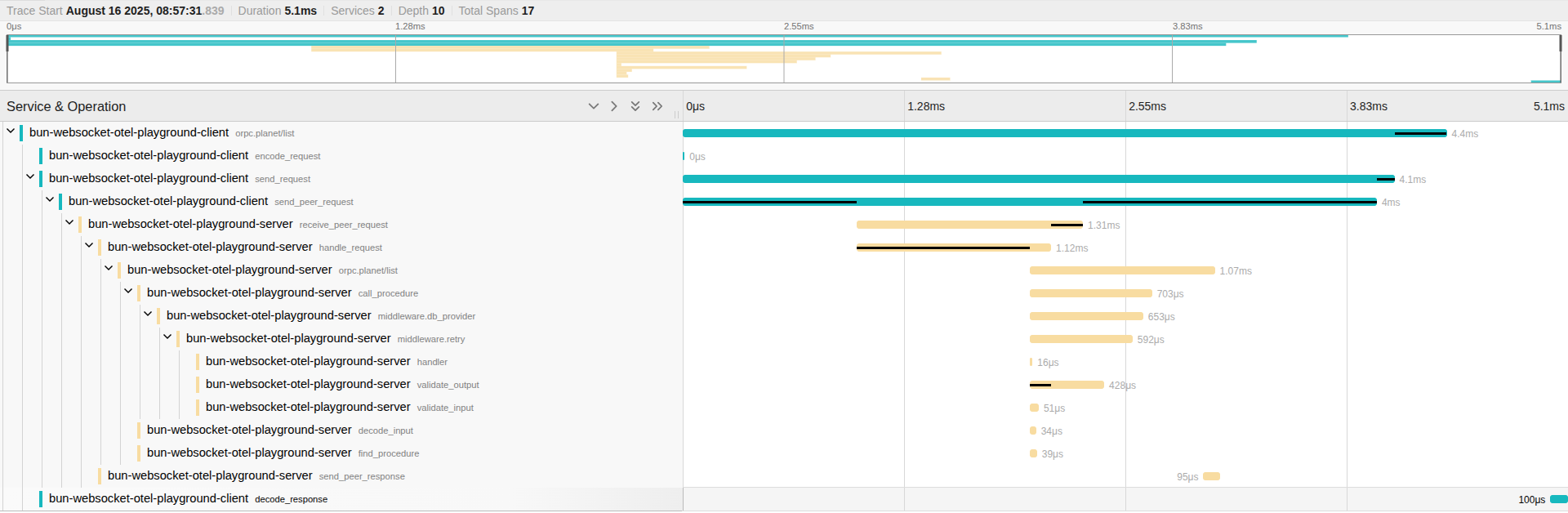
::: info
See the complete example in our [Bun WebSocket + OpenTelemetry Playground](/docs/playgrounds).
:::
## Installation
::: code-group
```sh [npm]
npm install @orpc/otel@latest
```
```sh [yarn]
yarn add @orpc/otel@latest
```
```sh [pnpm]
pnpm add @orpc/otel@latest
```
```sh [bun]
bun add @orpc/otel@latest
```
```sh [deno]
deno add npm:@orpc/otel@latest
```
:::
## Setup
To set up OpenTelemetry with oRPC, use the `ORPCInstrumentation` class. This class automatically instruments your oRPC client and server for distributed tracing.
::: code-group
```ts twoslash [server]
import { NodeSDK } from '@opentelemetry/sdk-node'
import { ORPCInstrumentation } from '@orpc/otel'
const sdk = new NodeSDK({
instrumentations: [
new ORPCInstrumentation(), // [!code highlight]
],
})
sdk.start()
```
```ts twoslash [client]
import { WebTracerProvider } from '@opentelemetry/sdk-trace-web'
import { registerInstrumentations } from '@opentelemetry/instrumentation'
import { ORPCInstrumentation } from '@orpc/otel'
const provider = new WebTracerProvider()
provider.register()
registerInstrumentations({
instrumentations: [
new ORPCInstrumentation(), // [!code highlight]
],
})
```
:::
::: info
While OpenTelemetry can be used on both server and client sides, using it on the server only is sufficient in most cases.
:::
## Middleware Span
oRPC automatically creates spans for each [middleware](/docs/middleware) execution. You can access the active span to customize attributes, events, and other span data:
```ts
import { trace } from '@opentelemetry/api'
export const someMiddleware = os.middleware(async (ctx, next) => {
const span = trace.getActiveSpan()
span?.setAttribute('someAttribute', 'someValue')
span?.addEvent('someEvent')
return next()
})
Object.defineProperty(someMiddleware, 'name', {
value: 'someName',
})
```
::: tip
Define the `name` property on your middleware to improve span naming and make traces easier to read.
:::
## Handling Uncaught Exceptions
oRPC may throw errors before they reach the error handling layer, such as invalid WebSocket messages or adapter interceptor errors. We recommend capturing these errors:
```ts
import { SpanStatusCode, trace } from '@opentelemetry/api'
const tracer = trace.getTracer('uncaught-errors')
function recordError(eventName: string, reason: unknown) {
const span = tracer.startSpan(eventName)
const message = String(reason)
if (reason instanceof Error) {
span.recordException(reason)
}
else {
span.recordException({ message })
}
span.setStatus({ code: SpanStatusCode.ERROR, message })
span.end()
}
process.on('uncaughtException', (reason) => {
recordError('uncaughtException', reason)
// process.exit(1) // uncomment to restore default Node.js behavior
})
process.on('unhandledRejection', (reason) => {
recordError('unhandledRejection', reason)
// process.exit(1) // uncomment to restore default Node.js behavior
})
```
## Capture Abort Signals
If your application heavily uses [Event Iterator](/docs/event-iterator) or similar streaming patterns, we recommend capturing an event when the `signal` is aborted to properly track and detach unexpected long-running operations:
```ts
import { trace } from '@opentelemetry/api'
const handler = new RPCHandler(router, {
interceptors: [
({ request, next }) => {
const span = trace.getActiveSpan()
request.signal?.addEventListener('abort', () => {
span?.addEvent('aborted', { reason: String(request.signal?.reason) })
})
return next()
},
],
})
```
## Context Propagation
When using oRPC with HTTP/fetch adapters, you should set up proper HTTP instrumentation for [context propagation](https://opentelemetry.io/docs/concepts/context-propagation/) on both client and server. This ensures trace context propagates between services, maintaining distributed tracing integrity.
::: info
Common libraries for HTTP instrumentation include [@hono/otel](https://www.npmjs.com/package/@hono/otel), [@opentelemetry/instrumentation-http](https://www.npmjs.com/package/@opentelemetry/instrumentation-http), [@opentelemetry/instrumentation-fetch](https://www.npmjs.com/package/@opentelemetry/instrumentation-fetch), etc.
:::
---
---
url: /docs/best-practices/optimize-ssr.md
description: >-
Optimize SSR performance in Next.js, SvelteKit, and other frameworks by using
oRPC to make direct server-side API calls, avoiding unnecessary network
requests.
---
# Optimize Server-Side Rendering (SSR) for Fullstack Frameworks
This guide demonstrates an optimized approach for setting up Server-Side Rendering (SSR) with oRPC in fullstack frameworks like Next.js, Nuxt, and SvelteKit. This method enhances performance by eliminating redundant network calls during the server rendering process.
## The Problem with Standard SSR Data Fetching
In a typical SSR setup within fullstack frameworks, data fetching often involves the server making an HTTP request back to its own API endpoints.
This pattern works, but it introduces unnecessary overhead: the server needs to make an HTTP request to itself to fetch the data, which can add extra latency and consume resources.
Ideally, during SSR, the server should fetch data by directly invoking the relevant API logic within the same process.

Fortunately, oRPC provides both a [server-side client](/docs/client/server-side) and [client-side client](/docs/client/client-side), so you can leverage the former during SSR and automatically fall back to the latter in the browser.
## Conceptual approach
```ts
// Use this for server-side calls
const orpc = createRouterClient(router)
// Fallback to this for client-side calls
const orpc: RouterClient = createORPCClient(someLink)
```
But how? A naive `typeof window === 'undefined'` check works, but exposes your router logic to the client. We need a hack that ensures server‑only code never reaches the browser.
## Implementation
We'll use `globalThis` to share the server client without bundling it into client code.
::: code-group
```ts [lib/orpc.ts]
import type { RouterClient } from '@orpc/server'
import { RPCLink } from '@orpc/client/fetch'
import { createORPCClient } from '@orpc/client'
declare global {
var $client: RouterClient | undefined
}
const link = new RPCLink({
url: () => {
if (typeof window === 'undefined') {
throw new Error('RPCLink is not allowed on the server side.')
}
return `${window.location.origin}/rpc`
},
})
/**
* Fallback to client-side client if server-side client is not available.
*/
export const client: RouterClient = globalThis.$client ?? createORPCClient(link)
```
```ts [lib/orpc.server.ts]
import 'server-only'
import { createRouterClient } from '@orpc/server'
globalThis.$client = createRouterClient(router, {
/**
* Provide initial context if needed.
*
* Because this client instance is shared across all requests,
* only include context that's safe to reuse globally.
* For per-request context, use middleware context or pass a function as the initial context.
*/
context: async () => ({
headers: await headers(), // provide headers if initial context required
}),
})
```
:::
::: details `OpenAPILink` support?
When you use [OpenAPILink](/docs/openapi/client/openapi-link), its `JsonifiedClient` turns native values (like Date or URL) into plain JSON, so your client types no longer match the output of `createRouterClient`. To fix this, oRPC offers `createJsonifiedRouterClient`, which builds a router client that matches the output of OpenAPILink.
::: code-group
```ts [lib/orpc.ts]
import type { RouterClient } from '@orpc/server'
import type { JsonifiedClient } from '@orpc/openapi-client'
import { OpenAPILink } from '@orpc/openapi-client/fetch'
import { createORPCClient } from '@orpc/client'
declare global {
var $client: JsonifiedClient> | undefined
}
const link = new OpenAPILink(contract, {
url: () => {
if (typeof window === 'undefined') {
throw new Error('OpenAPILink is not allowed on the server side.')
}
return `${window.location.origin}/api`
},
})
/**
* Fallback to client-side client if server-side client is not available.
*/
export const client: JsonifiedClient> = globalThis.$client ?? createORPCClient(link)
```
```ts [lib/orpc.server.ts]
import 'server-only'
import { createJsonifiedRouterClient } from '@orpc/openapi'
globalThis.$client = createJsonifiedRouterClient(router, {
/**
* Provide initial context if needed.
*
* Because this client instance is shared across all requests,
* only include context that's safe to reuse globally.
* For per-request context, use middleware context or pass a function as the initial context.
*/
context: async () => ({
headers: await headers(), // provide headers if initial context required
}),
})
```
:::
Finally, ensure `lib/orpc.server.ts` is imported before any other code on the server. In Next.js, add it to both `instrumentation.ts` and `app/layout.tsx`:
::: code-group
```ts [instrumentation.ts]
export async function register() {
// Conditionally import if facing runtime compatibility issues
// if (process.env.NEXT_RUNTIME === "nodejs") {
await import('./lib/orpc.server')
// }
}
```
```ts [app/layout.tsx]
import '../lib/orpc.server' // for pre-rendering
// Rest of the code
```
:::
Now, importing `client` from `lib/orpc.ts` gives you a server-side client during SSR and a client-side client on the client without leaking your router logic.
## Alternative Approach
The above approach is the most straightforward and performant, but you can also use a `fetch` adapter approach that enables plugins like `DedupeRequestsPlugin` and works with any `handler/link` pair that supports the [Fetch API](https://developer.mozilla.org/en-US/docs/Web/API/Fetch_API).
::: info
oRPC doesn't restrict you to any specific approach for optimizing SSR - you can choose whatever approach works best for your framework or requirements.
:::
```ts [lib/orpc.server.ts]
import 'server-only'
import { createORPCClient } from '@orpc/client'
import { RPCLink } from '@orpc/client/fetch'
import type { RouterClient } from '@orpc/server'
import { handler } from '@/app/rpc/[[...rest]]/route'
const link = new RPCLink({
url: 'http://placeholder',
method: inferRPCMethodFromRouter(router),
plugins: [
new DedupeRequestsPlugin({
groups: [{
condition: () => true,
context: {},
}],
}),
],
fetch: async (request) => {
const { response } = await handler.handle(request, {
context: {
headers: await headers(), // Provide headers if needed
},
})
return response ?? new Response('Not Found', { status: 404 })
},
})
globalThis.$client = createORPCClient>(link)
```
## Using the client
The `client` requires no special handling, just use it like regular clients.
```tsx
export default async function PlanetListPage() {
const planets = await client.planet.list({ limit: 10 })
return (
{planets.map(planet => (
{planet.name}
))}
)
}
```
::: info
This example uses Next.js, but you can apply the same pattern in SvelteKit, Nuxt, or any framework.
:::
## TanStack Query
Combining this oRPC setup with TanStack Query (React Query, Solid Query, etc.) provides a powerful pattern for data fetching, and state management, especially with Suspense hooks. Refer to these details in [Tanstack Query Integration Guide](/docs/integrations/tanstack-query-old/basic) and [Tanstack Query SSR Guide](https://tanstack.com/query/latest/docs/framework/react/guides/ssr).
```tsx
export default function PlanetListPage() {
const { data: planets } = useSuspenseQuery(
orpc.planet.list.queryOptions({
input: { limit: 10 },
}),
)
return (
{planets.map(planet => (
{planet.name}
))}
)
}
```
:::warning
Above example uses suspense hooks, you might need to wrap your app within `` (or corresponding APIs) to make it work. In Next.js, maybe you need create `loading.tsx`.
:::
---
---
url: /learn-and-contribute/mini-orpc/overview.md
description: >-
A brief introduction to Mini oRPC, a simplified version of oRPC designed for
learning purposes.
---
# Overview of Mini oRPC
Mini oRPC is a simplified implementation of oRPC that includes essential features to help you understand the core concepts. It's designed to be straightforward and easy to follow, making it an ideal starting point for learning about oRPC.
::: info
The complete Mini oRPC implementation is available in our GitHub repository: [Mini oRPC Repository](https://github.com/unnoq/mini-orpc)
:::
## Prerequisites
Before you begin, ensure you have a solid understanding of [TypeScript](https://www.typescriptlang.org/). Please review the following resources:
* [TypeScript Generics Handbook](https://www.typescriptlang.org/docs/handbook/2/generics.html)
* [How Theo Deals with Unsafe Packages](https://www.youtube.com/watch?v=JfZPz6PWGtA)
You can also practice TypeScript at [typehero.dev](https://typehero.dev/).
---
---
url: /docs/integrations/pinia-colada.md
description: Seamlessly integrate oRPC with Pinia Colada
---
# Pinia Colada Integration
[Pinia Colada](https://pinia-colada.esm.dev/) is the data fetching layer for Pinia and Vue. oRPC's integration with Pinia Colada is lightweight and straightforward - there's no extra overhead.
::: warning
This documentation assumes you are already familiar with [Pinia Colada](https://pinia-colada.esm.dev/). If you need a refresher, please review the official Pinia Colada documentation before proceeding.
:::
::: warning
[Pinia Colada](https://pinia-colada.esm.dev/) is still in an unstable stage. As a result, this integration may introduce breaking changes in the future to keep up with its ongoing development.
:::
## Installation
::: code-group
```sh [npm]
npm install @orpc/vue-colada@latest @pinia/colada@latest
```
```sh [yarn]
yarn add @orpc/vue-colada@latest @pinia/colada@latest
```
```sh [pnpm]
pnpm add @orpc/vue-colada@latest @pinia/colada@latest
```
```sh [bun]
bun add @orpc/vue-colada@latest @pinia/colada@latest
```
```sh [deno]
deno add npm:@orpc/vue-colada@latest npm:@pinia/colada@latest
```
:::
## Setup
Before you begin, ensure you have already configured a [server-side client](/docs/client/server-side) or a [client-side client](/docs/client/client-side).
```ts twoslash
import { router } from './shared/planet'
import { RouterClient } from '@orpc/server'
declare const client: RouterClient
// ---cut---
import { createORPCVueColadaUtils } from '@orpc/vue-colada'
export const orpc = createORPCVueColadaUtils(client)
orpc.planet.find.queryOptions({ input: { id: 123 } })
// ^|
//
```
## Avoiding Query/Mutation Key Conflicts
Prevent key conflicts by passing a unique base key when creating your utils:
```ts
const userORPC = createORPCVueColadaUtils(userClient, {
path: ['user']
})
const postORPC = createORPCVueColadaUtils(postClient, {
path: ['post']
})
```
## Query Options Utility
Use `.queryOptions` to configure queries. Use it with hooks like `useQuery`, `useSuspenseQuery`, or `prefetchQuery`.
```ts twoslash
import { router } from './shared/planet'
import { RouterClient } from '@orpc/server'
import { RouterUtils } from '@orpc/vue-colada'
import { useQuery } from '@pinia/colada'
declare const orpc: RouterUtils>
// ---cut---
const query = useQuery(orpc.planet.find.queryOptions({
input: { id: 123 }, // Specify input if needed
context: { cache: true }, // Provide client context if needed
// additional options...
}))
```
## Mutation Options
Use `.mutationOptions` to create options for mutations. Use it with hooks like `useMutation`.
```ts twoslash
import { router } from './shared/planet'
import { RouterClient } from '@orpc/server'
import { RouterUtils } from '@orpc/vue-colada'
import { useMutation } from '@pinia/colada'
declare const orpc: RouterUtils>
// ---cut---
const mutation = useMutation(orpc.planet.create.mutationOptions({
context: { cache: true }, // Provide client context if needed
// additional options...
}))
mutation.mutate({ name: 'Earth' })
```
## Query/Mutation Key
Use `.key` to generate a `QueryKey` or `MutationKey`. This is useful for tasks such as revalidating queries, checking mutation status, etc.
```ts twoslash
import { router } from './shared/planet'
import { RouterClient } from '@orpc/server'
import { RouterUtils } from '@orpc/vue-colada'
import { useQueryCache } from '@pinia/colada'
declare const orpc: RouterUtils>
// ---cut---
const queryCache = useQueryCache()
// Invalidate all planet queries
queryCache.invalidateQueries({
key: orpc.planet.key(),
})
// Invalidate the planet find query with id 123
queryCache.invalidateQueries({
key: orpc.planet.find.key({ input: { id: 123 } })
})
```
## Calling Procedure Clients
Use `.call` to call a procedure client directly. It's an alias for corresponding procedure client.
```ts
const result = orpc.planet.find.call({ id: 123 })
```
## Error Handling
Easily manage type-safe errors using our built-in `isDefinedError` helper.
```ts
import { isDefinedError } from '@orpc/client'
const mutation = useMutation(orpc.planet.create.mutationOptions({
onError: (error) => {
if (isDefinedError(error)) {
// Handle the error here
}
},
}))
mutation.mutate({ name: 'Earth' })
if (mutation.error.value && isDefinedError(mutation.error.value)) {
// Handle the error here
}
```
For more details, see our [type-safe error handling guide](/docs/error-handling#type‐safe-error-handling).
---
---
url: /docs/integrations/pino.md
description: Integrate oRPC with Pino for structured logging and request tracking.
---
# Pino Integration
[Pino](https://getpino.io/) is a fast and lightweight JSON logger. This guide explains how to integrate oRPC with Pino to add structured logging, request tracking, and error monitoring to your applications.
::: warning
This guide assumes familiarity with [Pino](https://getpino.io/). Review the official documentation if needed.
:::
## Installation
::: code-group
```sh [npm]
npm install @orpc/experimental-pino@latest pino@latest
```
```sh [yarn]
yarn add @orpc/experimental-pino@latest pino@latest
```
```sh [pnpm]
pnpm add @orpc/experimental-pino@latest pino@latest
```
```sh [bun]
bun add @orpc/experimental-pino@latest pino@latest
```
```sh [deno]
deno add npm:@orpc/experimental-pino@latest npm:pino@latest
```
:::
## Setup
To set up Pino with oRPC, use the `LoggingHandlerPlugin` class. This plugin automatically instruments your handler with structured logging, request tracking, and error monitoring.
```ts
import { LoggingHandlerPlugin } from '@orpc/experimental-pino'
import pino from 'pino'
const logger = pino()
const handler = new RPCHandler(router, {
plugins: [
new LoggingHandlerPlugin({
logger, // Custom logger instance
generateId: ({ request }) => crypto.randomUUID(), // Custom ID generator
logRequestResponse: true, // Log request start/end (disabled by default)
logRequestAbort: true, // Log when requests are aborted (disabled by default)
}),
],
})
```
::: info
The `handler` can be any supported oRPC handler, such as [RPCHandler](/docs/rpc-handler), [OpenAPIHandler](/docs/openapi/openapi-handler), or another custom handler.
:::
::: tip
For improved log readability during development, consider using [pino-pretty](https://github.com/pinojs/pino-pretty) to format your logs in a human-friendly way.
```bash
npm run dev | npx pino-pretty
```
:::
## Using the Logger in Your Code
You can access the logger from the context object using the `getLogger` function:
```ts
import { getLogger, LoggerContext } from '@orpc/experimental-pino'
interface ORPCContext extends LoggerContext {} // [!code highlight]
const procedure = os
.$context()
.handler(({ context }) => {
const logger = getLogger(context) // [!code highlight]
logger?.info('Processing request')
logger?.debug({ userId: 123 }, 'User data')
return { success: true }
})
```
## Providing Custom Logger per Request
You can provide a custom logger instance for specific requests by passing it through the context. This is especially useful when integrating with [pino-http](https://github.com/pinojs/pino-http) for enhanced HTTP logging:
```ts
import {
CONTEXT_LOGGER_SYMBOL,
LoggerContext,
LoggingHandlerPlugin
} from '@orpc/experimental-pino'
const logger = pino()
const httpLogger = pinoHttp({ logger })
interface ORPCContext extends LoggerContext {} // [!code highlight]
const router = {
ping: os.$context().handler(() => 'pong')
}
const handler = new RPCHandler(router, {
plugins: [
new LoggingHandlerPlugin({ logger }), // [!code highlight]
],
})
const server = createServer(async (req, res) => {
httpLogger(req, res)
const { matched } = await handler.handle(req, res, {
prefix: '/api',
context: {
[CONTEXT_LOGGER_SYMBOL]: req.log, // [!code highlight]
},
})
if (!matched) {
res.statusCode = 404
res.end('Not Found')
}
})
```
---
---
url: /docs/playgrounds.md
description: >-
Interactive development environments for exploring and testing oRPC
functionality.
---
# Playgrounds
Explore oRPC implementations through our interactive playgrounds,
featuring pre-configured examples accessible instantly via StackBlitz or local setup.
## Available Playgrounds
| Environment | StackBlitz | GitHub Source |
| -------------------------------- | ------------------------------------------------------------------------------------------------------ | -------------------------------------------------------------------------------------------- |
| Next.js Playground | [Open in StackBlitz](https://stackblitz.com/github/unnoq/orpc/tree/main/playgrounds/next) | [View Source](https://github.com/unnoq/orpc/tree/main/playgrounds/next) |
| TanStack Start Playground | [Open in StackBlitz](https://stackblitz.com/github/unnoq/orpc/tree/main/playgrounds/tanstack-start) | [View Source](https://github.com/unnoq/orpc/tree/main/playgrounds/tanstack-start) |
| Nuxt.js Playground | [Open in StackBlitz](https://stackblitz.com/github/unnoq/orpc/tree/main/playgrounds/nuxt) | [View Source](https://github.com/unnoq/orpc/tree/main/playgrounds/nuxt) |
| Solid Start Playground | [Open in StackBlitz](https://stackblitz.com/github/unnoq/orpc/tree/main/playgrounds/solid-start) | [View Source](https://github.com/unnoq/orpc/tree/main/playgrounds/solid-start) |
| Svelte Kit Playground | [Open in StackBlitz](https://stackblitz.com/github/unnoq/orpc/tree/main/playgrounds/svelte-kit) | [View Source](https://github.com/unnoq/orpc/tree/main/playgrounds/svelte-kit) |
| Astro Playground | [Open in StackBlitz](https://stackblitz.com/github/unnoq/orpc/tree/main/playgrounds/astro) | [View Source](https://github.com/unnoq/orpc/tree/main/playgrounds/astro) |
| Contract-First Playground | [Open in StackBlitz](https://stackblitz.com/github/unnoq/orpc/tree/main/playgrounds/contract-first) | [View Source](https://github.com/unnoq/orpc/tree/main/playgrounds/contract-first) |
| NestJS Playground | [Open in StackBlitz](https://stackblitz.com/github/unnoq/orpc/tree/main/playgrounds/nest) | [View Source](https://github.com/unnoq/orpc/tree/main/playgrounds/nest) |
| Cloudflare Worker | [Open in StackBlitz](https://stackblitz.com/github/unnoq/orpc/tree/main/playgrounds/cloudflare-worker) | [View Source](https://github.com/unnoq/orpc/tree/main/playgrounds/cloudflare-worker) |
| Bun WebSocket + OpenTelemetry | | [View Source](https://github.com/unnoq/orpc/tree/main/playgrounds/bun-websocket-otel) |
| Electron Playground | | [View Source](https://github.com/unnoq/orpc/tree/main/playgrounds/electron) |
| Browser Extension Playground | | [View Source](https://github.com/unnoq/orpc/tree/main/playgrounds/browser-extension) |
| Multiservice Monorepo Playground | | [View Source](https://github.com/unnoq/orpc-multiservice-monorepo-playground) |
| Vue + Bun + Monorepo (Community) | | [View Source](https://github.com/hunterwilhelm/orpc-community-playgrounds/tree/main/vue-bun) |
:::warning
StackBlitz has own limitations, so some features may not work as expected.
:::
## Local Development
If you prefer working locally, you can clone any playground using the following commands:
```bash
npx degit unnoq/orpc/playgrounds/next orpc-next-playground
npx degit unnoq/orpc/playgrounds/tanstack-start orpc-tanstack-start-playground
npx degit unnoq/orpc/playgrounds/nuxt orpc-nuxt-playground
npx degit unnoq/orpc/playgrounds/solid-start orpc-solid-start-playground
npx degit unnoq/orpc/playgrounds/svelte-kit orpc-svelte-kit-playground
npx degit unnoq/orpc/playgrounds/astro orpc-astro-playground
npx degit unnoq/orpc/playgrounds/contract-first orpc-contract-first-playground
npx degit unnoq/orpc/playgrounds/nest orpc-nest-playground
npx degit unnoq/orpc/playgrounds/cloudflare-worker orpc-cloudflare-worker-playground
npx degit unnoq/orpc/playgrounds/bun-websocket-otel orpc-bun-websocket-otel-playground
npx degit unnoq/orpc/playgrounds/electron orpc-electron-playground
npx degit unnoq/orpc/playgrounds/browser-extension orpc-browser-extension-playground
npx degit unnoq/orpc-multiservice-monorepo-playground orpc-multiservice-monorepo-playground
# Community (clone at your own risk)
npx degit hunterwilhelm/orpc-community-playgrounds/vue-bun orpc-vue-bun-monorepo-playground
```
For each project, set up the development environment:
```bash
# Install dependencies
npm install
# Start the development server
npm run dev
```
That's it! You can now access the playground at `http://localhost:3000`.
---
---
url: /docs/procedure.md
description: Understanding procedures in oRPC
---
# Procedure in oRPC
In oRPC, a procedure is like a standard function but comes with built-in support for:
* Input/output validation
* Middleware
* Dependency injection
* Other extensibility features
## Overview
Here's an example of defining a procedure in oRPC:
```ts
import { os } from '@orpc/server'
const example = os
.use(aMiddleware) // Apply middleware
.input(z.object({ name: z.string() })) // Define input validation
.use(aMiddlewareWithInput, input => input.name) // Use middleware with typed input
.output(z.object({ id: z.number() })) // Define output validation
.handler(async ({ input, context }) => { // Define execution logic
return { id: 1 }
})
.callable() // Make the procedure callable like a regular function
.actionable() // Server Action compatibility
```
:::info
The `.handler` method is the only required step. All other chains are optional.
:::
## Input/Output Validation
oRPC supports [Zod](https://github.com/colinhacks/zod), [Valibot](https://github.com/fabian-hiller/valibot), [Arktype](https://github.com/arktypeio/arktype), and any other [Standard Schema](https://github.com/standard-schema/standard-schema?tab=readme-ov-file#what-schema-libraries-implement-the-spec) library for input and output validation.
::: tip
By explicitly specifying the `.output` or your `handler's return type`, you enable TypeScript to infer the output without parsing the handler's code. This approach can dramatically enhance both type-checking and IDE-suggestion speed.
:::
### `type` Utility
For simple use-case without external libraries, use oRPC's built-in `type` utility. It takes a mapping function as its first argument:
```ts twoslash
import { os, type } from '@orpc/server'
const example = os
.input(type<{ value: number }>())
.output(type<{ value: number }, number>(({ value }) => value))
.handler(async ({ input }) => input)
```
## Using Middleware
The `.use` method allows you to pass [middleware](/docs/middleware), which must call `next` to continue execution.
```ts
const aMiddleware = os.middleware(async ({ context, next }) => next())
const example = os
.use(aMiddleware) // Apply middleware
.use(async ({ context, next }) => next()) // Inline middleware
.handler(async ({ context }) => { /* logic */ })
```
::: info
[Middleware](/docs/middleware) can be applied if the [current context](/docs/context#combining-initial-and-execution-context) meets the [middleware dependent context](/docs/middleware#dependent-context) requirements and does not conflict with the [current context](/docs/context#combining-initial-and-execution-context).
:::
## Initial Configuration
Customize the initial input schema using `.$input`:
```ts
const base = os.$input(z.void())
const base = os.$input>()
```
Unlike `.input`, the `.$input` method lets you redefine the input schema after its initial configuration. This is useful when you need to enforce a `void` input when no `.input` is specified.
## Reusability
Each modification to a builder creates a completely new instance, avoiding reference issues. This makes it easy to reuse and extend procedures efficiently.
```ts
const pub = os.use(logMiddleware) // Base setup for procedures that publish
const authed = pub.use(authMiddleware) // Extends 'pub' with authentication
const pubExample = pub.handler(async ({ context }) => { /* logic */ })
const authedExample = pubExample.use(authMiddleware)
```
This pattern helps prevent duplication while maintaining flexibility.
---
---
url: /learn-and-contribute/mini-orpc/procedure-builder.md
description: >-
Learn how Mini oRPC's procedure builder provides an excellent developer
experience for defining type-safe procedures.
---
# Procedure Builder in Mini oRPC
The procedure builder is Mini oRPC's core component that enables you to define type-safe procedures with an intuitive, fluent API.
::: info
The complete Mini oRPC implementation is available in our GitHub repository: [Mini oRPC Repository](https://github.com/unnoq/mini-orpc)
:::
## Implementation
Here is the complete procedure builder system implementation over the basic [procedure](https://orpc.unnoq.com/docs/procedure), [middleware](https://orpc.unnoq.com/docs/middleware), and [context](https://orpc.unnoq.com/docs/context) systems in Mini oRPC:
::: code-group
```ts [server/src/builder.ts]
import type { IntersectPick } from '@orpc/shared'
import type { Middleware } from './middleware'
import type { ProcedureDef, ProcedureHandler } from './procedure'
import type { AnySchema, Context, InferSchemaInput, InferSchemaOutput, Schema, } from './types'
import { Procedure } from './procedure'
export interface BuilderDef<
TInitialContext extends Context,
TCurrentContext extends Context,
TInputSchema extends AnySchema,
TOutputSchema extends AnySchema,
> extends Omit<
ProcedureDef,
'handler'
> {}
export class Builder<
TInitialContext extends Context,
TCurrentContext extends Context,
TInputSchema extends AnySchema,
TOutputSchema extends AnySchema,
> {
/**
* Holds the builder configuration.
*/
'~orpc': BuilderDef<
TInitialContext,
TCurrentContext,
TInputSchema,
TOutputSchema
>
constructor(
def: BuilderDef<
TInitialContext,
TCurrentContext,
TInputSchema,
TOutputSchema
>
) {
this['~orpc'] = def
}
/**
* Sets the initial context type.
*/
$context(): Builder<
U & Record,
U,
TInputSchema,
TOutputSchema
> {
// `& Record` prevents "has no properties in common" TypeScript errors
return new Builder({
...this['~orpc'],
middlewares: [],
})
}
/**
* Creates a middleware function.
*/
middleware>(
middleware: Middleware
): Middleware {
// Ensures UOutContext doesn't conflict with current context
return middleware
}
/**
* Applies middleware to transform context or enhance the pipeline.
*/
use>(
middleware: Middleware
): Builder<
TInitialContext,
Omit & UOutContext,
TInputSchema,
TOutputSchema
> {
// UOutContext merges with and overrides current context properties
return new Builder({
...this['~orpc'],
middlewares: [...this['~orpc'].middlewares, middleware],
})
}
/**
* Sets the input validation schema.
*/
input(
schema: USchema
): Builder {
return new Builder({
...this['~orpc'],
inputSchema: schema,
})
}
/**
* Sets the output validation schema.
*/
output(
schema: USchema
): Builder {
return new Builder({
...this['~orpc'],
outputSchema: schema,
})
}
/**
* Defines the procedure handler and creates the final procedure.
*/
handler>(
handler: ProcedureHandler<
TCurrentContext,
InferSchemaOutput,
UFuncOutput
>
): Procedure<
TInitialContext,
TCurrentContext,
TInputSchema,
TOutputSchema extends { initial?: true }
? Schema
: TOutputSchema
> {
// If no output schema is defined, infer it from handler return type
return new Procedure({
...this['~orpc'],
handler,
}) as any
}
}
export const os = new Builder<
Record,
Record,
Schema,
Schema & { initial?: true }
>({
middlewares: [],
})
```
```ts [server/src/procedure.ts]
import type { AnyMiddleware } from './middleware'
import type { AnySchema, Context } from './types'
export interface ProcedureHandlerOptions<
TCurrentContext extends Context,
TInput,
> {
context: TCurrentContext
input: TInput
path: readonly string[]
procedure: AnyProcedure
signal?: AbortSignal
}
export interface ProcedureHandler<
TCurrentContext extends Context,
TInput,
THandlerOutput,
> {
(
opt: ProcedureHandlerOptions
): Promise
}
export interface ProcedureDef<
TInitialContext extends Context,
TCurrentContext extends Context,
TInputSchema extends AnySchema,
TOutputSchema extends AnySchema,
> {
/**
* This property must be optional, because it only available in the type system.
*
* Why `(type: TInitialContext) => unknown` instead of `TInitialContext`?
* You can read detail about this topic [here](https://www.typescriptlang.org/docs/handbook/2/generics.html#variance-annotations)
*/
__initialContext?: (type: TInitialContext) => unknown
middlewares: readonly AnyMiddleware[]
inputSchema?: TInputSchema
outputSchema?: TOutputSchema
handler: ProcedureHandler
}
export class Procedure<
TInitialContext extends Context,
TCurrentContext extends Context,
TInputSchema extends AnySchema,
TOutputSchema extends AnySchema,
> {
'~orpc': ProcedureDef<
TInitialContext,
TCurrentContext,
TInputSchema,
TOutputSchema
>
constructor(
def: ProcedureDef<
TInitialContext,
TCurrentContext,
TInputSchema,
TOutputSchema
>
) {
this['~orpc'] = def
}
}
export type AnyProcedure = Procedure
/**
* TypeScript only enforces type constraints at compile time.
* Checking only `item instanceof Procedure` would fail for objects
* that have the same structure as `Procedure` but aren't actual
* instances of the `Procedure` class.
*/
export function isProcedure(item: unknown): item is AnyProcedure {
if (item instanceof Procedure) {
return true
}
return (
(typeof item === 'object' || typeof item === 'function')
&& item !== null
&& '~orpc' in item
&& typeof item['~orpc'] === 'object'
&& item['~orpc'] !== null
&& 'middlewares' in item['~orpc']
&& 'handler' in item['~orpc']
)
}
```
```ts [server/src/middleware.ts]
import type { MaybeOptionalOptions, Promisable } from '@orpc/shared'
import type { AnyProcedure } from './procedure'
import type { Context } from './types'
export type MiddlewareResult = Promisable<{
output: any
context: TOutContext
}>
/**
* By conditional checking `Record extends TOutContext`
* users can avoid declaring `context` when TOutContext can be empty.
*
*/
export type MiddlewareNextFnOptions = Record<
never,
never
> extends TOutContext
? { context?: TOutContext }
: { context: TOutContext }
export interface MiddlewareNextFn {
>(
...rest: MaybeOptionalOptions>
): MiddlewareResult
}
export interface MiddlewareOptions {
context: TInContext
path: readonly string[]
procedure: AnyProcedure
signal?: AbortSignal
next: MiddlewareNextFn
}
export interface Middleware<
TInContext extends Context,
TOutContext extends Context,
> {
(
options: MiddlewareOptions
): Promisable>
}
export type AnyMiddleware = Middleware
```
:::
## Router System
The router is another essential component of oRPC that organizes procedures into logical groups and handles routing based on procedure paths. It provides a hierarchical structure for your API endpoints.
::: code-group
```ts [server/src/router.ts]
import type { Procedure } from './procedure'
import type { Context } from './types'
/**
* Router can be either a single procedure or a nested object of routers.
* This recursive structure allows for unlimited nesting depth.
*/
export type Router
= | Procedure
| { [k: string]: Router }
export type AnyRouter = Router
/**
* Utility type that extracts the initial context types
* from all procedures within a router.
*/
export type InferRouterInitialContexts
= T extends Procedure
? UInitialContext
: {
[K in keyof T]: T[K] extends AnyRouter
? InferRouterInitialContexts
: never;
}
```
:::
## Usage
This implementation covers 60-70% of oRPC procedure building. Here are practical examples:
```ts
// Define reusable authentication middleware
const authMiddleware = os
.$context<{ user?: { id: string, name: string } }>()
.middleware(async ({ context, next }) => {
if (!context.user) {
throw new Error('Unauthorized')
}
return next({
context: {
user: context.user
}
})
})
// Public procedure with input validation
export const listPlanet = os
.input(
z.object({
limit: z.number().int().min(1).max(100).optional(),
cursor: z.number().int().min(0).default(0),
}),
)
.handler(async ({ input }) => {
// Fetch planets with pagination
return [{ id: 1, name: 'Earth' }]
})
// Protected procedure with context and middleware
export const createPlanet = os
.$context<{ user?: { id: string, name: string } }>()
.use(authMiddleware)
.input(PlanetSchema.omit({ id: true }))
.handler(async ({ input, context }) => {
// Create new planet (user is guaranteed to exist via middleware)
return { id: 2, name: input.name }
})
export const router = {
listPlanet,
createPlanet,
}
```
---
---
url: /docs/advanced/publish-client-to-npm.md
description: >-
How to publish your oRPC client to NPM for users to consume your APIs as an
SDK.
---
# Publish Client to NPM
Publishing your oRPC client to NPM allows users to easily consume your APIs as a software development kit (SDK).
::: info
Before you start, we recommend watching some [publish typescript library to npm tutorials](https://www.youtube.com/results?search_query=publish+typescript+library+to+npm) to get familiar with the process.
:::
## Prerequisites
You must have a project already set up with oRPC. [Contract First](/docs/contract-first/define-contract) is the preferred approach. If you haven't set one up yet, you can clone an [oRPC playground](/docs/playgrounds) and start from there.
::: info
In this guide, we'll use [pnpm](https://pnpm.io/) as the package manager and [tsdown](https://tsdown.dev/) for bundling the package. You can use other package managers and bundlers, but the commands may differ.
:::
## Export & Scripts
First, create a `src/index.ts` file to set up and export your client.
```ts [src/index.ts]
import { createORPCClient } from '@orpc/client'
import { RPCLink } from '@orpc/client/fetch'
import type { ContractRouterClient } from '@orpc/contract'
export function createMyApi(apiKey: string): ContractRouterClient {
const link = new RPCLink({
url: 'https://example.com/rpc',
headers: {
'x-api-key': apiKey,
}
})
return createORPCClient(link)
}
```
::: info
This example uses [RPCLink](/docs/client/rpc-link) combined with [Contract First](/docs/contract-first/define-contract) to create a client. This is just an example, you can use any other link or client setup that you prefer.
:::
Next, configure your `package.json` with the necessary fields for publishing to NPM.
```json [package.json]
{
"name": "", // [!code highlight]
"type": "module",
"version": "0.0.0", // [!code highlight]
"publishConfig": {
"access": "public" // [!code highlight]
},
"exports": {
".": {
"types": "./dist/index.d.ts", // [!code highlight]
"import": "./dist/index.js", // [!code highlight]
"default": "./dist/index.js" // [!code highlight]
}
},
"files": [
"dist" // [!code highlight]
],
"scripts": {
"build": "tsdown --dts src/index.ts", // [!code highlight]
"release": "pnpm publish" // [!code highlight]
},
"dependencies": {
"@orpc/client": "...", // [!code highlight]
"@orpc/contract": "..." // [!code highlight]
// ... other dependencies that `src/index.ts` depends on
},
"devDependencies": {
"tsdown": "latest",
"typescript": "latest"
}
}
```
## Build & Publish
After completing the necessary setup, commit your changes and run the following commands to build and publish your client to NPM:
```bash
pnpm login # if you haven't logged in yet
pnpm run build
pnpm run release
```
## Install & Use
Once your client is published to NPM, you can install it in your project and use it like this:
```bash
pnpm add ""
```
```ts [example.ts]
import { createMyApi } from ''
const myApi = createMyApi('your-api-key')
const output = await myApi.someMethod('input')
```
::: info
This client includes all oRPC client features, so you can use it with any supported integrations like [Tanstack Query](/docs/integrations/tanstack-query).
:::
---
---
url: /docs/helpers/publisher.md
description: Listen and publish events with resuming support in oRPC
---
# Publisher
The Publisher is a helper that enables you to listen to and publish events to subscribers. Combined with the [Event Iterator](/docs/client/event-iterator), it allows you to build streaming responses, real-time updates, and server-sent events with minimal requirements.
## Installation
::: code-group
```sh [npm]
npm install @orpc/experimental-publisher@latest
```
```sh [yarn]
yarn add @orpc/experimental-publisher@latest
```
```sh [pnpm]
pnpm add @orpc/experimental-publisher@latest
```
```sh [bun]
bun add @orpc/experimental-publisher@latest
```
```sh [deno]
deno add npm:@orpc/experimental-publisher@latest
```
:::
## Basic Usage
```ts twoslash
import { MemoryPublisher } from '@orpc/experimental-publisher/memory'
import { os } from '@orpc/server'
import * as z from 'zod'
// ---cut---
const publisher = new MemoryPublisher<{
'something-updated': {
id: string
}
}>()
const live = os
.handler(async function* ({ input, signal }) {
const iterator = publisher.subscribe('something-updated', { signal })
for await (const payload of iterator) {
// Handle payload here or yield directly to client
yield payload
}
})
const publish = os
.input(z.object({ id: z.string() }))
.handler(async ({ input }) => {
await publisher.publish('something-updated', { id: input.id })
})
```
::: tip
The publisher supports both static and dynamic event names.
```ts
const publisher = new MemoryPublisher>()
```
:::
## Resume Feature
The resume feature uses `lastEventId` to determine where to resume from after a disconnection.
::: warning
By default, most adapters have this feature disabled.
:::
### Server Implementation
When subscribing, you must forward the `lastEventId` to the publisher to enable resuming:
```ts
const live = os
.handler(async function* ({ input, signal, lastEventId }) {
const iterator = publisher.subscribe('something-updated', { signal, lastEventId })
for await (const payload of iterator) {
yield payload
}
})
```
::: warning Event ID Management
The publisher automatically manages event ids when resume is enabled. This means:
* Event ids you provide when publishing will be ignored
* When subscribing, you must forward the event id when yielding custom payloads
```ts
import { getEventMeta, withEventMeta } from '@orpc/server'
const live = os
.handler(async function* ({ input, signal, lastEventId }) {
const iterator = publisher.subscribe('something-updated', { signal, lastEventId })
for await (const payload of iterator) {
// Preserve event id when yielding custom data
yield withEventMeta({ custom: 'value' }, { ...getEventMeta(payload) })
}
})
const publish = os
.input(z.object({ id: z.string() }))
.handler(async ({ input }) => {
// The event id 'this-will-be-ignored' will be replaced by the publisher
await publisher.publish('something-updated', withEventMeta({ id: input.id }, { id: 'this-will-be-ignored' }))
})
```
:::
### Client Implementation
On the client, you can use the [Client Retry Plugin](/docs/plugins/client-retry), which automatically controls and passes `lastEventId` to the server when reconnecting. Alternatively, you can manage `lastEventId` manually:
```ts
import { getEventMeta } from '@orpc/client'
let lastEventId: string | undefined
while (true) {
try {
const iterator = await client.live('input', { lastEventId })
for await (const payload of iterator) {
lastEventId = getEventMeta(payload)?.id // Update lastEventId
console.log(payload)
}
}
catch {
await new Promise(resolve => setTimeout(resolve, 1000)) // Wait 1 second before retrying
}
}
```
## Available Adapters
| Name | Resume Support | Description |
| ------------------------ | -------------- | -------------------------------------------------------------------------------------------- |
| `MemoryPublisher` | ✅ | A simple in-memory publisher |
| `IORedisPublisher` | ✅ | Adapter for [ioredis](https://github.com/redis/ioredis) |
| `UpstashRedisPublisher` | ✅ | Adapter for [Upstash Redis](https://github.com/upstash/redis-js) |
| `PublisherDurableObject` | ✅ | Adapter for [Cloudflare Durable Objects](https://developers.cloudflare.com/durable-objects/) |
::: info
If you'd like to add a new publisher adapter, please open an issue.
:::
### Memory Publisher
```ts
import { MemoryPublisher } from '@orpc/experimental-publisher/memory'
const publisher = new MemoryPublisher<{
'something-updated': {
id: string
}
}>({
resumeRetentionSeconds: 60 * 2, // Retain events for 2 minutes to support resume
})
```
::: info
Resume support is disabled by default in `MemoryPublisher`. Enable it by setting `resumeRetentionSeconds` to an appropriate value.
:::
### IORedis Publisher
```ts
import { Redis } from 'ioredis'
import { IORedisPublisher } from '@orpc/experimental-publisher/ioredis'
const publisher = new IORedisPublisher<{
'something-updated': {
id: string
}
}>({
commander: new Redis(), // For executing short-lived commands
subscriber: new Redis(), // For subscribing to events
resumeRetentionSeconds: 60 * 2, // Retain events for 2 minutes to support resume
prefix: 'orpc:publisher:', // avoid conflict with other keys
customJsonSerializers: [] // optional custom serializers
})
```
This adapter requires two Redis instances: one for executing short-lived commands and another for subscribing to events.
::: info
Resume support is disabled by default in `IORedisPublisher`. Enable it by setting `resumeRetentionSeconds` to an appropriate value.
:::
### Upstash Redis Publisher
```ts
import { Redis } from '@upstash/redis'
import { UpstashRedisPublisher } from '@orpc/experimental-publisher/upstash-redis'
const redis = Redis.fromEnv()
const publisher = new UpstashRedisPublisher<{
'something-updated': {
id: string
}
}>(redis, {
resumeRetentionSeconds: 60 * 2, // Retain events for 2 minutes to support resume
prefix: 'orpc:publisher:', // avoid conflict with other keys
customJsonSerializers: [] // optional custom serializers
})
```
::: info
Resume support is disabled by default in `UpstashRedisPublisher`. Enable it by setting `resumeRetentionSeconds` to an appropriate value.
:::
### Cloudflare Durable Object
```ts
import { DurablePublisher, PublisherDurableObject } from '@orpc/experimental-publisher-durable-object'
export class PublisherDO extends PublisherDurableObject {
constructor(ctx: DurableObjectState, env: Env) {
super(ctx, env, {
resume: {
retentionSeconds: 60 * 2, // Retain events for 2 minutes to support resume
},
})
}
}
export default {
async fetch(request, env) {
const publisher = new DurablePublisher<{
'something-updated': {
id: string
}
}>(env.PUBLISHER_DO, {
prefix: 'publisher1', // avoid conflict with other keys
customJsonSerializers: [] // optional custom serializers
})
},
}
```
::: warning
You must enable the [`enable_request_signal`](https://developers.cloudflare.com/workers/configuration/compatibility-flags/#enable-requestsignal-for-incoming-requests) compatibility flag in your workers to support request abort signals, which are necessary for properly cleaning up subscriptions.
```json
{
"compatibility_flags": [
"enable_request_signal"
]
}
```
:::
::: info
Resume support is disabled by default in `PublisherDurableObject`. Enable it by setting `resume.retentionSeconds` to an appropriate value.
:::
---
---
url: /docs/helpers/ratelimit.md
description: Rate limiting features for oRPC with multiple adapters support.
---
# Rate Limit
The Rate Limit package provides flexible rate limiting for oRPC with multiple storage backend support. It includes adapters for in-memory, Redis, and Upstash, along with middleware and plugin helpers for seamless integration.
## Installation
::: code-group
```sh [npm]
npm install @orpc/experimental-ratelimit@latest
```
```sh [yarn]
yarn add @orpc/experimental-ratelimit@latest
```
```sh [pnpm]
pnpm add @orpc/experimental-ratelimit@latest
```
```sh [bun]
bun add @orpc/experimental-ratelimit@latest
```
```sh [deno]
deno add npm:@orpc/experimental-ratelimit@latest
```
:::
## Available Adapters
### Memory Adapter
A simple in-memory rate limiter using a sliding window log algorithm. Ideal for single-instance applications or development.
```ts
import { MemoryRatelimiter } from '@orpc/experimental-ratelimit/memory'
const limiter = new MemoryRatelimiter({
maxRequests: 10, // Maximum requests allowed
window: 60000, // Time window in milliseconds (60 seconds)
})
```
### Redis Adapter
Redis-based rate limiter using atomic Lua scripts for distributed rate limiting.
```ts
import { RedisRatelimiter } from '@orpc/experimental-ratelimit/redis'
import { Redis } from 'ioredis'
const redis = new Redis('redis://localhost:6379')
const limiter = new RedisRatelimiter({
eval: async (script, numKeys, ...rest) => {
return redis.eval(script, numKeys, ...rest)
},
maxRequests: 100,
window: 60000,
prefix: 'orpc:ratelimit:', // Optional key prefix
})
```
::: info
You can use any Redis client that supports Lua script evaluation by providing an `eval` function.
:::
### Upstash Ratelimit Adapter
Adapter for [@upstash/ratelimit](https://www.npmjs.com/package/@upstash/ratelimit), optimized for serverless environments like Vercel Edge and Cloudflare Workers.
```ts
import { Ratelimit } from '@upstash/ratelimit'
import { Redis } from '@upstash/redis'
import { UpstashRatelimiter } from '@orpc/experimental-ratelimit/upstash-ratelimit'
const redis = Redis.fromEnv()
const ratelimit = new Ratelimit({
redis,
limiter: Ratelimit.slidingWindow(10, '60 s'),
prefix: 'my-app:',
})
const limiter = new UpstashRatelimiter(ratelimit)
```
::: tip Edge Runtime Support
For Edge runtime like Vercel Edge or Cloudflare Workers, pass the `waitUntil` function to better handle background tasks:
```ts
const limiter = new UpstashRatelimiter(ratelimit, {
waitUntil: ctx.waitUntil.bind(ctx),
})
```
:::
### Cloudflare Ratelimit Adapter
Adapter for [Cloudflare Workers Ratelimit](https://developers.cloudflare.com/workers/runtime-apis/bindings/rate-limit/).
```ts
import { CloudflareRatelimiter } from '@orpc/experimental-ratelimit/cloudflare-ratelimit'
export default {
async fetch(request, env) {
const limiter = new CloudflareRatelimiter(env.MY_RATE_LIMITER)
return new Response(`Hello World!`)
}
}
```
## Blocking Mode
Some adapters support blocking mode, which waits for the rate limit to reset instead of immediately rejecting requests.
```ts
const limiter = new MemoryRatelimiter({
maxRequests: 10,
window: 60000,
blockingUntilReady: {
enabled: true,
timeout: 5000, // Wait up to 5 seconds
},
})
```
## Manual Usage
You can use adapters directly without middleware for custom rate limiting logic:
```ts twoslash
import { MemoryRatelimiter } from '@orpc/experimental-ratelimit/memory'
import { ORPCError } from '@orpc/server'
const limiter = new MemoryRatelimiter({
maxRequests: 5,
window: 60000,
})
const result = await limiter.limit('user:123')
if (!result.success) {
throw new ORPCError('TOO_MANY_REQUESTS', {
data: {
limit: result.limit,
remaining: result.remaining,
reset: result.reset,
},
})
}
```
## `createRatelimitMiddleware`
The `createRatelimitMiddleware` helper creates middleware for oRPC procedures to enforce rate limits.
```ts twoslash
import { call, os } from '@orpc/server'
import { MemoryRatelimiter } from '@orpc/experimental-ratelimit/memory'
import { createRatelimitMiddleware, Ratelimiter } from '@orpc/experimental-ratelimit'
import { z } from 'zod'
const loginProcedure = os
.$context<{ ratelimiter: Ratelimiter }>()
.input(z.object({ email: z.email() }))
.use(
createRatelimitMiddleware({
limiter: ({ context }) => context.ratelimiter,
key: ({ context }, input) => `login:${input.email}`,
}),
)
.handler(({ input }) => {
return { success: true }
})
const ratelimiter = new MemoryRatelimiter({
maxRequests: 10,
window: 60000,
})
const result = await call(
loginProcedure,
{ email: 'user@example.com' },
{ context: { ratelimiter } }
)
```
::: info Automatic Deduplication
The `createRatelimitMiddleware` automatically deduplicates rate limit checks when the same `limiter` and `key` combination is used multiple times in a request chain. This behavior follows the [Dedupe Middleware Best Practice](/docs/best-practices/dedupe-middleware). To disable deduplication, set the `dedupe: false` option.
:::
::: tip Conditional Limiter
You can dynamically choose different limiters based on context:
```ts
const premiumLimiter = new MemoryRatelimiter({
maxRequests: 100,
window: 60000,
})
const standardLimiter = new MemoryRatelimiter({
maxRequests: 10,
window: 60000,
})
const result = await call(
loginProcedure,
{ email: 'user@example.com' },
{
context: {
ratelimiter: isPremiumUser ? premiumLimiter : standardLimiter,
},
},
)
```
:::
## Handler Plugin
The `RatelimitHandlerPlugin` automatically adds HTTP rate-limiting headers (`RateLimit-*` and `Retry-After`) to responses when used with middleware created by [`createRatelimitMiddleware`](#createratelimitmiddleware).
```ts
import { RatelimitHandlerPlugin } from '@orpc/experimental-ratelimit'
const handler = new RPCHandler(router, {
plugins: [
new RatelimitHandlerPlugin(),
],
})
```
::: info
You can combine this plugin with [Retry After Plugin](/docs/plugins/retry-after) to enable automatic client-side retries based on server rate-limiting headers.
:::
::: info
The `handler` can be any supported oRPC handler, such as [RPCHandler](/docs/rpc-handler), [OpenAPIHandler](/docs/openapi/openapi-handler), or other custom handlers.
:::
---
---
url: /docs/adapters/react-native.md
description: Use oRPC inside a React Native project
---
# React Native Adapter
[React Native](https://reactnative.dev/) is a framework for building native apps using React. For additional context, refer to the [HTTP Adapter](/docs/adapters/http) guide.
## Fetch Link
React Native includes a [Fetch API](https://reactnative.dev/docs/network), so you can use oRPC out of the box.
::: warning
However, the Fetch API in React Native has limitations. oRPC features like [File/Blob](/docs/file-upload-download), and [Event Iterator](/docs/event-iterator) aren't supported. Follow [Support Stream #27741](https://github.com/facebook/react-native/issues/27741) for updates.
:::
::: tip
If you're using `RPCHandler/Link`, you can temporarily add support for binary data by extending the [RPC JSON Serializer](/docs/advanced/rpc-json-serializer#extending-native-data-types) to encode these types as Base64.
:::
```ts
import { RPCLink } from '@orpc/client/fetch'
const link = new RPCLink({
url: 'http://localhost:3000/rpc',
headers: async ({ context }) => ({
'x-api-key': context?.something ?? ''
})
// fetch: <-- polyfill fetch if needed
})
```
::: info
The `link` can be any supported oRPC link, such as [RPCLink](/docs/client/rpc-link), [OpenAPILink](/docs/openapi/client/openapi-link), or another custom link.
:::
### `expo/fetch`
If you're using [Expo](https://expo.dev/), you can use the [`expo/fetch`](https://docs.expo.dev/versions/latest/sdk/expo/#expofetch-api) to expand support for [Event Iterator](/docs/event-iterator).
```ts
export const link = new RPCLink({
url: `http://localhost:3000/rpc`,
async fetch(request, init) {
const { fetch } = await import('expo/fetch')
const resp = await fetch(request.url, {
body: await request.blob(),
headers: request.headers,
method: request.method,
signal: request.signal,
...init,
})
return resp
},
})
```
---
---
url: /docs/integrations/react-swr.md
description: Integrate oRPC with React SWR for efficient data fetching and caching.
---
# React SWR Integration
[SWR](https://swr.vercel.app/) is a React Hooks library for data fetching that provides features like caching, revalidation, and more. oRPC SWR integration is very lightweight and straightforward - there's no extra overhead.
::: warning
This documentation assumes you are already familiar with [SWR](https://swr.vercel.app/). If you need a refresher, please review the official SWR documentation before proceeding.
:::
## Installation
::: code-group
```sh [npm]
npm install @orpc/experimental-react-swr@latest
```
```sh [yarn]
yarn add @orpc/experimental-react-swr@latest
```
```sh [pnpm]
pnpm add @orpc/experimental-react-swr@latest
```
```sh [bun]
bun add @orpc/experimental-react-swr@latest
```
```sh [deno]
deno add npm:@orpc/experimental-react-swr@latest
```
:::
::: warning
The `experimental-` prefix indicates that this integration is still in development and may change in the future.
:::
## Setup
Before you begin, ensure you have already configured a [server-side client](/docs/client/server-side) or a [client-side client](/docs/client/client-side).
```ts twoslash
import { router } from './shared/planet'
import { RouterClient } from '@orpc/server'
declare const client: RouterClient
// ---cut---
import { createSWRUtils } from '@orpc/experimental-react-swr'
export const orpc = createSWRUtils(client)
orpc.planet.find.key({ input: { id: 123 } })
// ^|
//
//
//
//
```
::: details Avoiding Key Conflicts?
You can easily avoid key conflicts by passing a unique base key when creating your utils:
```ts
const userORPC = createSWRUtils(userClient, {
path: ['user']
})
const postORPC = createSWRUtils(postClient, {
path: ['post']
})
```
:::
## Data Fetching
Use `.key` and `.fetcher` methods to configure `useSWR` for data fetching:
```ts
import useSWR from 'swr'
const { data, error, isLoading } = useSWR(
orpc.planet.find.key({ input: { id: 123 } }),
orpc.planet.find.fetcher({ context: { cache: true } }), // Provide client context if needed
)
```
## Infinite Queries
Use `.key` and `.fetcher` methods to configure `useSWRInfinite` for infinite queries:
```ts
import useSWRInfinite from 'swr/infinite'
const { data, error, isLoading, size, setSize } = useSWRInfinite(
(index, previousPageData) => {
if (previousPageData && !previousPageData.nextCursor) {
return null // reached the end
}
return orpc.planet.list.key({ input: { cursor: previousPageData?.nextCursor } })
},
orpc.planet.list.fetcher({ context: { cache: true } }), // Provide client context if needed
)
```
## Subscriptions
Use `.key` and `.subscriber` methods to configure `useSWRSubscription` to subscribe to an [Event Iterator](/docs/event-iterator):
```ts
import useSWRSubscription from 'swr/subscription'
const { data, error } = useSWRSubscription(
orpc.streamed.key({ input: { id: 3 } }),
orpc.streamed.subscriber({ context: { cache: true }, maxChunks: 10 }), // Provide client context if needed
)
```
Use `.liveSubscriber` to subscribe to the latest events without chunking:
```ts
import useSWRSubscription from 'swr/subscription'
const { data, error } = useSWRSubscription(
orpc.streamed.key({ input: { id: 3 } }),
orpc.streamed.liveSubscriber({ context: { cache: true } }), // Provide client context if needed
)
```
## Mutations
Use `.key` and `.mutator` methods to configure `useSWRMutation` for mutations with automatic revalidation on success:
```ts
import useSWRMutation from 'swr/mutation'
const { trigger, isMutating } = useSWRMutation(
orpc.planet.list.key(),
orpc.planet.create.mutator({ context: { cache: true } }), // Provide client context if needed
)
trigger({ name: 'New Planet' }) // auto revalidate orpc.planet.list.key() on success
```
## Manual Revalidation
Use `.matcher` to invalidate data manually:
```ts
import { mutate } from 'swr'
mutate(orpc.matcher()) // invalidate all orpc data
mutate(orpc.planet.matcher()) // invalidate all planet data
mutate(orpc.planet.find.matcher({ input: { id: 123 }, strategy: 'exact' })) // invalidate specific planet data
```
## Calling Clients
Use `.call` to call a procedure client directly. It's an alias for corresponding procedure client.
```ts
const planet = await orpc.planet.find.call({ id: 123 })
```
## Operation Context
When clients are invoked through the SWR integration, an **operation context** is automatically added to the [client context](/docs/client/rpc-link#using-client-context). This context can be used to configure the request behavior, like setting the HTTP method.
```ts
import {
SWR_OPERATION_CONTEXT_SYMBOL,
SWROperationContext,
} from '@orpc/experimental-react-swr'
interface ClientContext extends SWROperationContext {
}
const GET_OPERATION_TYPE = new Set(['fetcher', 'subscriber', 'liveSubscriber'])
const link = new RPCLink({
url: 'http://localhost:3000/rpc',
method: ({ context }, path) => {
const operationType = context[SWR_OPERATION_CONTEXT_SYMBOL]?.type
if (operationType && GET_OPERATION_TYPE.has(operationType)) {
return 'GET'
}
return 'POST'
},
})
```
---
---
url: /docs/openapi/advanced/redirect-response.md
description: Standard HTTP redirect response in oRPC OpenAPI.
---
# Redirect Response
Easily return a standard HTTP redirect response in oRPC OpenAPI.
## Basic Usage
By combining the `successStatus` and `outputStructure` options, you can return a standard HTTP redirect response.
```ts
const redirect = os
.route({
method: 'GET',
path: '/redirect',
successStatus: 307, // [!code highlight]
outputStructure: 'detailed' // [!code highlight]
})
.handler(async () => {
return {
headers: {
location: 'https://orpc.unnoq.com', // [!code highlight]
},
}
})
```
## Limitations
When invoking a redirect procedure with [OpenAPILink](/docs/openapi/client/openapi-link), oRPC treats the redirect as a normal response rather than following it. Some environments, such as browsers, may restrict access to the redirect response, **potentially causing errors**. In contrast, server environments like Node.js handle this without issue.
---
---
url: /docs/adapters/remix.md
description: Use oRPC inside an Remix project
---
# Remix Adapter
[Remix](https://remix.run/) is a full stack JavaScript framework for building web applications with React. For additional context, refer to the [HTTP Adapter](/docs/adapters/http) guide.
## Basic
```ts [app/routes/rpc.$.ts]
import { RPCHandler } from '@orpc/server/fetch'
import { onError } from '@orpc/server'
const handler = new RPCHandler(router, {
interceptors: [
onError((error) => {
console.error(error)
}),
],
})
export async function loader({ request }: LoaderFunctionArgs) {
const { response } = await handler.handle(request, {
prefix: '/rpc',
context: {} // Provide initial context if needed
})
return response ?? new Response('Not Found', { status: 404 })
}
```
::: info
The `handler` can be any supported oRPC handler, such as [RPCHandler](/docs/rpc-handler), [OpenAPIHandler](/docs/openapi/openapi-handler), or another custom handler.
:::
---
---
url: /docs/plugins/request-headers.md
description: Request Headers Plugin for oRPC
---
# Request Headers Plugin
The Request Headers Plugin allows you to access request headers in oRPC. It injects a `reqHeaders` instance into the `context`, enabling you to read incoming request headers easily.
::: info
**What's the difference vs passing request headers directly into the context?**
There's no functional difference, but this plugin provides a consistent interface for accessing headers across different handlers.
:::
## Context Setup
```ts twoslash
import { os } from '@orpc/server'
// ---cut---
import { getCookie } from '@orpc/server/helpers'
import { RequestHeadersPluginContext } from '@orpc/server/plugins'
interface ORPCContext extends RequestHeadersPluginContext {}
const base = os.$context()
const example = base
.use(({ context, next }) => {
const sessionId = getCookie(context.reqHeaders, 'session_id')
return next()
})
.handler(({ context }) => {
const userAgent = context.reqHeaders?.get('user-agent')
return { userAgent }
})
```
::: info
**Why can `reqHeaders` be `undefined`?**
This allows procedures to run safely even when `RequestHeadersPlugin` is not used, such as in direct calls.
:::
::: tip
Combine with [Cookie Helpers](/docs/helpers/cookie) for streamlined cookie management.
:::
## Handler Setup
```ts
import { RequestHeadersPlugin } from '@orpc/server/plugins'
const handler = new RPCHandler(router, {
plugins: [
new RequestHeadersPlugin()
],
})
```
::: info
The `handler` can be any supported oRPC handler, such as [RPCHandler](/docs/rpc-handler), [OpenAPIHandler](/docs/openapi/openapi-handler), or another custom handler.
:::
---
---
url: /docs/plugins/request-validation.md
description: >-
A plugin that blocks invalid requests before they reach your server.
Especially useful for applications that rely heavily on server-side
validation.
---
# Request Validation Plugin
The **Request Validation Plugin** ensures that only valid requests are sent to your server. This is especially valuable for applications that depend on server-side validation.
::: info
This plugin is best suited for [Contract-First Development](/docs/contract-first/define-contract). [Minified Contract](/docs/contract-first/router-to-contract#minify-export-the-contract-router-for-the-client) is **not supported** because it removes the schema from the contract.
:::
## Setup
```ts twoslash
import { contract } from './shared/planet'
import { createORPCClient } from '@orpc/client'
import type { ContractRouterClient } from '@orpc/contract'
// ---cut---
import { RPCLink } from '@orpc/client/fetch'
import { RequestValidationPlugin } from '@orpc/contract/plugins'
const link = new RPCLink({
url: 'http://localhost:3000/rpc',
plugins: [
new RequestValidationPlugin(contract),
],
})
const client: ContractRouterClient = createORPCClient(link)
```
::: info
The `link` can be any supported oRPC link, such as [RPCLink](/docs/client/rpc-link), [OpenAPILink](/docs/openapi/client/openapi-link), or custom implementations.
:::
## Form Validation
You can simplify your frontend by removing heavy form validation libraries and relying on oRPC's validation errors instead, since input validation runs directly in the browser and is highly performant.
```tsx
import { getIssueMessage, parseFormData } from '@orpc/openapi-client/helpers'
export function ContactForm() {
const [error, setError] = useState()
const handleSubmit = async (form: FormData) => {
try {
const output = await client.someProcedure(parseFormData(form))
console.log(output)
}
catch (error) {
setError(error)
}
}
return (
)
}
```
::: info
This example uses [Form Data Helpers](/docs/helpers/form-data).
:::
---
---
url: /docs/plugins/response-headers.md
description: Response Headers Plugin for oRPC
---
# Response Headers Plugin
The Response Headers Plugin allows you to set response headers in oRPC. It injects a `resHeaders` instance into the `context`, enabling you to modify response headers easily.
## Context Setup
```ts twoslash
import { os } from '@orpc/server'
// ---cut---
import { setCookie } from '@orpc/server/helpers'
import { ResponseHeadersPluginContext } from '@orpc/server/plugins'
interface ORPCContext extends ResponseHeadersPluginContext {}
const base = os.$context()
const example = base
.use(({ context, next }) => {
context.resHeaders?.set('x-custom-header', 'value')
return next()
})
.handler(({ context }) => {
setCookie(context.resHeaders, 'session_id', 'abc123', {
secure: true,
maxAge: 3600
})
})
```
::: info
**Why can `resHeaders` be `undefined`?**
This allows procedures to run safely even when `ResponseHeadersPlugin` is not used, such as in direct calls.
:::
::: tip
Combine with [Cookie Helpers](/docs/helpers/cookie) for streamlined cookie management.
:::
## Handler Setup
```ts
import { ResponseHeadersPlugin } from '@orpc/server/plugins'
const handler = new RPCHandler(router, {
plugins: [
new ResponseHeadersPlugin()
],
})
```
::: info
The `handler` can be any supported oRPC handler, such as [RPCHandler](/docs/rpc-handler), [OpenAPIHandler](/docs/openapi/openapi-handler), or another custom handler.
:::
---
---
url: /docs/plugins/response-validation.md
description: >-
A plugin that validates server responses against the contract schema to ensure
that the data returned from your server matches the expected types defined in
your contract.
---
# Response Validation Plugin
The **Response Validation Plugin** validates server responses against your contract schema, ensuring that data returned from your server matches the expected types defined in your contract.
::: info
This plugin is best suited for [Contract-First Development](/docs/contract-first/define-contract). [Minified Contract](/docs/contract-first/router-to-contract#minify-export-the-contract-router-for-the-client) is **not supported** because it removes the schema from the contract.
:::
## Setup
```ts twoslash
import { contract } from './shared/planet'
import { createORPCClient } from '@orpc/client'
import type { ContractRouterClient } from '@orpc/contract'
// ---cut---
import { RPCLink } from '@orpc/client/fetch'
import { ResponseValidationPlugin } from '@orpc/contract/plugins'
const link = new RPCLink({
url: 'http://localhost:3000/rpc',
plugins: [
new ResponseValidationPlugin(contract),
],
})
const client: ContractRouterClient = createORPCClient(link)
```
::: info
The `link` can be any supported oRPC link, such as [RPCLink](/docs/client/rpc-link), [OpenAPILink](/docs/openapi/client/openapi-link), or custom implementations.
:::
## Limitations
Schemas that transform data into different types than the expected schema types are not supported.
**Why?** Consider this example schema that accepts a `number` and transforms it into a `string` after validation:
```ts
const unsupported = z.number().transform(value => value.toString())
```
When the server validates output, it transforms the `number` into a `string`. The client receives a `string`, but the `string` no longer matches the original schema, causing validation to fail.
## Advanced Usage
Beyond response validation, this plugin also serves special purposes such as [Expanding Type Support for OpenAPI Link](/docs/openapi/advanced/expanding-type-support-for-openapi-link).
---
---
url: /docs/plugins/retry-after.md
description: >-
A plugin for oRPC that automatically retries requests based on server
Retry-After headers.
---
# Retry After Plugin
The **Retry After Plugin** automatically retries requests based on server `Retry-After` headers. This is particularly useful for handling rate limiting and temporary server unavailability.
## Usage
```ts
import { RetryAfterPlugin } from '@orpc/client/plugins'
const link = new RPCLink({
url: 'http://localhost:3000/rpc',
plugins: [
new RetryAfterPlugin({
condition: (response, options) => {
// Override condition to determine if a request should be retried
return response.status === 429 || response.status === 503
},
maxAttempts: 5, // Maximum retry attempts
timeout: 5 * 60 * 1000, // Maximum time to spend retrying (ms)
}),
],
})
```
::: info Options
* **`condition`**: A function to determine whether a request should be retried. Defaults to retrying on `429` (Too Many Requests) and `503` (Service Unavailable) status codes.
* **`maxAttempts`**: Maximum number of retry attempts allowed. Defaults to `3`.
* **`timeout`**: Maximum duration in milliseconds to spend on retries. If specified, retries will stop once this time limit is exceeded. Defaults to `5 * 60 * 1000` (5 minutes).
:::
::: info
The `link` can be any supported oRPC link, such as [RPCLink](/docs/client/rpc-link), [OpenAPILink](/docs/openapi/client/openapi-link), or custom implementations.
:::
---
---
url: /docs/router.md
description: Understanding routers in oRPC
---
# Router in oRPC
Routers in oRPC are simple, nestable objects composed of procedures. They can also modify their own procedures, offering flexibility and modularity when designing your API.
## Overview
Routers are defined as plain JavaScript objects where each key corresponds to a procedure. For example:
```ts
import { os } from '@orpc/server'
const ping = os.handler(async () => 'ping')
const pong = os.handler(async () => 'pong')
const router = {
ping,
pong,
nested: { ping, pong }
}
```
## Extending Router
Routers can be modified to include additional features. For example, to require authentication on all procedures:
```ts
const router = os.use(requiredAuth).router({
ping,
pong,
nested: {
ping,
pong,
}
})
```
::: warning
If you apply middleware using `.use` at both the router and procedure levels, it may execute multiple times. This duplication can lead to performance issues. For guidance on avoiding redundant middleware execution, please see our [best practices for middleware deduplication](/docs/best-practices/dedupe-middleware).
:::
## Lazy Router
In oRPC, routers can be lazy-loaded, making them ideal for code splitting and enhancing cold start performance. Lazy loading allows you to defer the initialization of routes until they are actually needed, which reduces the initial load time and improves resource management.
::: code-group
```ts [router.ts]
const router = {
ping,
pong,
planet: os.lazy(() => import('./planet'))
}
```
```ts [planet.ts]
const PlanetSchema = z.object({
id: z.number().int().min(1),
name: z.string(),
description: z.string().optional(),
})
export const listPlanet = os
.input(
z.object({
limit: z.number().int().min(1).max(100).optional(),
cursor: z.number().int().min(0).default(0),
}),
)
.handler(async ({ input }) => {
// your list code here
return [{ id: 1, name: 'name' }]
})
export default {
list: listPlanet,
// ...
}
```
:::
::: tip
Alternatively, you can use the standalone `lazy` helper from `@orpc/server`. This helper is faster for type inference, and doesn't require matching the [Initial Context](/docs/context#initial-context).
```ts [router.ts]
import { lazy } from '@orpc/server'
const router = {
ping,
pong,
planet: lazy(() => import('./planet'))
}
```
:::
## Utilities
::: info
Every [procedure](/docs/procedure) is also a router, so you can apply these utilities to procedures as well.
:::
### Infer Router Inputs
```ts twoslash
import type { router } from './shared/planet'
// ---cut---
import type { InferRouterInputs } from '@orpc/server'
export type Inputs = InferRouterInputs
type FindPlanetInput = Inputs['planet']['find']
```
Infers the expected input types for each procedure in the router.
### Infer Router Outputs
```ts twoslash
import type { router } from './shared/planet'
// ---cut---
import type { InferRouterOutputs } from '@orpc/server'
export type Outputs = InferRouterOutputs
type FindPlanetOutput = Outputs['planet']['find']
```
Infers the expected output types for each procedure in the router.
### Infer Router Initial Contexts
```ts twoslash
import type { router } from './shared/planet'
// ---cut---
import type { InferRouterInitialContexts } from '@orpc/server'
export type InitialContexts = InferRouterInitialContexts
type FindPlanetInitialContext = InitialContexts['planet']['find']
```
Infers the [initial context](/docs/context#initial-context) types defined for each procedure.
### Infer Router Current Contexts
```ts twoslash
import type { router } from './shared/planet'
// ---cut---
import type { InferRouterCurrentContexts } from '@orpc/server'
export type CurrentContexts = InferRouterCurrentContexts
type FindPlanetCurrentContext = CurrentContexts['planet']['find']
```
Infers the [current context](/docs/context#combining-initial-and-execution-context) types, which combine the initial context with the execution context and pass it to the handler.
---
---
url: /docs/contract-first/router-to-contract.md
description: >-
Learn how to convert a router into a contract, safely export it, and prevent
exposing internal details to the client.
---
# Router to Contract
A normal [router](/docs/router) works as a contract router as long as it does not include a [lazy router](/docs/router#lazy-router). This guide not only shows you how to **unlazy** a router to make it compatible with contracts, but also how to **minify** it and **prevent internal business logic from being exposed to the client**.
## Unlazy the Router
If your router includes a [lazy router](/docs/router#lazy-router), you need to fully resolve it to make it compatible with contract.
```ts
import { unlazyRouter } from '@orpc/server'
const resolvedRouter = await unlazyRouter(router)
```
## Minify & Export the Contract Router for the Client
Sometimes, you'll need to import the contract on the client - for example, to use [OpenAPILink](/docs/openapi/client/openapi-link) or define request methods in [RPCLink](/docs/client/rpc-link#custom-request-method).
If you're using [Contract First](/docs/contract-first/define-contract), this is safe: your contract is already lightweight and free of business logic.
However, if you're deriving the contract from a [router](/docs/router), importing it directly can be heavy and may leak internal logic. To prevent this, follow the steps below to safely minify and export your contract.
1. **Minify the Contract Router and Export to JSON**
```ts
import fs from 'node:fs'
import { minifyContractRouter } from '@orpc/contract'
const minifiedRouter = minifyContractRouter(router)
fs.writeFileSync('./contract.json', JSON.stringify(minifiedRouter))
```
::: warning
`minifyContractRouter` preserves only the metadata and routing information necessary for the client, all other data will be stripped out.
:::
2. **Import the Contract JSON on the Client Side**
```ts
import contract from './contract.json' // [!code highlight]
const link = new OpenAPILink(contract as typeof router, {
url: 'http://localhost:3000/api',
})
```
::: warning
Cast `contract` to `typeof router` to ensure type safety, since standard schema types cannot be serialized to JSON so we must manually cast them.
:::
---
---
url: /docs/rpc-handler.md
description: Comprehensive Guide to the RPCHandler in oRPC
---
# RPC Handler
The `RPCHandler` enables communication with clients over oRPC's proprietary [RPC protocol](/docs/advanced/rpc-protocol), built on top of HTTP. While it efficiently transfers native types, the protocol is neither human-readable nor OpenAPI-compatible. For OpenAPI support, use the [OpenAPIHandler](/docs/openapi/openapi-handler).
:::warning
`RPCHandler` is designed exclusively for [RPCLink](/docs/client/rpc-link) and **does not** support OpenAPI. Avoid sending requests to it manually.
:::
:::warning
This documentation is focused on the [HTTP Adapter](/docs/adapters/http).
Other adapters may remove or change options to keep things simple.
:::
## Supported Data Types
`RPCHandler` natively serializes and deserializes the following JavaScript types:
* **string**
* **number** (including `NaN`)
* **boolean**
* **null**
* **undefined**
* **Date** (including `Invalid Date`)
* **BigInt**
* **RegExp**
* **URL**
* **Record (object)**
* **Array**
* **Set**
* **Map**
* **Blob** (unsupported in `AsyncIteratorObject`)
* **File** (unsupported in `AsyncIteratorObject`)
* **AsyncIteratorObject** (only at the root level; powers the [Event Iterator](/docs/event-iterator))
:::tip
You can extend the list of supported types by [creating a custom serializer](/docs/advanced/rpc-json-serializer#extending-native-data-types).
:::
## Setup and Integration
```ts
import { RPCHandler } from '@orpc/server/fetch' // or '@orpc/server/node'
import { CORSPlugin } from '@orpc/server/plugins'
import { onError } from '@orpc/server'
const handler = new RPCHandler(router, {
plugins: [
new CORSPlugin()
],
interceptors: [
onError((error) => {
console.error(error)
})
],
})
export default async function fetch(request: Request) {
const { matched, response } = await handler.handle(request, {
prefix: '/rpc',
context: {} // Provide initial context if required
})
if (matched) {
return response
}
return new Response('Not Found', { status: 404 })
}
```
## Filtering Procedures
You can filter a procedure from matching by using the `filter` option:
```ts
const handler = new RPCHandler(router, {
filter: ({ contract, path }) => !contract['~orpc'].route.tags?.includes('internal'),
})
```
## Default Plugins
`RPCHandler` automatically enables **essential plugins** for security reasons.
| Plugin | Applies To | Toggle Option |
| -------------------------------------------------------- | ----------------------------------- | ------------------------------ |
| [StrictGetMethodPlugin](/docs/plugins/strict-get-method) | [HTTP Adapter](/docs/adapters/http) | `strictGetMethodPluginEnabled` |
::: info
You can safely disable default plugins if they don't provide any meaningful benefit for your use case.
:::
## Lifecycle
```mermaid
sequenceDiagram
actor A1 as Client
participant P3 as Request/Response encoder
participant P4 as Router + Input/Output encoder
participant P5 as Server-Side Procedure Client
Note over A1: adaptorInterceptors
A1 ->> P3: request
P3 ->> P3: Convert
Note over P3: rootInterceptors
P3 ->> P4: standard request
Note over P4: interceptors
P4 ->> P4: Find procedure
P4 ->> A1: If not matched
P4 ->> P4: Load body + decode request
P4 ->> P3: if invalid request
P3 ->> A1: response
P4 ->> P5: Input, Signal, LastEventId,...
Note over P5: clientInterceptors
P5 ->> P5: Handle
P5 ->> P4: if success
P4 ->> P4: Encode output
P5 ->> P4: if failed
Note over P4: end interceptors
P4 ->> P4: Encode error
P4 ->> P3: standard response
P3 ->> A1: response
```
::: tip
Interceptors can be used to intercept and modify the lifecycle at various stages.
:::
:::info
* The Server-side Procedure Client is a [Server-Side Client](/docs/client/server-side), and `clientInterceptors` are the same as [Server-Side Client Interceptors](/docs/client/server-side#lifecycle).
* Some `RPCHandler` implementations may omit the `Request/Response encoder` when it's not required.
:::
---
---
url: /docs/advanced/rpc-json-serializer.md
description: Extend or override the standard RPC JSON serializer.
---
# RPC JSON Serializer
This serializer handles JSON payloads for the [RPC Protocol](/docs/advanced/rpc-protocol) and supports [native data types](/docs/rpc-handler#supported-data-types).
## Extending Native Data Types
Extend native types by creating your own `StandardRPCCustomJsonSerializer` and adding it to the `customJsonSerializers` option.
1. **Define Your Custom Serializer**
```ts twoslash
import type { StandardRPCCustomJsonSerializer } from '@orpc/client/standard'
export class User {
constructor(
public readonly id: string,
public readonly name: string,
public readonly email: string,
public readonly age: number,
) {}
toJSON() {
return {
id: this.id,
name: this.name,
email: this.email,
age: this.age,
}
}
}
export const userSerializer: StandardRPCCustomJsonSerializer = {
type: 21,
condition: data => data instanceof User,
serialize: data => data.toJSON(),
deserialize: data => new User(data.id, data.name, data.email, data.age),
}
```
::: warning
Ensure the `type` is unique and greater than `20` to avoid conflicts with [built-in types](/docs/advanced/rpc-protocol#supported-types) in the future.
:::
2. **Use Your Custom Serializer**
```ts twoslash
import type { StandardRPCCustomJsonSerializer } from '@orpc/client/standard'
import { RPCHandler } from '@orpc/server/fetch'
import { RPCLink } from '@orpc/client/fetch'
declare const router: Record
declare const userSerializer: StandardRPCCustomJsonSerializer
// ---cut---
const handler = new RPCHandler(router, {
customJsonSerializers: [userSerializer], // [!code highlight]
})
const link = new RPCLink({
url: 'https://example.com/rpc',
customJsonSerializers: [userSerializer], // [!code highlight]
})
```
## Overriding Built-in Types
You can override built-in types by matching their `type` with the [built-in types](/docs/advanced/rpc-protocol#supported-types).
For example, oRPC represents `undefined` only in array items and ignores it in objects. To override this behavior:
```ts twoslash
import { StandardRPCCustomJsonSerializer } from '@orpc/client/standard'
export const undefinedSerializer: StandardRPCCustomJsonSerializer = {
type: 3, // Match the built-in undefined type. [!code highlight]
condition: data => data === undefined,
serialize: data => null, // JSON cannot represent undefined, so use null.
deserialize: data => undefined,
}
```
---
---
url: /docs/advanced/rpc-protocol.md
description: Learn about the RPC protocol used by RPCHandler.
---
# RPC Protocol
The RPC protocol enables remote procedure calls over HTTP using JSON, supporting native data types. It is used by [RPCHandler](/docs/rpc-handler).
## Routing
The procedure to call is determined by the `pathname`.
```bash
curl https://example.com/rpc/planet/create
```
This example calls the `planet.create` procedure, with `/rpc` as the prefix:
```ts
const router = {
planet: {
create: os.handler(() => {}) // [!code highlight]
}
}
```
## Input
Any HTTP method can be used. Input can be provided via URL query parameters or the request body, based on the HTTP method.
::: warning
By default, [RPCHandler](/docs/rpc-handler) in the [HTTP Adapter](/docs/adapters/http) enabled [StrictGetMethodPlugin](/docs/rpc-handler#default-plugins) which blocks GET requests except for procedures explicitly allowed. Please refer to [StrictGetMethodPlugin](/docs/plugins/strict-get-method) for more details.
:::
### Input in URL Query
```ts
const url = new URL('https://example.com/rpc/planet/create')
url.searchParams.append('data', JSON.stringify({
json: {
name: 'Earth',
detached_at: '2022-01-01T00:00:00.000Z'
},
meta: [[1, 'detached_at']]
}))
const response = await fetch(url)
```
### Input in Request Body
```bash
curl -X POST https://example.com/rpc/planet/create \
-H 'Content-Type: application/json' \
-d '{
"json": {
"name": "Earth",
"detached_at": "2022-01-01T00:00:00.000Z"
},
"meta": [[1, "detached_at"]]
}'
```
### Input with File
```ts
const form = new FormData()
form.set('data', JSON.stringify({
json: {
name: 'Earth',
thumbnail: {},
images: [{}, {}]
},
meta: [[1, 'detached_at']],
maps: [['images', 0], ['images', 1]]
}))
form.set('0', new Blob([''], { type: 'image/png' }))
form.set('1', new Blob([''], { type: 'image/png' }))
const response = await fetch('https://example.com/rpc/planet/create', {
method: 'POST',
body: form
})
```
## Success Response
```http
HTTP/1.1 200 OK
Content-Type: application/json
{
"json": {
"id": "1",
"name": "Earth",
"detached_at": "2022-01-01T00:00:00.000Z"
},
"meta": [[0, "id"], [1, "detached_at"]]
}
```
A success response has an HTTP status code between `200-299` and returns the procedure's output.
## Error Response
```http
HTTP/1.1 500 Internal Server Error
Content-Type: application/json
{
"json": {
"defined": false,
"code": "INTERNAL_SERVER_ERROR",
"status": 500,
"message": "Internal server error",
"data": {}
},
"meta": []
}
```
An error response has an HTTP status code between `400-599` and returns an `ORPCError` object.
## Meta
The `meta` field describes native data in the format `[type: number, ...path: (string | number)[]]`.
* **type**: Data type (see [Supported Types](#supported-types)).
* **path**: Path to the data inside `json`.
### Supported Types
| Type | Description |
| ---- | ----------- |
| 0 | bigint |
| 1 | date |
| 2 | nan |
| 3 | undefined |
| 4 | url |
| 5 | regexp |
| 6 | set |
| 7 | map |
## Maps
The `maps` field is used with `FormData` to map a file or blob to a specific path in `json`.
---
---
url: /docs/client/rpc-link.md
description: Details on using RPCLink in oRPC clients.
---
# RPCLink
RPCLink enables communication with an [RPCHandler](/docs/rpc-handler) or any API that follows the [RPC Protocol](/docs/advanced/rpc-protocol) using HTTP/Fetch.
:::warning
This documentation is focused on the [HTTP Adapter](/docs/adapters/http).
Other adapters may remove or change options to keep things simple.
:::
## Overview
Before using RPCLink, make sure your server is set up with [RPCHandler](/docs/rpc-handler) or any API that follows the [RPC Protocol](/docs/advanced/rpc-protocol).
```ts
import { onError } from '@orpc/client'
import { RPCLink } from '@orpc/client/fetch'
const link = new RPCLink({
url: 'http://localhost:3000/rpc',
headers: () => ({
'x-api-key': 'my-api-key'
}),
fetch: (request, init) => {
return globalThis.fetch(request, {
...init,
credentials: 'include', // Include cookies for cross-origin requests
})
},
interceptors: [
onError((error) => {
console.error(error)
})
],
})
export const client: RouterClient = createORPCClient(link)
```
## Using Client Context
Client context lets you pass extra information when calling procedures and dynamically modify RPCLink's behavior.
```ts twoslash
import { router } from './shared/planet'
import { RouterClient } from '@orpc/server'
import { createORPCClient } from '@orpc/client'
import { RPCLink } from '@orpc/client/fetch'
interface ClientContext {
something?: string
}
const link = new RPCLink({
url: 'http://localhost:3000/rpc',
headers: async ({ context }) => ({
'x-api-key': context?.something ?? ''
})
})
const client: RouterClient = createORPCClient(link)
const result = await client.planet.list(
{ limit: 10 },
{ context: { something: 'value' } }
)
```
:::info
If a property in `ClientContext` is required, oRPC enforces its inclusion when calling procedures.
:::
## Custom Request Method
By default, RPCLink sends requests via `POST`. You can override this to use methods like `GET` (for browser or CDN caching) based on your requirements.
::: warning
By default, [RPCHandler](/docs/rpc-handler) in the [HTTP Adapter](/docs/adapters/http) enabled [StrictGetMethodPlugin](/docs/rpc-handler#default-plugins) which blocks GET requests except for procedures explicitly allowed. Please refer to [StrictGetMethodPlugin](/docs/plugins/strict-get-method) for more details.
:::
```ts twoslash
import { RPCLink } from '@orpc/client/fetch'
interface ClientContext {
cache?: RequestCache
}
const link = new RPCLink({
url: 'http://localhost:3000/rpc',
method: ({ context }, path) => {
// Use GET for cached responses
if (context?.cache) {
return 'GET'
}
// Use GET for rendering requests
if (typeof window === 'undefined') {
return 'GET'
}
// Use GET for read-like operations
if (path.at(-1)?.match(/^(?:get|find|list|search)(?:[A-Z].*)?$/)) {
return 'GET'
}
return 'POST'
},
fetch: (request, init, { context }) => globalThis.fetch(request, {
...init,
cache: context?.cache,
}),
})
```
::: details Automatically use method specified in contract?
By using `inferRPCMethodFromContractRouter`, the `RPCLink` automatically uses the method specified in the contract when sending requests.
```ts
import { inferRPCMethodFromContractRouter } from '@orpc/contract'
const link = new RPCLink({
url: 'http://localhost:3000/rpc',
method: inferRPCMethodFromContractRouter(contract),
})
```
::: info
A normal [router](/docs/router) works as a contract router as long as it does not include a [lazy router](/docs/router#lazy-router). For more advanced use cases, refer to the [Router to Contract](/docs/contract-first/router-to-contract) guide.
:::
## Lazy URL
You can define `url` as a function, ensuring compatibility with environments that may lack certain runtime APIs.
```ts
const link = new RPCLink({
url: () => {
if (typeof window === 'undefined') {
throw new Error('RPCLink is not allowed on the server side.')
}
return `${window.location.origin}/rpc`
},
})
```
## SSE Like Behavior
Unlike traditional SSE, the [Event Iterator](/docs/event-iterator) does not automatically retry on error. To enable automatic retries, refer to the [Client Retry Plugin](/docs/plugins/client-retry).
## Lifecycle
```mermaid
sequenceDiagram
actor A1 as Client
participant P1 as Input/Output/Error Encoder
participant P2 as Client Sender
participant P3 as Adapter
A1 ->> P1: input, signal, lastEventId, ...
Note over P1: interceptors
P1 ->> P1: encode request
P1 ->> P2: standard request
Note over P2: clientInterceptors
P2 ->> P3: adapter request
Note over P3: adapterInterceptors
P3 ->> P3: send
P3 ->> P2: adapter response
P2 ->> P1: standard response
P1 ->> P1: decode response
P1 ->> A1: error/output
```
::: tip
Interceptors can be used to intercept and modify the lifecycle at various stages.
:::
---
---
url: /docs/openapi/scalar.md
description: Create a beautiful API client for your oRPC effortlessly.
---
# Scalar (Swagger)
Leverage the [OpenAPI Specification](/docs/openapi/openapi-specification) to generate a stunning API client for your oRPC using [Scalar](https://github.com/scalar/scalar).
::: info
This guide covers the basics. For a simpler setup, consider using the [OpenAPI Reference Plugin](/docs/openapi/plugins/openapi-reference), which serves both the API reference UI and the OpenAPI specification.
:::
## Basic Example
```ts
import { createServer } from 'node:http'
import { OpenAPIGenerator } from '@orpc/openapi'
import { OpenAPIHandler } from '@orpc/openapi/node'
import { CORSPlugin } from '@orpc/server/plugins'
import { ZodSmartCoercionPlugin, ZodToJsonSchemaConverter } from '@orpc/zod'
const openAPIHandler = new OpenAPIHandler(router, {
plugins: [
new CORSPlugin(),
new ZodSmartCoercionPlugin(),
],
})
const openAPIGenerator = new OpenAPIGenerator({
schemaConverters: [
new ZodToJsonSchemaConverter(),
],
})
const server = createServer(async (req, res) => {
const { matched } = await openAPIHandler.handle(req, res, {
prefix: '/api',
})
if (matched) {
return
}
if (req.url === '/spec.json') {
const spec = await openAPIGenerator.generate(router, {
info: {
title: 'My Playground',
version: '1.0.0',
},
servers: [
{ url: '/api' }, /** Should use absolute URLs in production */
],
security: [{ bearerAuth: [] }],
components: {
securitySchemes: {
bearerAuth: {
type: 'http',
scheme: 'bearer',
},
},
},
})
res.writeHead(200, { 'Content-Type': 'application/json' })
res.end(JSON.stringify(spec))
return
}
const html = `
My Client
`
res.writeHead(200, { 'Content-Type': 'text/html' })
res.end(html)
})
server.listen(3000, () => {
console.log('Playground is available at http://localhost:3000')
})
```
Access the playground at `http://localhost:3000` to view your API client.
---
---
url: /docs/integrations/sentry.md
description: Integrate oRPC with Sentry for error tracking and performance monitoring.
---
# Sentry Integration
[Sentry](https://sentry.io/) is a powerful tool for error tracking and performance monitoring. This guide explains how to integrate oRPC with Sentry to capture errors and performance metrics in your applications.
::: warning
This guide assumes familiarity with [Sentry](https://sentry.io/). Review the official documentation if needed.
:::
::: info
This integration is based on the [OpenTelemetry Integration](/docs/integrations/opentelemetry), so you can refer to that guide for more details on setting up OpenTelemetry with oRPC.
:::
## Installation
::: code-group
```sh [npm]
npm install @orpc/otel@latest
```
```sh [yarn]
yarn add @orpc/otel@latest
```
```sh [pnpm]
pnpm add @orpc/otel@latest
```
```sh [bun]
bun add @orpc/otel@latest
```
```sh [deno]
deno add npm:@orpc/otel@latest
```
:::
## Setup
To set up OpenTelemetry with oRPC, use the `ORPCInstrumentation` class. This class automatically instruments your oRPC client and server for distributed tracing.
```ts twoslash
import * as Sentry from '@sentry/node'
import { ORPCInstrumentation } from '@orpc/otel'
Sentry.init({
dsn: '...',
sendDefaultPii: true,
tracesSampleRate: 1.0, // enable tracing [!code highlight]
openTelemetryInstrumentations: [
new ORPCInstrumentation(), // [!code highlight]
]
})
```
## Capturing Errors
Since Sentry does not yet support collecting [OpenTelemetry span events](https://opentelemetry.io/docs/concepts/signals/traces/#span-events), you should capture errors that occur in business logic manually. You can use `interceptors`, `middleware`, or other error handling mechanisms.
```ts twoslash
import * as Sentry from '@sentry/node'
import { os } from '@orpc/server'
export const sentryMiddleware = os.middleware(async ({ next }) => {
try {
return await next()
}
catch (error) {
Sentry.captureException(error) // [!code highlight]
throw error
}
})
export const base = os.use(sentryMiddleware)
```
---
---
url: /docs/server-action.md
description: Integrate oRPC procedures with React Server Actions
---
# Server Action
React [Server Actions](https://react.dev/reference/rsc/server-functions) let client components invoke asynchronous server functions. With oRPC, you simply append the `.actionable` modifier to enable Server Action compatibility.
## Server Side
Define your procedure with `.actionable` for Server Action support.
```ts twoslash
import { onError, onSuccess, os } from '@orpc/server'
import * as z from 'zod'
// ---cut---
'use server'
import { redirect } from 'next/navigation'
export const ping = os
.input(z.object({ name: z.string() }))
.handler(async ({ input }) => `Hello, ${input.name}`)
.actionable({
context: async () => ({}), // Optional: provide initial context if needed
interceptors: [
onSuccess(async output => redirect(`/some-where`)),
onError(async error => console.error(error)),
],
})
```
:::tip
We recommend using [Runtime Context](/docs/context#execution-context) instead of [Initial Context](/docs/context#initial-context) when working with Server Actions.
:::
:::warning
Special errors such as `redirect`, `notFound`, and similar are **only supported in [Next.js](https://nextjs.org/) and [TanStack Start](https://tanstack.com/start/latest)** at the moment.
:::
## Client Side
On the client, import and call your procedure as follows:
```tsx
'use client'
import { ping } from './actions'
export function MyComponent() {
const [name, setName] = useState('')
const handleSubmit = async (e: FormEvent) => {
e.preventDefault()
const [error, data] = await ping({ name })
console.log(error, data)
}
return (
)
}
```
This approach seamlessly integrates server-side procedures with client components via Server Actions.
## Type‑Safe Error Handling
The `.actionable` modifier supports type-safe error handling with a JSON-like error object.
```ts twoslash
import { os } from '@orpc/server'
import * as z from 'zod'
export const someAction = os
.input(z.object({ name: z.string() }))
.errors({
SOME_ERROR: {
message: 'Some error message',
data: z.object({ some: z.string() }),
},
})
.handler(async ({ input }) => `Hello, ${input.name}`)
.actionable()
// ---cut---
'use client'
const [error, data] = await someAction({ name: 'John' })
if (error) {
if (error.defined) {
console.log(error.data)
// ^ Typed error data
}
// Handle unknown errors
}
else {
// Handle success
console.log(data)
}
```
## `@orpc/react` Package
The `@orpc/react` package offers utilities to integrate oRPC with React and React Server Actions.
### Installation
::: code-group
```sh [npm]
npm install @orpc/react@latest
```
```sh [yarn]
yarn add @orpc/react@latest
```
```sh [pnpm]
pnpm add @orpc/react@latest
```
```sh [bun]
bun add @orpc/react@latest
```
```sh [deno]
deno add npm:@orpc/react@latest
```
:::
### `useServerAction` Hook
The `useServerAction` hook simplifies invoking server actions in React.
```tsx twoslash
import * as React from 'react'
import { os } from '@orpc/server'
import * as z from 'zod'
export const someAction = os
.input(z.object({ name: z.string() }))
.errors({
SOME_ERROR: {
message: 'Some error message',
data: z.object({ some: z.string() }),
},
})
.handler(async ({ input }) => `Hello, ${input.name}`)
.actionable()
// ---cut---
'use client'
import { useServerAction } from '@orpc/react/hooks'
import { isDefinedError, onError } from '@orpc/client'
export function MyComponent() {
const { execute, data, error, status } = useServerAction(someAction, {
interceptors: [
onError((error) => {
if (isDefinedError(error)) {
console.error(error.data)
// ^ Typed error data
}
}),
],
})
const action = async (form: FormData) => {
const name = form.get('name') as string
execute({ name })
}
return (
)
}
```
### `useOptimisticServerAction` Hook
The `useOptimisticServerAction` hook enables optimistic UI updates while a server action executes. This provides immediate visual feedback to users before the server responds.
```tsx
import { useOptimisticServerAction } from '@orpc/react/hooks'
import { onSuccessDeferred } from '@orpc/react'
export function MyComponent() {
const [todos, setTodos] = useState([])
const { execute, optimisticState } = useOptimisticServerAction(someAction, {
optimisticPassthrough: todos,
optimisticReducer: (currentState, newTodo) => [...currentState, newTodo],
interceptors: [
onSuccessDeferred(({ data }) => {
setTodos(prevTodos => [...prevTodos, data])
}),
],
})
const handleSubmit = (form: FormData) => {
const todo = form.get('todo') as string
execute({ todo })
}
return (
{optimisticState.map(todo => (
{todo.todo}
))}
)
}
```
:::info
The `onSuccessDeferred` interceptor defers execution, useful for updating states.
:::
### `createFormAction` Utility
The `createFormAction` utility accepts a [procedure](/docs/procedure) and returns a function to handle form submissions. It uses [Bracket Notation](/docs/openapi/bracket-notation) to deserialize form data.
```tsx
import { createFormAction } from '@orpc/react'
const dosomething = os
.input(
z.object({
user: z.object({
name: z.string(),
age: z.coerce.number(),
}),
})
)
.handler(({ input }) => {
console.log('Form action called!')
console.log(input)
})
export const redirectSomeWhereForm = createFormAction(dosomething, {
interceptors: [
onSuccess(async () => {
redirect('/some-where')
}),
],
})
export function MyComponent() {
return (
)
}
```
By moving the `redirect('/some-where')` logic into `createFormAction` rather than the procedure, you enhance the procedure's reusability beyond Server Actions.
::: info
When using `createFormAction`, any `ORPCError` with a status of `401`, `403`, or `404` is automatically converted into the corresponding Next.js error responses: [unauthorized](https://nextjs.org/docs/app/api-reference/functions/unauthorized), [forbidden](https://nextjs.org/docs/app/api-reference/functions/forbidden), and [not found](https://nextjs.org/docs/app/api-reference/functions/not-found).
:::
### Form Data Utilities
The `@orpc/react` package re-exports [Form Data Helpers](/docs/helpers/form-data) for seamless form data parsing and validation error handling with [bracket notation](/docs/openapi/bracket-notation) support.
```tsx
import { getIssueMessage, parseFormData } from '@orpc/react'
export function MyComponent() {
const { execute, data, error, status } = useServerAction(someAction)
return (
)
}
```
---
---
url: /learn-and-contribute/mini-orpc/server-side-client.md
description: >-
Learn how to turn a procedure into a callable function in Mini oRPC, enabling
server-side client functionality.
---
# Server-side Client in Mini oRPC
The server-side client in Mini oRPC transforms procedures into callable functions, enabling direct server-side invocation. This is the foundation of Mini oRPC client system - all other client functionality builds upon it.
::: info
The complete Mini oRPC implementation is available in our GitHub repository: [Mini oRPC Repository](https://github.com/unnoq/mini-orpc)
:::
## Implementation
Here is the complete implementation of the [server-side client](/docs/client/server-side) functionality in Mini oRPC:
::: code-group
```ts [server/src/procedure-client.ts]
import type { Client } from '@mini-orpc/client'
import type { MaybeOptionalOptions } from '@orpc/shared'
import type { AnyProcedure, Procedure, ProcedureHandlerOptions, } from './procedure'
import type { AnySchema, Context, InferSchemaInput, InferSchemaOutput, } from './types'
import { ORPCError } from '@mini-orpc/client'
import { resolveMaybeOptionalOptions } from '@orpc/shared'
import { ValidationError } from './error'
export type ProcedureClient<
TInputSchema extends AnySchema,
TOutputSchema extends AnySchema,
> = Client, InferSchemaOutput>
/**
* context can be optional if `Record extends TInitialContext`
*/
export type CreateProcedureClientOptions = {
path?: readonly string[]
} & (Record extends TInitialContext
? {
context?: TInitialContext
}
: {
context: TInitialContext
})
/**
* Turn a procedure into a callable function
*/
export function createProcedureClient<
TInitialContext extends Context,
TInputSchema extends AnySchema,
TOutputSchema extends AnySchema,
>(
procedure: Procedure,
...rest: MaybeOptionalOptions>
): ProcedureClient {
const options = resolveMaybeOptionalOptions(rest)
return (...[input, callerOptions]) => {
return executeProcedureInternal(procedure, {
context: options.context ?? {},
input,
path: options.path ?? [],
procedure,
signal: callerOptions?.signal,
})
}
}
async function validateInput(
procedure: AnyProcedure,
input: unknown
): Promise {
const schema = procedure['~orpc'].inputSchema
if (!schema) {
return input
}
const result = await schema['~standard'].validate(input)
if (result.issues) {
throw new ORPCError('BAD_REQUEST', {
message: 'Input validation failed',
data: {
issues: result.issues,
},
cause: new ValidationError({
message: 'Input validation failed',
issues: result.issues,
}),
})
}
return result.value
}
async function validateOutput(
procedure: AnyProcedure,
output: unknown
): Promise {
const schema = procedure['~orpc'].outputSchema
if (!schema) {
return output
}
const result = await schema['~standard'].validate(output)
if (result.issues) {
throw new ORPCError('INTERNAL_SERVER_ERROR', {
message: 'Output validation failed',
cause: new ValidationError({
message: 'Output validation failed',
issues: result.issues,
}),
})
}
return result.value
}
function executeProcedureInternal(
procedure: AnyProcedure,
options: ProcedureHandlerOptions
): Promise {
const middlewares = procedure['~orpc'].middlewares
const inputValidationIndex = 0
const outputValidationIndex = 0
const next = async (
index: number,
context: Context,
input: unknown
): Promise => {
let currentInput = input
if (index === inputValidationIndex) {
currentInput = await validateInput(procedure, currentInput)
}
const mid = middlewares[index]
const output = mid
? (
await mid({
...options,
context,
next: async (...[nextOptions]) => {
const nextContext: Context = nextOptions?.context ?? {}
return {
output: await next(
index + 1,
{ ...context, ...nextContext },
currentInput
),
context: nextContext,
}
},
})
).output
: await procedure['~orpc'].handler({
...options,
context,
input: currentInput,
})
if (index === outputValidationIndex) {
return await validateOutput(procedure, output)
}
return output
}
return next(0, options.context, options.input)
}
```
```ts [client/src/error.ts]
import type { MaybeOptionalOptions } from '@orpc/shared'
import { isObject, resolveMaybeOptionalOptions } from '@orpc/shared'
export type ORPCErrorOptions = ErrorOptions & {
status?: number
message?: string
} & (undefined extends TData ? { data?: TData } : { data: TData })
export class ORPCError extends Error {
readonly code: TCode
readonly status: number
readonly data: TData
constructor(
code: TCode,
...rest: MaybeOptionalOptions>
) {
const options = resolveMaybeOptionalOptions(rest)
if (options?.status && !isORPCErrorStatus(options.status)) {
throw new Error('[ORPCError] Invalid error status code.')
}
super(options.message, options)
this.code = code
this.status = options.status ?? 500 // Default to 500 if not provided
this.data = options.data as TData // data only optional when TData is undefinable so can safely cast here
}
toJSON(): ORPCErrorJSON {
return {
code: this.code,
status: this.status,
message: this.message,
data: this.data,
}
}
}
export type ORPCErrorJSON = Pick<
ORPCError,
'code' | 'status' | 'message' | 'data'
>
export function isORPCErrorStatus(status: number): boolean {
return status < 200 || status >= 400
}
export function isORPCErrorJson(
json: unknown
): json is ORPCErrorJSON {
if (!isObject(json)) {
return false
}
const validKeys = ['code', 'status', 'message', 'data']
if (Object.keys(json).some(k => !validKeys.includes(k))) {
return false
}
return (
'code' in json
&& typeof json.code === 'string'
&& 'status' in json
&& typeof json.status === 'number'
&& isORPCErrorStatus(json.status)
&& 'message' in json
&& typeof json.message === 'string'
)
}
```
```ts [client/src/types.ts]
export interface ClientOptions {
signal?: AbortSignal
}
export type ClientRest = undefined extends TInput
? [input?: TInput, options?: ClientOptions]
: [input: TInput, options?: ClientOptions]
export interface Client {
(...rest: ClientRest): Promise
}
export type NestedClient = Client | { [k: string]: NestedClient }
```
:::
## Router Client
Creating a client for each procedure individually can be tedious. Here is how to create a router client that handles multiple procedures:
::: code-group
```ts [server/src/router-client.ts]
import type { MaybeOptionalOptions } from '@orpc/shared'
import type { Procedure } from './procedure'
import type { CreateProcedureClientOptions, ProcedureClient } from './procedure-client'
import type { AnyRouter, InferRouterInitialContexts } from './router'
import { get, resolveMaybeOptionalOptions, toArray } from '@orpc/shared'
import { isProcedure } from './procedure'
import { createProcedureClient } from './procedure-client'
export type RouterClient = TRouter extends Procedure<
any,
any,
infer UInputSchema,
infer UOutputSchema
>
? ProcedureClient
: {
[K in keyof TRouter]: TRouter[K] extends AnyRouter
? RouterClient
: never;
}
/**
* Turn a router into a chainable procedure client.
*/
export function createRouterClient(
router: T,
...rest: MaybeOptionalOptions<
CreateProcedureClientOptions>
>
): RouterClient {
const options = resolveMaybeOptionalOptions(rest)
if (isProcedure(router)) {
const caller = createProcedureClient(router, options)
return caller as RouterClient
}
const recursive = new Proxy(router, {
get(target, key) {
if (typeof key !== 'string') {
return Reflect.get(target, key)
}
const next = get(router, [key]) as AnyRouter | undefined
if (!next) {
return Reflect.get(target, key)
}
return createRouterClient(next, {
...options,
path: [...toArray(options.path), key],
})
},
})
return recursive as unknown as RouterClient
}
```
:::
## Usage
Transform any procedure or router into a callable client for server-side use:
```ts
// Create a client for a single procedure
const procedureClient = createProcedureClient(myProcedure, {
context: { userId: '123' },
})
const result = await procedureClient({ input: 'example' })
// Create a client for an entire router
const routerClient = createRouterClient(myRouter, {
context: { userId: '123' },
})
const result = await routerClient.someProcedure({ input: 'example' })
```
---
---
url: /docs/client/server-side.md
description: >-
Call your oRPC procedures in the same environment as your server like native
functions.
---
# Server-Side Clients
Call your [procedures](/docs/procedure) in the same environment as your server, no proxies required like native functions.
## Calling Procedures
oRPC offers multiple methods to invoke a [procedure](/docs/procedure).
### Using `.callable`
Define your procedure and turn it into a callable procedure:
```ts twoslash
import { os } from '@orpc/server'
import * as z from 'zod'
const getProcedure = os
.input(z.object({ id: z.string() }))
.handler(async ({ input }) => ({ id: input.id }))
.callable({
context: {} // Provide initial context if needed
})
const result = await getProcedure({ id: '123' })
```
### Using the `call` Utility
Alternatively, call your procedure using the `call` helper:
```ts twoslash
import * as z from 'zod'
import { call, os } from '@orpc/server'
const getProcedure = os
.input(z.object({ id: z.string() }))
.handler(async ({ input }) => ({ id: input.id }))
const result = await call(getProcedure, { id: '123' }, {
context: {} // Provide initial context if needed
})
```
## Router Client
Create a [router](/docs/router) based client to access multiple procedures:
```ts twoslash
import * as z from 'zod'
// ---cut---
import { createRouterClient, os } from '@orpc/server'
const ping = os.handler(() => 'pong')
const pong = os.handler(() => 'ping')
const client = createRouterClient({ ping, pong }, {
context: {} // Provide initial context if needed
})
const result = await client.ping()
```
### Client Context
You can define a client context to pass additional information when calling procedures. This is useful for modifying procedure behavior dynamically.
```ts twoslash
import * as z from 'zod'
import { createRouterClient, os } from '@orpc/server'
// ---cut---
interface ClientContext {
cache?: boolean
}
const ping = os.handler(() => 'pong')
const pong = os.handler(() => 'ping')
const client = createRouterClient({ ping, pong }, {
context: ({ cache }: ClientContext) => { // [!code highlight]
if (cache) {
return {} // <-- context when cache enabled
}
return {} // <-- context when cache disabled
}
})
const result = await client.ping(undefined, { context: { cache: true } })
```
:::info
If `ClientContext` contains a required property, oRPC enforces that the client provides it when calling a procedure.
:::
## Lifecycle
```mermaid
sequenceDiagram
actor A1 as Client
participant P1 as Error Validator
participant P2 as Input/Output Validator
participant P3 as Handler
A1 ->> P2: input, signal, lastEventId, ...
Note over P2: interceptors
Note over P2: middlewares before .input
P2 ->> P2: Validate Input
P2 ->> P1: if invalid input
P1 ->> P1: validate error
P1 ->> A1: invalid input error
Note over P2: middlewares after .input
P2 ->> P3: validated input, signal, lastEventId, ...
P3 ->> P3: handle
P3 ->> P2: error/output
P2 ->> P2: validate output
P2 ->> P1: error/validated output
P1 ->> P1: validate error
P1 ->> A1: validated error/output
```
### Middlewares Order
To ensure that all middlewares run after input validation and before output validation, apply the following configuration:
```ts
const base = os.$config({
initialInputValidationIndex: Number.NEGATIVE_INFINITY,
initialOutputValidationIndex: Number.NEGATIVE_INFINITY,
})
```
:::info
By default, oRPC executes middlewares based on their registration order relative to validation steps. Middlewares registered before `.input` run before input validation, and those registered after `.output` run before output validation.
:::
---
---
url: /docs/helpers/signing.md
description: Functions to cryptographically sign and verify data using HMAC-SHA256.
---
# Signing Helpers
Signing helpers provide functions to cryptographically sign and verify data using HMAC-SHA256.
::: info
Signing is faster than [encryption](/docs/helpers/encryption) but users can view the original data.
:::
```ts twoslash
import { getSignedValue, sign, unsign } from '@orpc/server/helpers'
const secret = 'your-secret-key'
const userData = 'user123'
const signedValue = await sign(userData, secret)
// 'user123.oneQsU0r5dvwQFHFEjjV1uOI_IR3gZfkYHij3TRauVA'
// ↑ Original data is visible to users
const verifiedValue = await unsign(signedValue, secret) // 'user123'
// Extract value without verification
const extractedValue = getSignedValue(signedValue) // 'user123'
```
::: info
The `unsign` and `getSignedValue` helpers accept `undefined` or `null` as signed value and return `undefined` for invalid inputs, enabling seamless handling of optional data.
:::
---
---
url: /docs/plugins/simple-csrf-protection.md
description: >-
Add basic Cross-Site Request Forgery (CSRF) protection to your oRPC
application. It helps ensure that requests to your procedures originate from
JavaScript code, not from other sources like standard HTML forms or direct
browser navigation.
---
# Simple CSRF Protection Plugin
This plugin adds basic [Cross-Site Request Forgery (CSRF)](https://developer.mozilla.org/en-US/docs/Web/Security/Practical_implementation_guides/CSRF_prevention) protection to your oRPC application. It helps ensure that requests to your procedures originate from JavaScript code, not from other sources like standard HTML forms or direct browser navigation.
## When to Use
This plugin is beneficial if your application stores sensitive data (like session or auth tokens) in Cookie storage using `SameSite=Lax` (the default) or `SameSite=None`.
## Setup
This plugin requires configuration on both the server and client sides.
### Server
```ts twoslash
import { RPCHandler } from '@orpc/server/fetch'
import { router } from './shared/planet'
// ---cut---
import { SimpleCsrfProtectionHandlerPlugin } from '@orpc/server/plugins'
const handler = new RPCHandler(router, {
strictGetMethodPluginEnabled: false, // Replace Strict Get Method Plugin
plugins: [
new SimpleCsrfProtectionHandlerPlugin()
],
})
```
::: info
The `handler` can be any supported oRPC handler, such as [RPCHandler](/docs/rpc-handler), [OpenAPIHandler](/docs/openapi/openapi-handler), or custom implementations.
:::
### Client
```ts twoslash
import { RPCLink } from '@orpc/client/fetch'
// ---cut---
import { SimpleCsrfProtectionLinkPlugin } from '@orpc/client/plugins'
const link = new RPCLink({
url: 'https://api.example.com/rpc',
plugins: [
new SimpleCsrfProtectionLinkPlugin(),
],
})
```
::: info
The `link` can be any supported oRPC link, such as [RPCLink](/docs/client/rpc-link), [OpenAPILink](/docs/openapi/client/openapi-link), or custom implementations.
:::
---
---
url: /docs/openapi/plugins/smart-coercion.md
description: >-
Automatically converts input values to match schema types without manually
defining coercion logic.
---
# Smart Coercion Plugin
Automatically converts input values to match schema types without manually defining coercion logic.
::: warning
This plugin improves developer experience but impacts performance. For high-performance applications or complex schemas, manually defining coercion in your schema validation is more efficient.
:::
## Installation
::: code-group
```sh [npm]
npm install @orpc/json-schema@latest
```
```sh [yarn]
yarn add @orpc/json-schema@latest
```
```sh [pnpm]
pnpm add @orpc/json-schema@latest
```
```sh [bun]
bun add @orpc/json-schema@latest
```
```sh [deno]
deno add npm:@orpc/json-schema@latest
```
:::
## Setup
Configure the plugin with [JSON Schema Converters](/docs/openapi/openapi-specification#generating-specifications) for your validation libraries.
```ts
import { OpenAPIHandler } from '@orpc/openapi/fetch'
import {
experimental_SmartCoercionPlugin as SmartCoercionPlugin
} from '@orpc/json-schema'
const handler = new OpenAPIHandler(router, {
plugins: [
new SmartCoercionPlugin({
schemaConverters: [
new ZodToJsonSchemaConverter(),
// Add other schema converters as needed
],
})
]
})
```
## How It Works
The plugin converts values **safely** using these rules:
1. **Schema-guided:** Only converts when the schema says what type to use
2. **Safe only:** Only converts values that make sense (like `'123'` to `123`)
3. **Keep original:** If conversion is unsafe, keeps the original value
4. **Smart unions:** Picks the best conversion for union types
5. **Deep conversion:** Works inside nested objects and arrays
::: info
JavaScript native types such as BigInt, Date, RegExp, URL, Set, and Map are not natively supported by JSON Schema. To enable correct coercion, oRPC relies on the `x-native-type` metadata in your schema:
* `x-native-type: 'bigint'` for BigInt
* `x-native-type: 'date'` for Date
* `x-native-type: 'regexp'` for RegExp
* `x-native-type: 'url'` for URL
* `x-native-type: 'set'` for Set
* `x-native-type: 'map'` for Map
The built-in [JSON Schema Converters](/docs/openapi/openapi-specification#generating-specifications) handle these cases (except for some experimental converters). Since this approach is not part of the official JSON Schema specification, if you use a custom converter, you may need to add the appropriate `x-native-type` metadata to your schemas to ensure proper coercion.
:::
## Conversion Rules
### String → Boolean
Support specific string values (case-insensitive):
* `'true'`, `'on'` → `true`
* `'false'`, `'off'` → `false`
::: info
HTML `` elements submit `'on'` or `'off'` as values, so this conversion is especially useful for handling checkbox input in forms.
:::
### String → Number
Support valid numeric strings:
* `'123'` → `123`
* `'3.14'` → `3.14`
### String/Number → BigInt
Support valid numeric strings or numbers:
* `'12345678901234567890'` → `12345678901234567890n`
* `12345678901234567890` → `12345678901234567890n`
### String → Date
Support ISO date/datetime strings:
* `'2023-10-01'` → `new Date('2023-10-01')`
* `'2020-01-01T06:15'` → `new Date('2020-01-01T06:15')`
* `'2020-01-01T06:15Z'` → `new Date('2020-01-01T06:15Z')`
* `'2020-01-01T06:15:00Z'` → `new Date('2020-01-01T06:15:00Z')`
* `'2020-01-01T06:15:00.123Z'` → `new Date('2020-01-01T06:15:00.123Z')`
### String → RegExp
Support valid regular expression strings:
* `'/^\\d+$/i'` → `new RegExp('^\\d+$', 'i')`
* `'/abc/'` → `new RegExp('abc')`
### String → URL
Support valid URL strings:
* `'https://example.com'` → `new URL('https://example.com')`
### Array → Set
Support arrays of **unique values**:
* `['apple', 'banana']` → `new Set(['apple', 'banana'])`
### Array → Object
Converts arrays to objects with numeric keys:
* `['apple', 'banana']` → `{ 0: 'apple', 1: 'banana' }`
::: info
This is particularly useful for [Bracket Notation](/docs/openapi/bracket-notation) when you need objects with numeric keys.
:::
### Array → Map
Support arrays of key-value pairs with **unique keys**:
* `[['key1', 'value1'], ['key2', 'value2']]` → `new Map([['key1', 'value1'], ['key2', 'value2']])`
---
---
url: /docs/adapters/solid-start.md
description: Use oRPC inside a Solid Start project
---
# Solid Start Adapter
[Solid Start](https://start.solidjs.com/) is a full stack JavaScript framework for building web applications with SolidJS. For additional context, refer to the [HTTP Adapter](/docs/adapters/http) guide.
## Server
::: code-group
```ts [src/routes/rpc/[...rest].ts]
import type { APIEvent } from '@solidjs/start/server'
import { RPCHandler } from '@orpc/server/fetch'
import { onError } from '@orpc/server'
const handler = new RPCHandler(router, {
interceptors: [
onError((error) => {
console.error(error)
}),
],
})
async function handle({ request }: APIEvent) {
const { response } = await handler.handle(request, {
prefix: '/rpc',
context: {} // Provide initial context if needed
})
return response ?? new Response('Not Found', { status: 404 })
}
export const HEAD = handle
export const GET = handle
export const POST = handle
export const PUT = handle
export const PATCH = handle
export const DELETE = handle
```
```ts [src/routes/rpc/index.ts]
import { POST as handle } from './[...rest]'
export const HEAD = handle
export const GET = handle
export const POST = handle
export const PUT = handle
export const PATCH = handle
export const DELETE = handle
```
:::
::: info
The `handler` can be any supported oRPC handler, such as [RPCHandler](/docs/rpc-handler), [OpenAPIHandler](/docs/openapi/openapi-handler), or another custom handler.
:::
## Client
On the client, use `getRequestEvent` to provide a headers function that works seamlessly with SSR. This enables usage in both server and browser environments.
```ts
import { RPCLink } from '@orpc/client/fetch'
import { getRequestEvent } from 'solid-js/web'
const link = new RPCLink({
url: `${typeof window !== 'undefined' ? window.location.origin : 'http://localhost:3000'}/rpc`,
headers: () => getRequestEvent()?.request.headers ?? {},
})
```
:::info
This only shows how to configure the link. For full client examples, see [Client-Side Clients](/docs/client/client-side).
:::
## Optimize SSR
To reduce HTTP requests and improve latency during SSR, you can utilize a [Server-Side Client](/docs/client/server-side) during SSR. Below is a quick setup, see [Optimize SSR](/docs/best-practices/optimize-ssr) for more details.
::: code-group
```ts [src/lib/orpc.ts]
if (typeof window === 'undefined') {
await import('./orpc.server')
}
import type { RouterClient } from '@orpc/server'
import { RPCLink } from '@orpc/client/fetch'
import { createORPCClient } from '@orpc/client'
declare global {
var $client: RouterClient | undefined
}
const link = new RPCLink({
url: () => {
if (typeof window === 'undefined') {
throw new Error('RPCLink is not allowed on the server side.')
}
return `${window.location.origin}/rpc`
},
})
/**
* Fallback to client-side client if server-side client is not available.
*/
export const client: RouterClient = globalThis.$client ?? createORPCClient(link)
```
```ts [src/lib/orpc.server.ts]
import { createRouterClient } from '@orpc/server'
import { getRequestEvent } from 'solid-js/web'
if (typeof window !== 'undefined') {
throw new Error('This file should not be imported in the browser')
}
globalThis.$client = createRouterClient(router, {
/**
* Provide initial context if needed.
*
* Because this client instance is shared across all requests,
* only include context that's safe to reuse globally.
* For per-request context, use middleware context or pass a function as the initial context.
*/
context: async () => {
const headers = getRequestEvent()?.request.headers
return {
headers, // provide headers if initial context required
}
},
})
```
:::
---
---
url: /docs/plugins/strict-get-method.md
description: >-
Enhance security by ensuring only procedures explicitly marked to accept `GET`
requests can be called using the HTTP `GET` method for RPC Protocol. This
helps prevent certain types of Cross-Site Request Forgery (CSRF) attacks.
---
# Strict GET Method Plugin
This plugin enhances security by ensuring only procedures explicitly marked to accept `GET` requests can be called using the HTTP `GET` method for [RPC Protocol](/docs/advanced/rpc-protocol). This helps prevent certain types of [Cross-Site Request Forgery (CSRF)](https://developer.mozilla.org/en-US/docs/Web/Security/Practical_implementation_guides/CSRF_prevention) attacks.
## When to Use
This plugin is beneficial if your application stores sensitive data (like session or auth tokens) in Cookie storage using `SameSite=Lax` (the default) or `SameSite=None`.
::: info
[RPCHandler](/docs/rpc-handler#default-plugins) enabled this plugin by default for [HTTP Adapter](/docs/adapters/http). You may switch to [Simple CSRF Protection](/docs/plugins/simple-csrf-protection) if preferred, or disable this plugin entirely if it does not provide any benefit for your use case.
:::
## How it works
The plugin enforces a simple rule: only procedures explicitly configured with `method: 'GET'` can be invoked via a `GET` request. All other procedures will reject `GET` requests.
```ts
import { os } from '@orpc/server'
const ping = os
.route({ method: 'GET' }) // [!code highlight]
.handler(() => 'pong')
```
## Setup
```ts twoslash
import { RPCHandler } from '@orpc/server/fetch'
import { router } from './shared/planet'
// ---cut---
import { StrictGetMethodPlugin } from '@orpc/server/plugins'
const handler = new RPCHandler(router, {
plugins: [
new StrictGetMethodPlugin()
],
})
```
---
---
url: /docs/advanced/superjson.md
description: Replace the default oRPC RPC serializer with SuperJson.
---
# SuperJson
This guide explains how to replace the default oRPC RPC serializer with [SuperJson](https://github.com/blitz-js/superjson).
:::info
While the default oRPC serializer is faster and more efficient, SuperJson is widely adopted and may be preferred for compatibility.
:::
## SuperJson Serializer
:::warning
The `SuperJsonSerializer` supports only the data types that SuperJson handles, plus `AsyncIteratorObject` at the root level for [Event Iterator](/docs/event-iterator). It does not support all [RPC supported types](/docs/rpc-handler#supported-data-types).
:::
```ts twoslash
import { createORPCErrorFromJson, ErrorEvent, isORPCErrorJson, mapEventIterator, toORPCError } from '@orpc/client'
import type { StandardRPCSerializer } from '@orpc/client/standard'
import { isAsyncIteratorObject } from '@orpc/shared'
import SuperJSON from 'superjson'
export class SuperJSONSerializer implements Pick {
serialize(data: unknown): object {
if (isAsyncIteratorObject(data)) {
return mapEventIterator(data, {
value: async (value: unknown) => SuperJSON.serialize(value),
error: async (e) => {
return new ErrorEvent({
data: SuperJSON.serialize(toORPCError(e).toJSON()),
cause: e,
})
},
})
}
return SuperJSON.serialize(data)
}
deserialize(data: any): unknown {
if (isAsyncIteratorObject(data)) {
return mapEventIterator(data, {
value: async value => SuperJSON.deserialize(value),
error: async (e) => {
if (!(e instanceof ErrorEvent))
return e
const deserialized = SuperJSON.deserialize(e.data as any)
if (isORPCErrorJson(deserialized)) {
return createORPCErrorFromJson(deserialized, { cause: e })
}
return new ErrorEvent({
data: deserialized,
cause: e,
})
},
})
}
return SuperJSON.deserialize(data)
}
}
```
## SuperJson Handler
```ts twoslash
declare class SuperJSONSerializer implements Pick {
serialize(data: unknown): object
deserialize(data: unknown): unknown
}
// ---cut---
import type { StandardRPCSerializer } from '@orpc/client/standard'
import type { Context, Router } from '@orpc/server'
import type { FetchHandlerOptions } from '@orpc/server/fetch'
import { FetchHandler } from '@orpc/server/fetch'
import { StrictGetMethodPlugin } from '@orpc/server/plugins'
import type { StandardHandlerOptions } from '@orpc/server/standard'
import { StandardHandler, StandardRPCCodec, StandardRPCMatcher } from '@orpc/server/standard'
export interface SuperJSONHandlerOptions
extends FetchHandlerOptions, Omit, 'plugins'> {
/**
* Enable or disable the StrictGetMethodPlugin.
*
* @default true
*/
strictGetMethodPluginEnabled?: boolean
}
export class SuperJSONHandler extends FetchHandler {
constructor(router: Router, options: NoInfer> = {}) {
options.plugins ??= []
const strictGetMethodPluginEnabled = options.strictGetMethodPluginEnabled ?? true
if (strictGetMethodPluginEnabled) {
options.plugins.push(new StrictGetMethodPlugin())
}
const serializer = new SuperJSONSerializer()
const matcher = new StandardRPCMatcher()
const codec = new StandardRPCCodec(serializer as any)
super(new StandardHandler(router, matcher, codec, options), options)
}
}
```
## SuperJson Link
```ts twoslash
declare class SuperJSONSerializer implements Pick {
serialize(data: unknown): object
deserialize(data: unknown): unknown
}
// ---cut---
import type { ClientContext } from '@orpc/client'
import { StandardLink, StandardRPCLinkCodec } from '@orpc/client/standard'
import type { StandardLinkOptions, StandardRPCLinkCodecOptions, StandardRPCSerializer } from '@orpc/client/standard'
import type { LinkFetchClientOptions } from '@orpc/client/fetch'
import { LinkFetchClient } from '@orpc/client/fetch'
export interface SuperJSONLinkOptions
extends LinkFetchClientOptions,
Omit, 'plugins'>,
StandardRPCLinkCodecOptions { }
export class SuperJSONLink extends StandardLink {
constructor(options: SuperJSONLinkOptions) {
const linkClient = new LinkFetchClient(options)
const serializer = new SuperJSONSerializer()
const linkCodec = new StandardRPCLinkCodec(serializer as any, options)
super(linkCodec, linkClient, options)
}
}
```
---
---
url: /docs/adapters/svelte-kit.md
description: Use oRPC inside an Svelte Kit project
---
# Svelte Kit Adapter
[Svelte Kit](https://svelte.dev/docs/kit/introduction) is a framework for rapidly developing robust, performant web applications using Svelte. For additional context, refer to the [HTTP Adapter](/docs/adapters/http) guide.
## Server
::: code-group
```ts [src/routes/rpc/[...rest]/+server.ts]
import { error } from '@sveltejs/kit'
import { RPCHandler } from '@orpc/server/fetch'
import { onError } from '@orpc/server'
const handler = new RPCHandler(router, {
interceptors: [
onError((error) => {
console.error(error)
}),
],
})
const handle: RequestHandler = async ({ request }) => {
const { response } = await handler.handle(request, {
prefix: '/rpc',
context: {} // Provide initial context if needed
})
return response ?? new Response('Not Found', { status: 404 })
}
export const GET = handle
export const POST = handle
export const PUT = handle
export const PATCH = handle
export const DELETE = handle
```
:::
::: info
The `handler` can be any supported oRPC handler, such as [RPCHandler](/docs/rpc-handler), [OpenAPIHandler](/docs/openapi/openapi-handler), or another custom handler.
:::
## Optimize SSR
To reduce HTTP requests and improve latency during SSR, you can utilize [Svelte's special `fetch`](https://svelte.dev/docs/kit/web-standards#Fetch-APIs) during SSR. Below is a quick setup, see [Optimize SSR](/docs/best-practices/optimize-ssr) for more details.
::: code-group
```ts [src/lib/orpc.ts]
import type { RouterClient } from '@orpc/server'
import { RPCLink } from '@orpc/client/fetch'
import { createORPCClient } from '@orpc/client'
declare global {
var $client: RouterClient | undefined
}
const link = new RPCLink({
url: () => {
if (typeof window === 'undefined') {
throw new Error('This link is not allowed on the server side.')
}
return `${window.location.origin}/rpc`
},
})
export const client: RouterClient = globalThis.$client ?? createORPCClient(link)
```
```ts [src/lib/orpc.server.ts]
import type { RouterClient } from '@orpc/server'
import { createORPCClient } from '@orpc/client'
import { RPCLink } from '@orpc/client/fetch'
import { getRequestEvent } from '$app/server'
if (typeof window !== 'undefined') {
throw new Error('This file should only be imported on the server')
}
const link = new RPCLink({
url: async () => {
return `${getRequestEvent().url.origin}/rpc`
},
async fetch(request, init) {
return getRequestEvent().fetch(request, init)
},
})
const serverClient: RouterClient = createORPCClient(link)
globalThis.$client = serverClient
```
```ts [src/hooks.server.ts]
import './lib/orpc.server'
// ...
```
:::
---
---
url: /docs/integrations/tanstack-query.md
description: Seamlessly integrate oRPC with Tanstack Query
---
# Tanstack Query Integration
[Tanstack Query](https://tanstack.com/query/latest) is a robust solution for asynchronous state management. oRPC Tanstack Query integration is very lightweight and straightforward - supporting all libraries that Tanstack Query supports (React, Vue, Angular, Solid, Svelte, etc.).
::: warning
This documentation assumes you are already familiar with [Tanstack Query](https://tanstack.com/query/latest). If you need a refresher, please review the official Tanstack Query documentation before proceeding.
:::
## Installation
::: code-group
```sh [npm]
npm install @orpc/tanstack-query@latest
```
```sh [yarn]
yarn add @orpc/tanstack-query@latest
```
```sh [pnpm]
pnpm add @orpc/tanstack-query@latest
```
```sh [bun]
bun add @orpc/tanstack-query@latest
```
```sh [deno]
deno add npm:@orpc/tanstack-query@latest
```
:::
## Setup
Before you begin, ensure you have already configured a [server-side client](/docs/client/server-side) or a [client-side client](/docs/client/client-side).
```ts twoslash
import { router } from './shared/planet'
import { RouterClient } from '@orpc/server'
declare const client: RouterClient
// ---cut---
import { createTanstackQueryUtils } from '@orpc/tanstack-query'
export const orpc = createTanstackQueryUtils(client)
orpc.planet.find.queryOptions({ input: { id: 123 } })
// ^|
//
//
//
//
//
//
```
::: details Avoiding Query/Mutation Key Conflicts?
You can easily avoid key conflicts by passing a unique base key when creating your utils:
```ts
const userORPC = createTanstackQueryUtils(userClient, {
path: ['user']
})
const postORPC = createTanstackQueryUtils(postClient, {
path: ['post']
})
```
:::
## Query Options
Use `.queryOptions` to configure queries. Use it with hooks like `useQuery`, `useSuspenseQuery`, or `prefetchQuery`.
```ts
const query = useQuery(orpc.planet.find.queryOptions({
input: { id: 123 }, // Specify input if needed
context: { cache: true }, // Provide client context if needed
// additional options...
}))
```
## Streamed Query Options
Use `.streamedOptions` to configure queries for [Event Iterator](/docs/event-iterator). Data is an array of events, and each new event is appended to the end of the array as it arrives.
Works with hooks like `useQuery`, `useSuspenseQuery`, or `prefetchQuery`.
```ts
const query = useQuery(orpc.streamed.experimental_streamedOptions({
input: { id: 123 }, // Specify input if needed
context: { cache: true }, // Provide client context if needed
queryFnOptions: { // Configure streamedQuery behavior
refetchMode: 'reset',
maxChunks: 3,
},
retry: true, // Infinite retry for more reliable streaming
// additional options...
}))
```
## Live Query Options
Use `.liveOptions` to configure live queries for [Event Iterator](/docs/event-iterator). Data is always the latest event, replacing the previous value whenever a new one arrives.
Works with hooks like `useQuery`, `useSuspenseQuery`, or `prefetchQuery`.
```ts
const query = useQuery(orpc.live.experimental_liveOptions({
input: { id: 123 }, // Specify input if needed
context: { cache: true }, // Provide client context if needed
retry: true, // Infinite retry for more reliable streaming
// additional options...
}))
```
## Infinite Query Options
Use `.infiniteOptions` to configure infinite queries. Use it with hooks like `useInfiniteQuery`, `useSuspenseInfiniteQuery`, or `prefetchInfiniteQuery`.
::: info
The `input` parameter must be a function that accepts the page parameter and returns the query input. Be sure to define the type for `pageParam` if it can be `null` or `undefined`.
:::
```ts
const query = useInfiniteQuery(orpc.planet.list.infiniteOptions({
input: (pageParam: number | undefined) => ({ limit: 10, offset: pageParam }),
context: { cache: true }, // Provide client context if needed
initialPageParam: undefined,
getNextPageParam: lastPage => lastPage.nextPageParam,
// additional options...
}))
```
## Mutation Options
Use `.mutationOptions` to create options for mutations. Use it with hooks like `useMutation`.
```ts
const mutation = useMutation(orpc.planet.create.mutationOptions({
context: { cache: true }, // Provide client context if needed
// additional options...
}))
mutation.mutate({ name: 'Earth' })
```
## Query/Mutation Key
oRPC provides a set of helper methods to generate keys for queries and mutations:
* `.key`: Generate a **partial matching** key for actions like revalidating queries, checking mutation status, etc.
* `.queryKey`: Generate a **full matching** key for [Query Options](#query-options).
* `.streamedKey`: Generate a **full matching** key for [Streamed Query Options](#streamed-query-options).
* `.infiniteKey`: Generate a **full matching** key for [Infinite Query Options](#infinite-query-options).
* `.mutationKey`: Generate a **full matching** key for [Mutation Options](#mutation-options).
```ts
const queryClient = useQueryClient()
// Invalidate all planet queries
queryClient.invalidateQueries({
queryKey: orpc.planet.key(),
})
// Invalidate only regular (non-infinite) planet queries
queryClient.invalidateQueries({
queryKey: orpc.planet.key({ type: 'query' })
})
// Invalidate the planet find query with id 123
queryClient.invalidateQueries({
queryKey: orpc.planet.find.key({ input: { id: 123 } })
})
// Update the planet find query with id 123
queryClient.setQueryData(orpc.planet.find.queryKey({ input: { id: 123 } }), (old) => {
return { ...old, id: 123, name: 'Earth' }
})
```
## Calling Clients
Use `.call` to call a procedure client directly. It's an alias for corresponding procedure client.
```ts
const planet = await orpc.planet.find.call({ id: 123 })
```
## Reactive Options
In reactive libraries like Vue or Solid, **TanStack Query** supports passing computed values as options. The exact usage varies by framework, so refer to the documentation for [Vue](https://tanstack.com/query/latest/docs/framework/vue/reactivity) or [Solid](https://tanstack.com/query/latest/docs/framework/solid/reference/useQuery#reactive-options) for details.
::: code-group
```ts [Options as Function]
const query = useQuery(
() => orpc.planet.find.queryOptions({
input: { id: id() },
})
)
```
```ts [Computed Options]
const query = useQuery(computed(
() => orpc.planet.find.queryOptions({
input: { id: id.value },
})
))
```
:::
## Client Context
::: warning
oRPC excludes [client context](/docs/client/rpc-link#using-client-context) from query keys. Manually override query keys if needed to prevent unwanted query deduplication. Use built-in `retry` option instead of the [oRPC Client Retry Plugin](/docs/plugins/client-retry).
```ts
const query = useQuery(orpc.planet.find.queryOptions({
context: { cache: true },
queryKey: [['planet', 'find'], { context: { cache: true } }],
retry: true, // Prefer using built-in retry option
// additional options...
}))
```
:::
## Error Handling
Easily manage type-safe errors using our built-in `isDefinedError` helper.
```ts
import { isDefinedError } from '@orpc/client'
const mutation = useMutation(orpc.planet.create.mutationOptions({
onError: (error) => {
if (isDefinedError(error)) {
// Handle type-safe error here
}
}
}))
mutation.mutate({ name: 'Earth' })
if (mutation.error && isDefinedError(mutation.error)) {
// Handle the error here
}
```
::: info
For more details, see our [type-safe error handling guide](/docs/error-handling#type‐safe-error-handling).
:::
## `skipToken` for Disabling Queries
The `skipToken` symbol offers a type-safe alternative to the `disabled` option when you need to conditionally disable a query by omitting its `input`.
```ts
const query = useQuery(
orpc.planet.list.queryOptions({
input: search ? { search } : skipToken, // [!code highlight]
})
)
const query = useInfiniteQuery(
orpc.planet.list.infiniteOptions({
input: search // [!code highlight]
? (offset: number | undefined) => ({ limit: 10, offset, search }) // [!code highlight]
: skipToken, // [!code highlight]
initialPageParam: undefined,
getNextPageParam: lastPage => lastPage.nextPageParam,
})
)
```
## Operation Context
When clients are invoked through the TanStack Query integration, an **operation context** is automatically added to the [client context](/docs/client/rpc-link#using-client-context). This context can be used to config the request behavior, like setting the HTTP method.
```ts
import {
TANSTACK_QUERY_OPERATION_CONTEXT_SYMBOL,
TanstackQueryOperationContext,
} from '@orpc/tanstack-query'
interface ClientContext extends TanstackQueryOperationContext {
}
const GET_OPERATION_TYPE = new Set(['query', 'streamed', 'live', 'infinite'])
const link = new RPCLink({
url: 'http://localhost:3000/rpc',
method: ({ context }, path) => {
const operationType = context[TANSTACK_QUERY_OPERATION_CONTEXT_SYMBOL]?.type
if (operationType && GET_OPERATION_TYPE.has(operationType)) {
return 'GET'
}
return 'POST'
},
})
```
## Hydration
To avoid issues like refetching on mount or waterfall issues, your app may need to use [TanStack Query Hydration](https://tanstack.com/query/latest/docs/framework/react/guides/ssr). For seamless integration with oRPC, extend the default serializer using the [RPC JSON Serializer](/docs/advanced/rpc-json-serializer) to support all oRPC types.
::: info
You can use any custom serializers, but if you're using oRPC, you should use its built-in serializers.
:::
```ts
import { StandardRPCJsonSerializer } from '@orpc/client/standard'
const serializer = new StandardRPCJsonSerializer({
customJsonSerializers: [
// put custom serializers here
]
})
const queryClient = new QueryClient({
defaultOptions: {
queries: {
queryKeyHashFn(queryKey) {
const [json, meta] = serializer.serialize(queryKey)
return JSON.stringify({ json, meta })
},
staleTime: 60 * 1000, // > 0 to prevent immediate refetching on mount
},
dehydrate: {
serializeData(data) {
const [json, meta] = serializer.serialize(data)
return { json, meta }
}
},
hydrate: {
deserializeData(data) {
return serializer.deserialize(data.json, data.meta)
}
},
}
})
```
::: details Next.js Example?
This feature is not limited to React or Next.js. You can use it with any library that supports TanStack Query hydration.
::: code-group
```ts [lib/serializer.ts]
import { StandardRPCJsonSerializer } from '@orpc/client/standard'
export const serializer = new StandardRPCJsonSerializer({
customJsonSerializers: [
// put custom serializers here
]
})
```
```ts [lib/query/client.ts]
import { defaultShouldDehydrateQuery, QueryClient } from '@tanstack/react-query'
import { serializer } from '../serializer'
export function createQueryClient() {
return new QueryClient({
defaultOptions: {
queries: {
queryKeyHashFn(queryKey) {
const [json, meta] = serializer.serialize(queryKey)
return JSON.stringify({ json, meta })
},
staleTime: 60 * 1000, // > 0 to prevent immediate refetching on mount
},
dehydrate: {
shouldDehydrateQuery: query => defaultShouldDehydrateQuery(query) || query.state.status === 'pending',
serializeData(data) {
const [json, meta] = serializer.serialize(data)
return { json, meta }
},
},
hydrate: {
deserializeData(data) {
return serializer.deserialize(data.json, data.meta)
}
},
}
})
}
```
```tsx [lib/query/hydration.tsx]
import { createQueryClient } from './client'
import { dehydrate, HydrationBoundary, QueryClient } from '@tanstack/react-query'
import { cache } from 'react'
export const getQueryClient = cache(createQueryClient)
export function HydrateClient(props: { children: React.ReactNode, client: QueryClient }) {
return (
{props.children}
)
}
```
```tsx [app/providers.tsx]
'use client'
import { useState } from 'react'
import { createQueryClient } from '../lib/query/client'
import { QueryClientProvider } from '@tanstack/react-query'
export function Providers(props: { children: React.ReactNode }) {
const [queryClient] = useState(() => createQueryClient())
return (
{props.children}
)
}
```
```tsx [app/page.tsx]
import { getQueryClient, HydrateClient } from '../lib/query/hydration'
import { ListPlanets } from '../components/list-planets'
export default function Page() {
const queryClient = getQueryClient()
queryClient.prefetchQuery(
orpc.planet.list.queryOptions(),
)
return (
)
}
```
```tsx [components/list-planets.tsx]
'use client'
import { useSuspenseQuery } from '@tanstack/react-query'
export function ListPlanets() {
const { data, isError } = useSuspenseQuery(orpc.planet.list.queryOptions())
if (isError) {
return (
Something went wrong
)
}
return (
{data.map(planet => (
{planet.name}
))}
)
}
```
:::
---
---
url: /docs/integrations/tanstack-query-old/basic.md
description: Seamlessly integrate oRPC with Tanstack Query
---
# Tanstack Query Integration
[Tanstack Query](https://tanstack.com/query/latest) is a robust solution for asynchronous state management. oRPC's integration with Tanstack Query is lightweight and straightforward - there's no extra overhead.
| Library | Tanstack Query | oRPC Integration |
| ------- | -------------- | ------------------------- |
| React | ✅ | ✅ |
| Vue | ✅ | ✅ |
| Angular | ✅ | ✅ (New Integration Only) |
| Solid | ✅ | ✅ |
| Svelte | ✅ | ✅ |
::: warning
This documentation assumes you are already familiar with [Tanstack Query](https://tanstack.com/query/latest). If you need a refresher, please review the official Tanstack Query documentation before proceeding.
:::
## Query Options Utility
Use `.queryOptions` to configure queries. Use it with hooks like `useQuery`, `useSuspenseQuery`, or `prefetchQuery`.
```ts
const query = useQuery(orpc.planet.find.queryOptions({
input: { id: 123 }, // Specify input if needed
context: { cache: true }, // Provide client context if needed
// additional options...
}))
```
## Infinite Query Options Utility
Use `.infiniteOptions` to configure infinite queries. Use it with hooks like `useInfiniteQuery`, `useSuspenseInfiniteQuery`, or `prefetchInfiniteQuery`.
::: info
The `input` parameter must be a function that accepts the page parameter and returns the query input. Be sure to define the type for `pageParam` if it can be `null` or `undefined`.
:::
```ts
const query = useInfiniteQuery(orpc.planet.list.infiniteOptions({
input: (pageParam: number | undefined) => ({ limit: 10, offset: pageParam }),
context: { cache: true }, // Provide client context if needed
initialPageParam: undefined,
getNextPageParam: lastPage => lastPage.nextPageParam,
// additional options...
}))
```
## Mutation Options
Use `.mutationOptions` to create options for mutations. Use it with hooks like `useMutation`.
```ts
const mutation = useMutation(orpc.planet.create.mutationOptions({
context: { cache: true }, // Provide client context if needed
// additional options...
}))
mutation.mutate({ name: 'Earth' })
```
## Query/Mutation Key
Use `.key` to generate a `QueryKey` or `MutationKey`. This is useful for tasks such as revalidating queries, checking mutation status, etc.
:::info
The `.key` accepts partial deep input, there's no need to supply full input.
:::
```ts
const queryClient = useQueryClient()
// Invalidate all planet queries
queryClient.invalidateQueries({
queryKey: orpc.planet.key(),
})
// Invalidate only regular (non-infinite) planet queries
queryClient.invalidateQueries({
queryKey: orpc.planet.key({ type: 'query' })
})
// Invalidate the planet find query with id 123
queryClient.invalidateQueries({
queryKey: orpc.planet.find.key({ input: { id: 123 } })
})
```
## Calling Procedure Clients
Use `.call` to call a procedure client directly. It's an alias for corresponding procedure client.
```ts
const result = orpc.planet.find.call({ id: 123 })
```
## Error Handling
Easily manage type-safe errors using our built-in `isDefinedError` helper.
```ts
import { isDefinedError } from '@orpc/client'
const mutation = useMutation(orpc.planet.create.mutationOptions({
onError: (error) => {
if (isDefinedError(error)) {
// Handle the error here
}
}
}))
mutation.mutate({ name: 'Earth' })
if (mutation.error && isDefinedError(mutation.error)) {
// Handle the error here
}
```
For more details, see our [type-safe error handling guide](/docs/error-handling#type‐safe-error-handling).
## `skipToken` for Disabling Queries
The `skipToken` symbol offers a type-safe alternative to the `disabled` option when you need to conditionally disable a query by omitting its `input`.
```ts
const query = useQuery(
orpc.planet.list.queryOptions({
input: search ? { search } : skipToken, // [!code highlight]
})
)
const query = useInfiniteQuery(
orpc.planet.list.infiniteOptions({
input: search // [!code highlight]
? (offset: number | undefined) => ({ limit: 10, offset, search }) // [!code highlight]
: skipToken, // [!code highlight]
initialPageParam: undefined,
getNextPageParam: lastPage => lastPage.nextPageParam,
})
)
```
---
---
url: /docs/integrations/tanstack-query-old/react.md
description: Seamlessly integrate oRPC with Tanstack Query for React
---
# Tanstack Query Integration For React
This guide shows how to integrate oRPC with Tanstack Query for React. For an introduction, please review the [Basic Guide](/docs/integrations/tanstack-query-old/basic) first.
## Installation
::: code-group
```sh [npm]
npm install @orpc/react-query@latest @tanstack/react-query@latest
```
```sh [yarn]
yarn add @orpc/react-query@latest @tanstack/react-query@latest
```
```sh [pnpm]
pnpm add @orpc/react-query@latest @tanstack/react-query@latest
```
```sh [bun]
bun add @orpc/react-query@latest @tanstack/react-query@latest
```
```sh [deno]
deno add npm:@orpc/react-query@latest npm:@tanstack/react-query@latest
```
:::
## Setup
Before you begin, ensure you have already configured a [server-side client](/docs/client/server-side) or a [client-side client](/docs/client/client-side).
```ts twoslash
import { router } from './shared/planet'
import { RouterClient } from '@orpc/server'
declare const client: RouterClient
// ---cut---
import { createORPCReactQueryUtils } from '@orpc/react-query'
export const orpc = createORPCReactQueryUtils(client)
orpc.planet.find.queryOptions({ input: { id: 123 } })
// ^|
//
```
## Avoiding Query/Mutation Key Conflicts
Prevent key conflicts by passing a unique base key when creating your utils:
```ts
const userORPC = createORPCReactQueryUtils(userClient, {
path: ['user']
})
const postORPC = createORPCReactQueryUtils(postClient, {
path: ['post']
})
```
## Using React Context
Integrate oRPC React Query utils into your React app with Context:
1. **Create the Context:**
```ts twoslash
import { router } from './shared/planet'
// ---cut---
import { createContext, use } from 'react'
import { RouterUtils } from '@orpc/react-query'
import { RouterClient } from '@orpc/server'
type ORPCReactUtils = RouterUtils>
export const ORPCContext = createContext(undefined)
export function useORPC(): ORPCReactUtils {
const orpc = use(ORPCContext)
if (!orpc) {
throw new Error('ORPCContext is not set up properly')
}
return orpc
}
```
2. **Provide the Context in Your App:**
```tsx
export function App() {
const [client] = useState>(() => createORPCClient(link))
const [orpc] = useState(() => createORPCReactQueryUtils(client))
return (
)
}
```
3. **Use the Utils in Components:**
```ts twoslash
import { router } from './shared/planet'
import { RouterClient } from '@orpc/server'
import { RouterUtils } from '@orpc/react-query'
import { useQuery } from '@tanstack/react-query'
declare function useORPC(): RouterUtils>
// ---cut---
const orpc = useORPC()
const query = useQuery(orpc.planet.find.queryOptions({ input: { id: 123 } }))
```
---
---
url: /docs/integrations/tanstack-query-old/solid.md
description: Seamlessly integrate oRPC with Tanstack Query for Solid
---
# Tanstack Query Integration For Solid
This guide shows how to integrate oRPC with Tanstack Query for Solid. For an introduction, please review the [Basic Guide](/docs/integrations/tanstack-query-old/basic) first.
## Installation
::: code-group
```sh [npm]
npm install @orpc/solid-query@latest @tanstack/solid-query@latest
```
```sh [yarn]
yarn add @orpc/solid-query@latest @tanstack/solid-query@latest
```
```sh [pnpm]
pnpm add @orpc/solid-query@latest @tanstack/solid-query@latest
```
```sh [bun]
bun add @orpc/solid-query@latest @tanstack/solid-query@latest
```
```sh [deno]
deno add npm:@orpc/solid-query@latest npm:@tanstack/solid-query@latest
```
:::
## Setup
Before you begin, ensure you have already configured a [server-side client](/docs/client/server-side) or a [client-side client](/docs/client/client-side).
```ts twoslash
import { router } from './shared/planet'
import { RouterClient } from '@orpc/server'
declare const client: RouterClient
// ---cut---
import { createORPCSolidQueryUtils } from '@orpc/solid-query'
export const orpc = createORPCSolidQueryUtils(client)
orpc.planet.find.queryOptions({ input: { id: 123 } })
// ^|
//
```
## Avoiding Query/Mutation Key Conflicts
Prevent key conflicts by passing a unique base key when creating your utils:
```ts
const userORPC = createORPCSolidQueryUtils(userClient, {
path: ['user']
})
const postORPC = createORPCSolidQueryUtils(postClient, {
path: ['post']
})
```
## Usage
:::warning
Unlike the React version, when creating a Solid Query Signal, the first argument must be a callback.
:::
```ts twoslash
import type { router } from './shared/planet'
import type { RouterClient } from '@orpc/server'
import type { RouterUtils } from '@orpc/solid-query'
declare const orpc: RouterUtils>
declare const condition: boolean
// ---cut---
import { createQuery } from '@tanstack/solid-query'
const query = createQuery(
() => orpc.planet.find.queryOptions({ input: { id: 123 } })
)
```
---
---
url: /docs/integrations/tanstack-query-old/svelte.md
description: Seamlessly integrate oRPC with Tanstack Query for Svelte
---
# Tanstack Query Integration For Svelte
This guide shows how to integrate oRPC with Tanstack Query for Svelte. For an introduction, please review the [Basic Guide](/docs/integrations/tanstack-query-old/basic) first.
## Installation
::: code-group
```sh [npm]
npm install @orpc/svelte-query@latest @tanstack/svelte-query@latest
```
```sh [yarn]
yarn add @orpc/svelte-query@latest @tanstack/svelte-query@latest
```
```sh [pnpm]
pnpm add @orpc/svelte-query@latest @tanstack/svelte-query@latest
```
```sh [bun]
bun add @orpc/svelte-query@latest @tanstack/svelte-query@latest
```
```sh [deno]
deno add npm:@orpc/svelte-query@latest npm:@tanstack/svelte-query@latest
```
:::
## Setup
Before you begin, ensure you have already configured a [server-side client](/docs/client/server-side) or a [client-side client](/docs/client/client-side).
```ts twoslash
import { router } from './shared/planet'
import { RouterClient } from '@orpc/server'
declare const client: RouterClient
// ---cut---
import { createORPCSvelteQueryUtils } from '@orpc/svelte-query'
export const orpc = createORPCSvelteQueryUtils(client)
orpc.planet.find.queryOptions({ input: { id: 123 } })
// ^|
//
```
## Avoiding Query/Mutation Key Conflicts
Prevent key conflicts by passing a unique base key when creating your utils:
```ts
const userORPC = createORPCSvelteQueryUtils(userClient, {
path: ['user']
})
const postORPC = createORPCSvelteQueryUtils(postClient, {
path: ['post']
})
```
---
---
url: /docs/integrations/tanstack-query-old/vue.md
description: Seamlessly integrate oRPC with Tanstack Query for Vue
---
# Tanstack Query Integration For Vue
This guide shows how to integrate oRPC with Tanstack Query for Vue. For an introduction, please review the [Basic Guide](/docs/integrations/tanstack-query-old/basic) first.
## Installation
::: code-group
```sh [npm]
npm install @orpc/vue-query@latest @tanstack/vue-query@latest
```
```sh [yarn]
yarn add @orpc/vue-query@latest @tanstack/vue-query@latest
```
```sh [pnpm]
pnpm add @orpc/vue-query@latest @tanstack/vue-query@latest
```
```sh [bun]
bun add @orpc/vue-query@latest @tanstack/vue-query@latest
```
```sh [deno]
deno add npm:@orpc/vue-query@latest npm:@tanstack/vue-query@latest
```
:::
## Setup
Before you begin, ensure you have already configured a [server-side client](/docs/client/server-side) or a [client-side client](/docs/client/client-side).
```ts twoslash
import { router } from './shared/planet'
import { RouterClient } from '@orpc/server'
declare const client: RouterClient
// ---cut---
import { createORPCVueQueryUtils } from '@orpc/vue-query'
export const orpc = createORPCVueQueryUtils(client)
orpc.planet.find.queryOptions({ input: { id: 123 } })
// ^|
//
```
## Avoiding Query/Mutation Key Conflicts
Prevent key conflicts by passing a unique base key when creating your utils:
```ts
const userORPC = createORPCVueQueryUtils(userClient, {
path: ['user']
})
const postORPC = createORPCVueQueryUtils(postClient, {
path: ['post']
})
```
---
---
url: /docs/adapters/tanstack-start.md
description: Use oRPC inside a TanStack Start project
---
# TanStack Start Adapter
[TanStack Start](https://tanstack.com/start) is a full-stack React framework built on [Vite](https://vitejs.dev/) and the [Fetch API](https://developer.mozilla.org/en-US/docs/Web/API/Fetch_API). For additional context, see the [HTTP Adapter](/docs/adapters/http) guide.
## Server
You set up an oRPC server inside TanStack Start using its [Server Routes](https://tanstack.com/start/latest/docs/framework/react/guide/server-routes).
::: code-group
```ts [src/routes/api/rpc.$.ts]
import { RPCHandler } from '@orpc/server/fetch'
import { createFileRoute } from '@tanstack/react-router'
import { onError } from '@orpc/server'
const handler = new RPCHandler(router, {
interceptors: [
onError((error) => {
console.error(error)
}),
],
})
export const Route = createFileRoute('/api/rpc/$')({
server: {
handlers: {
ANY: async ({ request }) => {
const { response } = await handler.handle(request, {
prefix: '/api/rpc',
context: {}, // Provide initial context if needed
})
return response ?? new Response('Not Found', { status: 404 })
},
},
},
})
```
:::
::: info
The `handler` can be any supported oRPC handler, including [RPCHandler](/docs/rpc-handler), [OpenAPIHandler](/docs/openapi/openapi-handler), or a custom handler.
:::
## Client
Use `createIsomorphicFn` to configure the RPC link with environment-specific settings for both browser and SSR environments:
```ts
import { RPCLink } from '@orpc/client/fetch'
import { createIsomorphicFn } from '@tanstack/react-start'
import { getRequestHeaders } from '@tanstack/react-start/server'
const getClientLink = createIsomorphicFn()
.client(() => new RPCLink({
url: `${window.location.origin}/api/rpc`,
}))
.server(() => new RPCLink({
url: 'http://localhost:3000/api/rpc',
headers: () => getRequestHeaders(),
}))
```
:::info
This only shows how to configure the link. For full client examples, see [Client-Side Clients](/docs/client/client-side).
:::
## Optimize SSR
To reduce HTTP requests and improve latency during SSR, you can utilize a [Server-Side Client](/docs/client/server-side) during SSR. Below is a quick setup, see [Optimize SSR](/docs/best-practices/optimize-ssr) for more details.
::: code-group
```ts [src/lib/orpc.ts]
import { createRouterClient } from '@orpc/server'
import type { RouterClient } from '@orpc/server'
import { createORPCClient } from '@orpc/client'
import { RPCLink } from '@orpc/client/fetch'
import { getRequestHeaders } from '@tanstack/react-start/server'
import { createIsomorphicFn } from '@tanstack/react-start'
const getORPCClient = createIsomorphicFn()
.server(() => createRouterClient(router, {
/**
* Provide initial context if needed.
*
* Because this client instance is shared across all requests,
* only include context that's safe to reuse globally.
* For per-request context, use middleware context or pass a function as the initial context.
*/
context: async () => ({
headers: getRequestHeaders(), // provide headers if initial context required
}),
}))
.client((): RouterClient => {
const link = new RPCLink({
url: `${window.location.origin}/api/rpc`,
})
return createORPCClient(link)
})
export const client: RouterClient = getORPCClient()
```
:::
---
---
url: /docs/advanced/testing-mocking.md
description: How to test and mock oRPC routers and procedures?
---
# Testing & Mocking
Testing and mocking are essential parts of the development process, ensuring your oRPC routers and procedures work as expected. This guide covers strategies for testing and mocking in oRPC applications.
## Testing
Using [Server-Side Clients](/docs/client/server-side), you can directly invoke your procedures in tests without additional setup. This approach allows you to test procedures in isolation, ensuring they behave correctly.
```ts
import { call } from '@orpc/server'
it('works', async () => {
await expect(
call(router.planet.list, { page: 1, size: 10 })
).resolves.toEqual([
{ id: '1', name: 'Earth' },
{ id: '2', name: 'Mars' },
])
})
```
::: info
You can also use the [Fetch API](https://developer.mozilla.org/en-US/docs/Web/API/Fetch_API) to create production-like clients for testing purposes. [Learn more](/docs/best-practices/optimize-ssr#alternative-approach)
:::
## Mocking
The [Implementer](/docs/contract-first/implement-contract#the-implementer) is designed for contract-first development, but it can also create alternative versions of your [router](/docs/router) or [procedure](/docs/procedure) for testing.
```ts twoslash
import { router } from './shared/planet'
// ---cut---
import { implement, unlazyRouter } from '@orpc/server'
const fakeListPlanet = implement(router.planet.list).handler(() => [])
```
You can use `fakeListPlanet` to replace the actual `listPlanet` implementation during tests.
::: info
The `implement` function is also useful for creating mock servers for frontend testing scenarios.
:::
::: warning
The `implement` function doesn't support [lazy routers](/docs/router#lazy-router) yet. Use the `unlazyRouter` utility to convert your lazy router before implementing. [Learn more](/docs/contract-first/router-to-contract#unlazy-the-router)
:::
---
---
url: /docs/openapi/integrations/trpc.md
description: Use oRPC features in your tRPC applications.
---
# tRPC Integration
This guide explains how to integrate oRPC with tRPC, allowing you to leverage oRPC features in your existing tRPC applications.
## Installation
::: code-group
```sh [npm]
npm install @orpc/trpc@latest
```
```sh [yarn]
yarn add @orpc/trpc@latest
```
```sh [pnpm]
pnpm add @orpc/trpc@latest
```
```sh [bun]
bun add @orpc/trpc@latest
```
```sh [deno]
deno add npm:@orpc/trpc@latest
```
:::
## OpenAPI Support
By converting a [tRPC router](https://trpc.io/docs/server/routers) to an [oRPC router](/docs/router), you can utilize most oRPC features, including OpenAPI specification generation and request handling.
```ts
import { ORPCMeta, toORPCRouter } from '@orpc/trpc'
export const t = initTRPC.context().meta().create()
const orpcRouter = toORPCRouter(trpcRouter)
```
::: warning
Ensure you set the `.meta` type to `ORPCMeta` when creating your tRPC builder. This is required for OpenAPI features to function properly.
```ts
const example = t.procedure
.meta({ route: { path: '/hello', summary: 'Hello procedure' } }) // [!code highlight]
.input(z.object({ name: z.string() }))
.query(({ input }) => {
return `Hello, ${input.name}!`
})
```
:::
### Specification Generation
```ts
const openAPIGenerator = new OpenAPIGenerator({
schemaConverters: [
new ZodToJsonSchemaConverter(), // <-- if you use Zod
new ValibotToJsonSchemaConverter(), // <-- if you use Valibot
new ArkTypeToJsonSchemaConverter(), // <-- if you use ArkType
],
})
const spec = await openAPIGenerator.generate(orpcRouter, {
info: {
title: 'My App',
version: '0.0.0',
},
})
```
::: info
Learn more about [oRPC OpenAPI Specification Generation](/docs/openapi/openapi-specification).
:::
### Request Handling
```ts
const handler = new OpenAPIHandler(orpcRouter, {
plugins: [new CORSPlugin()],
interceptors: [
onError((error) => {
console.error(error)
}),
],
})
export async function fetch(request: Request) {
const { matched, response } = await handler.handle(request, {
prefix: '/api',
context: {} // Add initial context if needed
})
return response ?? new Response('Not Found', { status: 404 })
}
```
::: info
Learn more about [oRPC OpenAPI Handler](/docs/openapi/openapi-handler).
:::
## Error Formatting
The `toORPCRouter` does not support [tRPC Error Formatting](https://trpc.io/docs/server/error-formatting). You should catch errors and format them manually using interceptors:
```ts
const handler = new OpenAPIHandler(orpcRouter, {
interceptors: [
onError((error) => {
if (
error instanceof ORPCError
&& error.cause instanceof TRPCError
&& error.cause.cause instanceof ZodError
) {
throw new ORPCError('INPUT_VALIDATION_FAILED', {
status: 422,
data: error.cause.cause.flatten(),
cause: error.cause.cause,
})
}
})
],
})
```
---
---
url: /docs/advanced/validation-errors.md
description: Learn about oRPC's built-in validation errors and how to customize them.
---
# Validation Errors
oRPC provides built-in validation errors that work well by default. However, you might sometimes want to customize them.
## Customizing with Client Interceptors
[Client Interceptors](/docs/rpc-handler#lifecycle) are preferred because they run before error validation, ensuring that your custom errors are properly validated.
```ts twoslash
import { RPCHandler } from '@orpc/server/fetch'
import { router } from './shared/planet'
// ---cut---
import { onError, ORPCError, ValidationError } from '@orpc/server'
import * as z from 'zod'
const handler = new RPCHandler(router, {
clientInterceptors: [
onError((error) => {
if (
error instanceof ORPCError
&& error.code === 'BAD_REQUEST'
&& error.cause instanceof ValidationError
) {
// If you only use Zod you can safely cast to ZodIssue[]
const zodError = new z.ZodError(error.cause.issues as z.core.$ZodIssue[])
throw new ORPCError('INPUT_VALIDATION_FAILED', {
status: 422,
message: z.prettifyError(zodError),
data: z.flattenError(zodError),
cause: error.cause,
})
}
if (
error instanceof ORPCError
&& error.code === 'INTERNAL_SERVER_ERROR'
&& error.cause instanceof ValidationError
) {
throw new ORPCError('OUTPUT_VALIDATION_FAILED', {
cause: error.cause,
})
}
}),
],
})
```
## Customizing with Middleware
```ts twoslash
import { onError, ORPCError, os, ValidationError } from '@orpc/server'
import * as z from 'zod'
const base = os.use(onError((error) => {
if (
error instanceof ORPCError
&& error.code === 'BAD_REQUEST'
&& error.cause instanceof ValidationError
) {
// If you only use Zod you can safely cast to ZodIssue[]
const zodError = new z.ZodError(error.cause.issues as z.core.$ZodIssue[])
throw new ORPCError('INPUT_VALIDATION_FAILED', {
status: 422,
message: z.prettifyError(zodError),
data: z.flattenError(zodError),
cause: error.cause,
})
}
if (
error instanceof ORPCError
&& error.code === 'INTERNAL_SERVER_ERROR'
&& error.cause instanceof ValidationError
) {
throw new ORPCError('OUTPUT_VALIDATION_FAILED', {
cause: error.cause,
})
}
}))
const getting = base
.input(z.object({ id: z.uuid() }))
.output(z.object({ id: z.uuid(), name: z.string() }))
.handler(async ({ input, context }) => {
return { id: input.id, name: 'name' }
})
```
Every [procedure](/docs/procedure) built from `base` now uses these customized validation errors.
:::warning
Middleware applied before `.input`/`.output` catches validation errors by default, but this behavior can be configured.
:::
## Type‑Safe Validation Errors
As explained in the [error handling guide](/docs/error-handling#combining-both-approaches), when you throw an `ORPCError` instance, if the `code`, `status` and `data` match with the errors defined in the `.errors` method, oRPC will treat it exactly as if you had thrown `errors.[code]` using the type‑safe approach.
```ts twoslash
import { RPCHandler } from '@orpc/server/fetch'
// ---cut---
import { onError, ORPCError, os, ValidationError } from '@orpc/server'
import * as z from 'zod'
const base = os.errors({
INPUT_VALIDATION_FAILED: {
status: 422,
data: z.object({
formErrors: z.array(z.string()),
fieldErrors: z.record(z.string(), z.array(z.string()).optional()),
}),
},
})
const example = base
.input(z.object({ id: z.uuid() }))
.handler(() => { /** do something */ })
const handler = new RPCHandler({ example }, {
clientInterceptors: [
onError((error) => {
if (
error instanceof ORPCError
&& error.code === 'BAD_REQUEST'
&& error.cause instanceof ValidationError
) {
// If you only use Zod you can safely cast to ZodIssue[]
const zodError = new z.ZodError(error.cause.issues as z.core.$ZodIssue[])
throw new ORPCError('INPUT_VALIDATION_FAILED', {
status: 422,
message: z.prettifyError(zodError),
data: z.flattenError(zodError),
cause: error.cause,
})
}
}),
],
})
```
---
---
url: /docs/adapters/web-workers.md
description: Enable type-safe communication with Web Workers using oRPC.
---
# Web Workers Adapter
[Web Workers](https://developer.mozilla.org/en-US/docs/Web/API/Worker) allow JavaScript code to run in background threads, separate from the main thread of a web page. This prevents blocking the UI while performing computationally intensive tasks. Web Workers are also supported in modern runtimes like [Bun](https://bun.com/docs/api/workers), [Deno](https://docs.deno.com/examples/web_workers/), etc.
With oRPC, you can establish type-safe communication channels between your main thread and Web Workers. For additional context, see the [Message Port Adapter](/docs/adapters/message-port) guide.
## Web Worker
Configure your Web Worker to handle oRPC requests by upgrading it with a message port handler:
```ts
import { RPCHandler } from '@orpc/server/message-port'
import { onError } from '@orpc/server'
const handler = new RPCHandler(router, {
interceptors: [
onError((error) => {
console.error(error)
}),
],
})
handler.upgrade(self, {
context: {}, // Provide initial context if needed
})
```
## Main Thread
Create a link to communicate with your Web Worker:
```ts
import { RPCLink } from '@orpc/client/message-port'
export const link = new RPCLink({
port: new Worker('some-worker.ts')
})
```
:::details Using Web Workers in Vite Applications?
You can leverage [Vite Web Workers feature](https://vite.dev/guide/features.html#web-workers) for streamlined development:
```ts
import SomeWorker from './some-worker.ts?worker' // [!code highlight]
import { RPCLink } from '@orpc/client/message-port'
export const link = new RPCLink({
port: new SomeWorker()
})
```
:::
:::info
This only shows how to configure the link. For full client examples, see [Client-Side Clients](/docs/client/client-side).
:::
---
---
url: /docs/adapters/websocket.md
description: How to use oRPC over WebSocket?
---
# Websocket
oRPC provides built-in WebSocket support for low-latency, bidirectional RPC.
## Server Adapters
| Adapter | Target |
| ----------- | ------------------------------------------------------------------------------------------------------------------------ |
| `websocket` | [MDN WebSocket API](https://developer.mozilla.org/en-US/docs/Web/API/WebSocket) (Browser, Deno, Cloudflare Worker, etc.) |
| `crossws` | [Crossws](https://github.com/h3js/crossws) library (Node, Bun, Deno, SSE, etc.) |
| `ws` | [ws](https://github.com/websockets/ws) library (Node.js) |
| `bun-ws` | [Bun Websocket Server](https://bun.sh/docs/api/websockets) |
::: code-group
```ts [Websocket]
import { RPCHandler } from '@orpc/server/websocket'
import { onError } from '@orpc/server'
const handler = new RPCHandler(router, {
interceptors: [
onError((error) => {
console.error(error)
}),
],
})
Deno.serve((req) => {
if (req.headers.get('upgrade') !== 'websocket') {
return new Response(null, { status: 501 })
}
const { socket, response } = Deno.upgradeWebSocket(req)
handler.upgrade(socket, {
context: {}, // Provide initial context if needed
})
return response
})
```
```ts [CrossWS]
import { createServer } from 'node:http'
import { experimental_RPCHandler as RPCHandler } from '@orpc/server/crossws'
import { onError } from '@orpc/server'
// any crossws adapter is supported
import crossws from 'crossws/adapters/node'
const handler = new RPCHandler(router, {
interceptors: [
onError((error) => {
console.error(error)
}),
],
})
const ws = crossws({
hooks: {
message: (peer, message) => {
handler.message(peer, message, {
context: {}, // Provide initial context if needed
})
},
close: (peer) => {
handler.close(peer)
},
},
})
const server = createServer((req, res) => {
res.end(`Hello World`)
}).listen(3000)
server.on('upgrade', (req, socket, head) => {
if (req.headers.upgrade === 'websocket') {
ws.handleUpgrade(req, socket, head)
}
})
```
```ts [WS]
import { WebSocketServer } from 'ws'
import { RPCHandler } from '@orpc/server/ws'
import { onError } from '@orpc/server'
const handler = new RPCHandler(router, {
interceptors: [
onError((error) => {
console.error(error)
}),
],
})
const wss = new WebSocketServer({ port: 8080 })
wss.on('connection', (ws) => {
handler.upgrade(ws, {
context: {}, // Provide initial context if needed
})
})
```
```ts [Bun WebSocket]
import { RPCHandler } from '@orpc/server/bun-ws'
import { onError } from '@orpc/server'
const handler = new RPCHandler(router, {
interceptors: [
onError((error) => {
console.error(error)
}),
],
})
Bun.serve({
fetch(req, server) {
if (server.upgrade(req)) {
return
}
return new Response('Upgrade failed', { status: 500 })
},
websocket: {
message(ws, message) {
handler.message(ws, message, {
context: {}, // Provide initial context if needed
})
},
close(ws) {
handler.close(ws)
},
},
})
```
```ts [Websocket Hibernation]
import { RPCHandler } from '@orpc/server/websocket'
import { onError } from '@orpc/server'
const handler = new RPCHandler(router, {
interceptors: [
onError((error) => {
console.error(error)
}),
],
})
export class ChatRoom extends DurableObject {
async fetch(): Promise {
const { '0': client, '1': server } = new WebSocketPair()
this.ctx.acceptWebSocket(server)
return new Response(null, {
status: 101,
webSocket: client,
})
}
async webSocketMessage(ws: WebSocket, message: string | ArrayBuffer): Promise {
await handler.message(ws, message, {
context: {}, // Provide initial context if needed
})
}
async webSocketClose(ws: WebSocket): Promise {
handler.close(ws)
}
}
```
:::
::: info
[Hibernation Plugin](/docs/plugins/hibernation) helps you fully leverage Hibernation APIs, making it especially useful for adapters like [Cloudflare Websocket Hibernation](https://developers.cloudflare.com/durable-objects/examples/websocket-hibernation-server/).
:::
## Client Adapters
| Adapter | Target |
| ----------- | ---------------------------------------------------------------------------------------------------------------- |
| `websocket` | [MDN WebSocket API](https://developer.mozilla.org/en-US/docs/Web/API/WebSocket) (Browser, Node, Bun, Deno, etc.) |
```ts
import { RPCLink } from '@orpc/client/websocket'
const websocket = new WebSocket('ws://localhost:3000')
const link = new RPCLink({
websocket
})
```
::: tip
Use [partysocket](https://www.npmjs.com/package/partysocket) library for manually/automatically reconnect logic.
:::
:::info
This only shows how to configure the WebSocket link. For full client examples, see [Client-Side Clients](/docs/client/client-side).
:::
---
---
url: /docs/adapters/worker-threads.md
description: Enable type-safe communication between Node.js Worker Threads using oRPC.
---
# Worker Threads Adapter
Use [Node.js Worker Threads](https://nodejs.org/api/worker_threads.html) with oRPC for type-safe inter-thread communication via the [Message Port Adapter](/docs/adapters/message-port). Before proceeding, we recommend reviewing the [Node.js Worker Thread API](https://nodejs.org/api/worker_threads.html).
## Worker Thread
Listen for a `MessagePort` sent from the main thread and upgrade it:
```ts
import { parentPort } from 'node:worker_threads'
import { RPCHandler } from '@orpc/server/message-port'
import { onError } from '@orpc/server'
const handler = new RPCHandler(router, {
interceptors: [
onError((error) => {
console.error(error)
}),
],
})
parentPort.on('message', (message) => {
if (message instanceof MessagePort) {
handler.upgrade(message, {
context: {}, // Provide initial context if needed
})
message.start()
}
})
```
## Main Thread
Create a `MessageChannel`, send one port to the thread worker, and use the other to initialize the client link:
```ts
import { MessageChannel, Worker } from 'node:worker_threads'
import { RPCLink } from '@orpc/client/message-port'
const { port1: clientPort, port2: serverPort } = new MessageChannel()
const worker = new Worker('some-worker.js')
worker.postMessage(serverPort, [serverPort])
const link = new RPCLink({
port: clientPort
})
clientPort.start()
```
:::info
This only shows how to configure the link. For full client examples, see [Client-Side Clients](/docs/client/client-side).
:::
---
---
url: /docs/openapi/plugins/zod-smart-coercion.md
description: >-
A refined alternative to `z.coerce` that automatically converts inputs to the
expected type without modifying the input schema.
---
# Zod Smart Coercion
A Plugin refined alternative to `z.coerce` that automatically converts inputs to the expected type without modifying the input schema.
::: warning
In Zod v4, this plugin only supports **discriminated unions**. Regular (non-discriminated) unions are **not** coerced automatically.
:::
## Installation
::: code-group
```sh [npm]
npm install @orpc/zod@latest
```
```sh [yarn]
yarn add @orpc/zod@latest
```
```sh [pnpm]
pnpm add @orpc/zod@latest
```
```sh [bun]
bun add @orpc/zod@latest
```
```sh [deno]
deno add npm:@orpc/zod@latest
```
:::
## Setup
```ts
import { OpenAPIHandler } from '@orpc/openapi/fetch'
import { ZodSmartCoercionPlugin } from '@orpc/zod' // <-- zod v3
import {
experimental_ZodSmartCoercionPlugin as ZodSmartCoercionPlugin
} from '@orpc/zod/zod4' // <-- zod v4
const handler = new OpenAPIHandler(router, {
plugins: [new ZodSmartCoercionPlugin()]
})
```
:::warning
Do not use this plugin with [RPCHandler](/docs/rpc-handler) as it may negatively impact performance.
:::
## Safe and Predictable Conversion
Zod Smart Coercion converts data only when:
1. The schema expects a specific type and the input can be converted.
2. The input does not already match the schema.
For example:
* If the input is `'true'` but the schema does not expect a boolean, no conversion occurs.
* If the schema accepts both boolean and string, `'true'` will not be coerced to a boolean.
### Conversion Rules
#### Boolean
Converts string representations of boolean values:
```ts
const raw = 'true' // Input
const coerced = true // Output
```
Supported values:
* `'true'`, `'on'`, `'t'` → `true`
* `'false'`, `'off'`, `'f'` → `false`
#### Number
Converts numeric strings:
```ts
const raw = '42' // Input
const coerced = 42 // Output
```
#### BigInt
Converts strings representing valid BigInt values:
```ts
const raw = '12345678901234567890' // Input
const coerced = 12345678901234567890n // Output
```
#### Date
Converts valid date strings into Date objects:
```ts
const raw = '2024-11-27T00:00:00.000Z' // Input
const coerced = new Date('2024-11-27T00:00:00.000Z') // Output
```
Supported formats:
* Full ISO date-time (e.g., `2024-11-27T00:00:00.000Z`)
* Date only (e.g., `2024-11-27`)
#### RegExp
Converts strings representing regular expressions:
```ts
const raw = '/^abc$/i' // Input
const coerced = /^abc$/i // Output
```
#### URL
Converts valid URL strings into URL objects:
```ts
const raw = 'https://example.com' // Input
const coerced = new URL('https://example.com') // Output
```
#### Set
Converts arrays into Set objects, removing duplicates:
```ts
const raw = ['apple', 'banana', 'apple'] // Input
const coerced = new Set(['apple', 'banana']) // Output
```
#### Map
Converts arrays of key-value pairs into Map objects:
```ts
const raw = [
['key1', 'value1'],
['key2', 'value2']
] // Input
const coerced = new Map([
['key1', 'value1'],
['key2', 'value2']
]) // Output
```